


Participant
January 14, 2020
Question

[Design]- Unable to edit the XD design in Photoshop.

  • January 14, 2020
  • 1 reply
  • 1106 views

I had a prototype edited by adobe xd, I want to edit picture in ps:
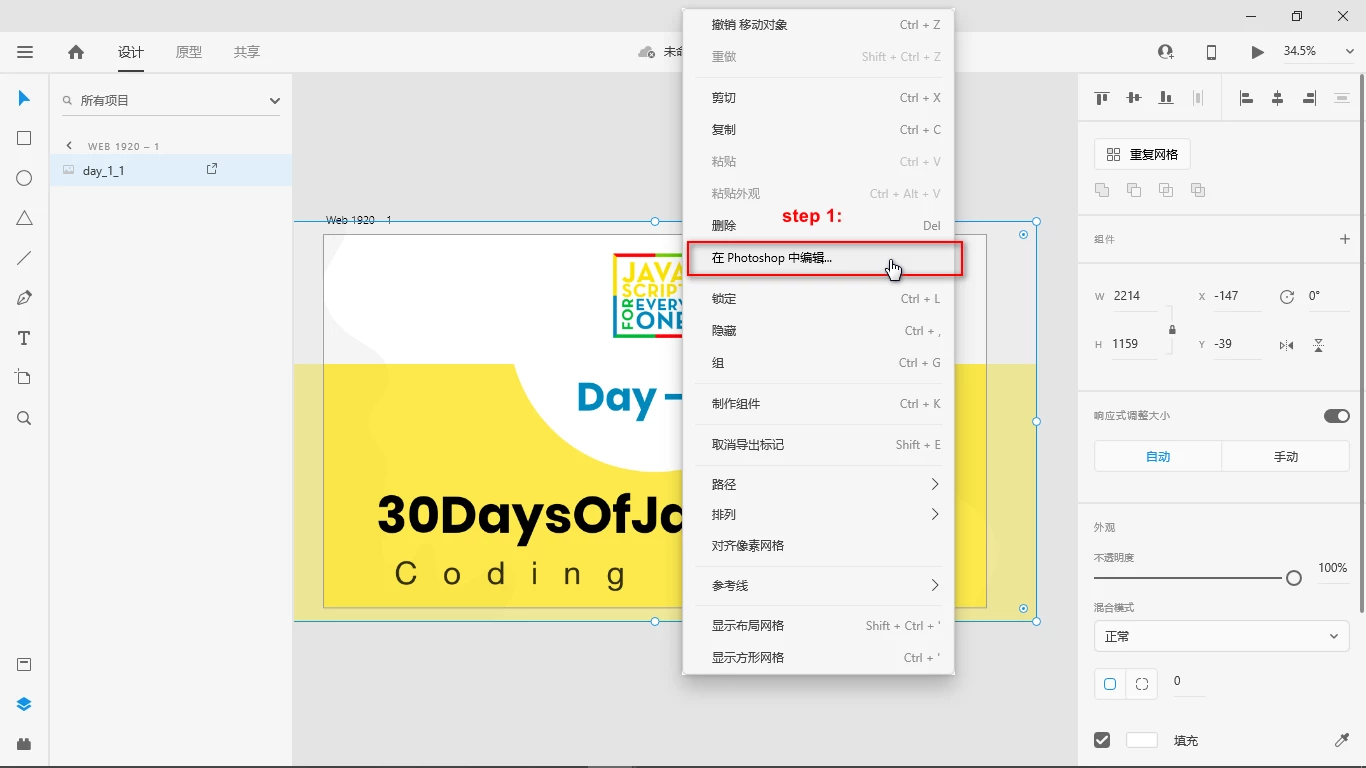
 

But it course error:

 

I had installed Photoshop cc 2015.


the log:

"C:\Users\xx\AppData\Local\Packages\Adobe.CC.XD_adky2gkssdxte\LocalState\AdobeXD.log"


2020-01-14 15:48:04.133085 [1252] error | 2020-01-14 15:48:22.820922 [5420] error | lifecycle | Watchdog 'AppInitWatchdog': Stage labeled 'SparklerApp::initAsync::startupGateStage' did not complete in 30s


<The Title was renamed by moderator>


This topic has been closed for replies.

1 reply

Harshika Verma
Community Manager
Community Manager
January 14, 2020

Hi Cadyog, 


We are sorry to hear you are having trouble editing your design into Photoshop & thank you for sharing the screenshots. Would you mind updating Photoshop to the latest version & then try to edit? If that doesn't help, please try signing out of Creative Cloud app & XD, then sign back in.


Let us know if that helps.


Thanks,

Harshika

cadyongAuthor
Participant
January 15, 2020

I had tried signing out of Creative Cloud app & XD, then sign back in.  but it is useless.


photoshop cc 2015   installed well. I think the error is Adobe xd. 


Harshika Verma
Community Manager
Community Manager
January 15, 2020

Thanks for trying the initial troubleshooting steps. It looks like you are using the older version of XD. Would you mind updating XD to the latest version(25.2)?


Let us know if that helps.


Thanks,

Harshika