
Participant
August 13, 2021
Question

Desktop preview top-bottom margins

  • August 13, 2021
  • 1 reply
  • 826 views

Hello, 


I'm working on a small dimensions artboard 480x272 px size to be specific. In desktop preview mode I seem to have margins from top/bottom which I can't get rid of, the screen will not allow me to resize it height wise any more. Is there any way to get rid of them and just have the size of the window be the one I'm working on? Why is there a margin from top and bottom?


I can't scale up/down the design artboards as that would require redoing the work. 
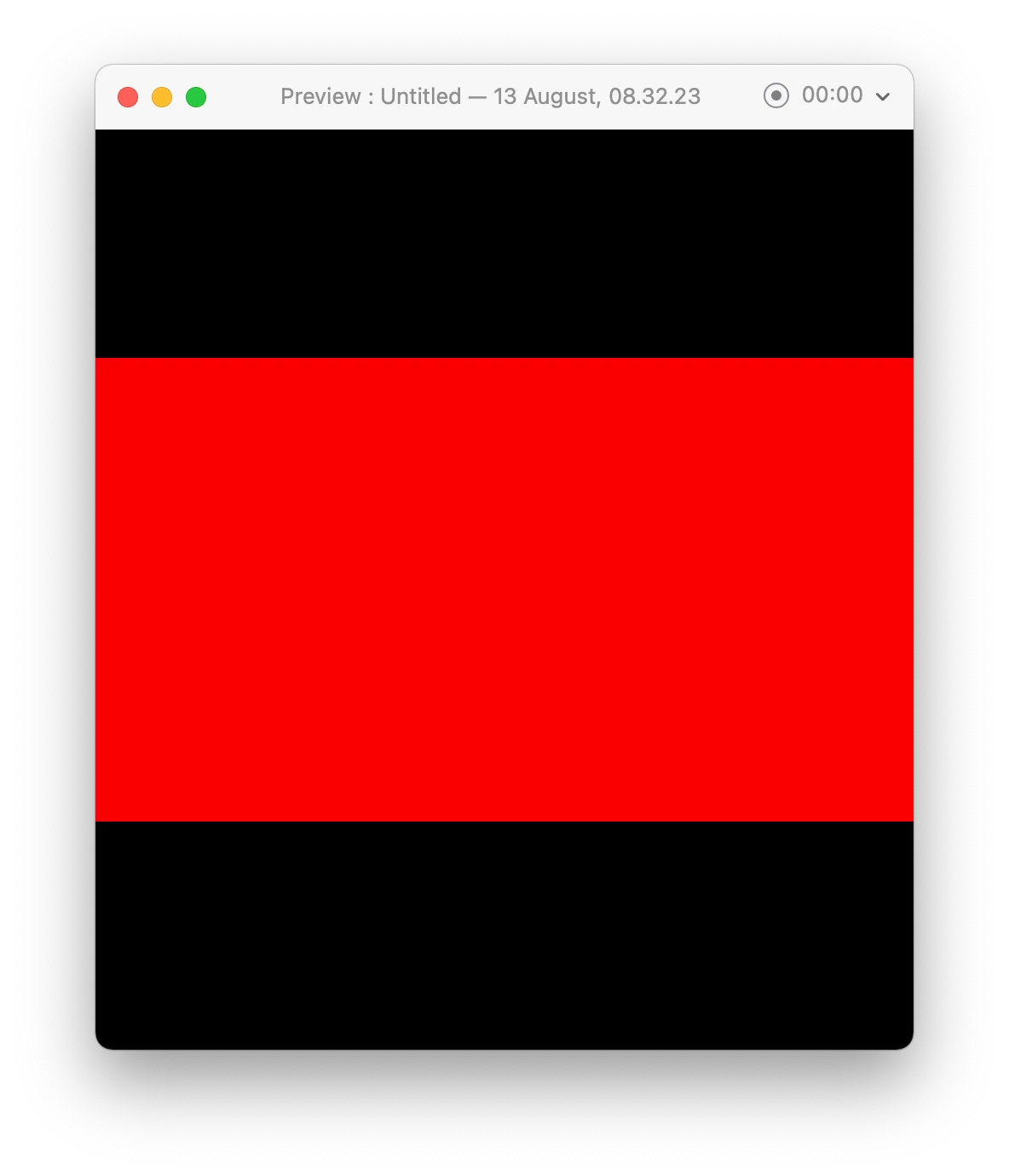


Thanks

    This topic has been closed for replies.

    1 reply

    Community Manager
    August 13, 2021

    Hi There,


    Thanks for reaching out and sharing the feedback. This happens because of the different size artboards and we understand it could be an important feature in Adobe XD. We have received a similar request on our Adobe XD UserVoice, I'd request you to please upvote this request:https://adobexd.uservoice.com/forums/353007-adobe-xd-feature-requests/suggestions/34277722-adjust-the-preview-window-to-the-size-of-the-artbo


    This is the best way of communicating with the Engineering and Product Management teams regarding issues and suggestions so they can be implemented in future releases. 


    Please let us know if you need more assistance on this. We'd be happy to help


    Thanks,

    Chethan


    Participant
    August 13, 2021

    Hi Chethan, 


    I might be missing something, but I have 1 artboard in the file. I do not have multiple artboards with different sizes. And yet, I am not able to scale-down (height wise) the preview window to fit the artboard size exactly. As you can see width-wise it's OK. It's as if the preview window format is portrait. The artboard is landscape. 


    I'd be curious to see you try this in a new file with 1 artboard.


    Regards

    Community Manager
    August 13, 2021

    Hi There,


    Thanks for sharing your feedback and I would suggest you to check a similar issue reported few days back here: https://community.adobe.com/t5/adobe-xd/how-to-resize-the-preview-window-mine-is-showing-back-background/m-p/12013733#M49089


    Please let us know if you need more assistance on this. We'd be happy to help


    Thanks,

    Chethan