Participant
December 29, 2021
Question

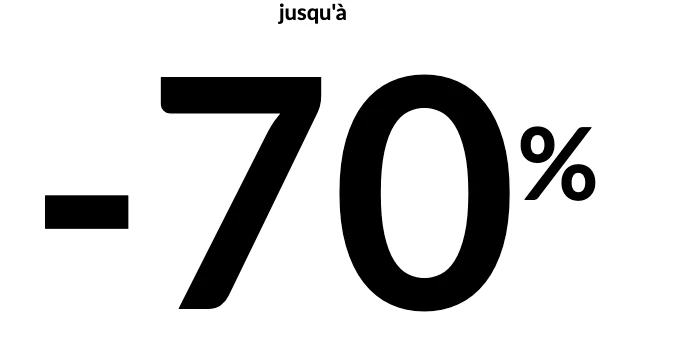
Difference between XD and my HTML

  • December 29, 2021
  • 3 replies
  • 587 views

Hi,

I create an XD document, and add two simple text. I put them in stack.

There is a big space between both (no marge in the attribut)
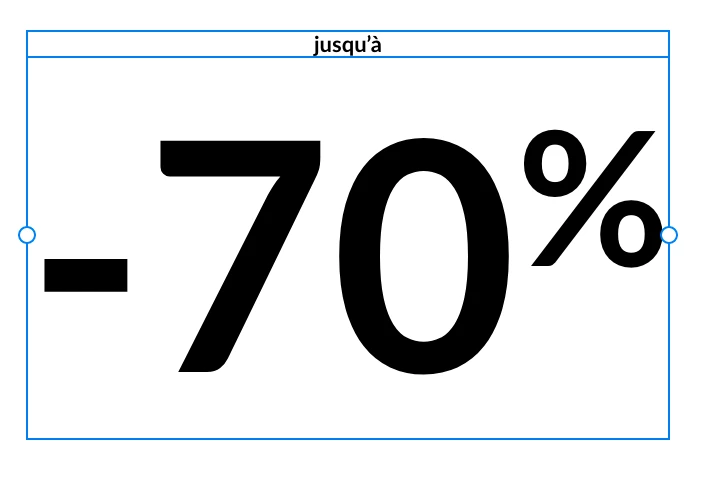
 

When I create an HTML document, and add the same texte, with the same css attribut, I don't have the same space between both.

Do you have any idea how can I reduce the marge in XD ? Again, I don't have any extra marge in the attribut.

Thanks,

Aurélie


    This topic has been closed for replies.

    3 replies

    Dan Rodney
    Community Expert
    Community Expert
    December 30, 2021

    Fonts (especially OpenType, with their various settings) can render differently in various apps depending on the default settings. That may be the case here. XD does not currently let you set OpenType settings. I'm not sure exactly why it renders differently, but I'm not surprised that there can be minor differences.

    — Adobe Certified Expert & Instructor at Noble Desktop | Web Developer, Designer, InDesign Scriptor
    Community Expert
    December 30, 2021

    For some reason you can't use a negative spacing in Stack:

    https://adobexd.uservoice.com/forums/353007-adobe-xd-feature-requests/suggestions/41720950-allow-negative-values-for-stack-elements-distance

    If you can use a simple Component / Group instead then you can place the text elements closer together.

    Ares Hovhannesyan
    Community Expert
    Community Expert
    December 29, 2021

    Can you share css code for review. Thanks

    Participant
    December 29, 2021

    Hi Ares, thanks for the answer, yeah of course I share right now!

    That's an email code, so it's coded with <table> like in the 90's


    <!DOCTYPE html>
    <html lang="fr">
    
    <head>
        <meta http-equiv="Content-Type" content="text/html; charset=utf-8" />
        <meta http-equiv="X-UA-Compatible" content="IE=9; IE=8; IE=7; IE=EDGE" />
        <meta name="viewport" content="width=device-width, initial-scale=1.0" />
        <style type="text/css">
            body {width:100%!important; -webkit-text-size-adjust:100%; -ms-text-size-adjust:100%; margin:0!important; padding:0; color:#000000;}
            * {font-family:inherit;} 
            
            table td {border-collapse:collapse; vertical-align:top;}
            table { border-collapse:collapse; mso-table-lspace:0pt; mso-table-rspace:0pt;}
        </style>
    
    
        <style type="text/css">
            @11220649-face {
                font-family: 'Lato-Bold';
                src:    url('Lato-bold.eot?#iefix') format('embedded-opentype'), 
                        url('Lato-bold.woff2') format('woff2'), 
                        url('Lato-bold.ttf') format('truetype'), 
                        url('Lato-bold.svg#Lato-bold') format('svg');
                font-weight: normal;
                font-style: normal;
            } 
            *:not(#outlook).lb   {font-family: 'Lato-Bold', Arial, Helvetica, sans-serif!important;}
        </style>
    </head>
    
    
    <body style="background-color:#ffffff; color:#444444;">
        <table role="presentation" cellpadding="0" cellspacing="0" border="0" align="center" width="100%" style="margin:auto;">
            <tr>
                <td align="center" style="font-family:Arial, Helvetica, sans-serif;font-size:11px; line-height:11px; color:#000000;" class="lb">
                    jusqu'à
                </td>
            </tr>
            <tr>
                <td align="center" style="font-family:Arial, Helvetica, sans-serif;font-size:160px; line-height:160px;color:#000000;" class="lb">
                    -70<sup style="font-size:50px;">%</sup>
                </td>
            </tr>
        </table>
    </body>
    </html>


    AkinGn
    Community Expert
    Community Expert
    December 30, 2021

    Hi @auréliel44189395 , thanks for sharing the html code (also thanks to @Ares Hovhannesyan asking for it), as I see it you don't have any extra styling for the text in the code as well. Since even different browsers shows/renders the very same html/css in slightly different ways, I'd say px to px a perfect match might not be possible by default. Thinking what I'd do to match the look in XD, I might fiddle with line spacing/line height in XD to arrange the vertical spacing (if it was the horizontal, than letter spacing/character spacing could be the setting to tweak) I'm marking those settings in the screenshot I'm adding if you're not sure which ones I'm talking about, hope this helps 🙂