Participant
September 12, 2021
Answered

Distorted GUI when importing PSD files.

  • September 12, 2021
  • 1 reply
  • 956 views

Hi All


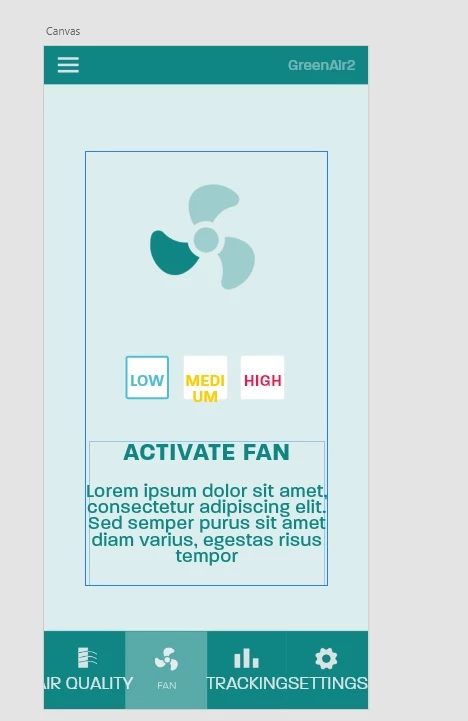
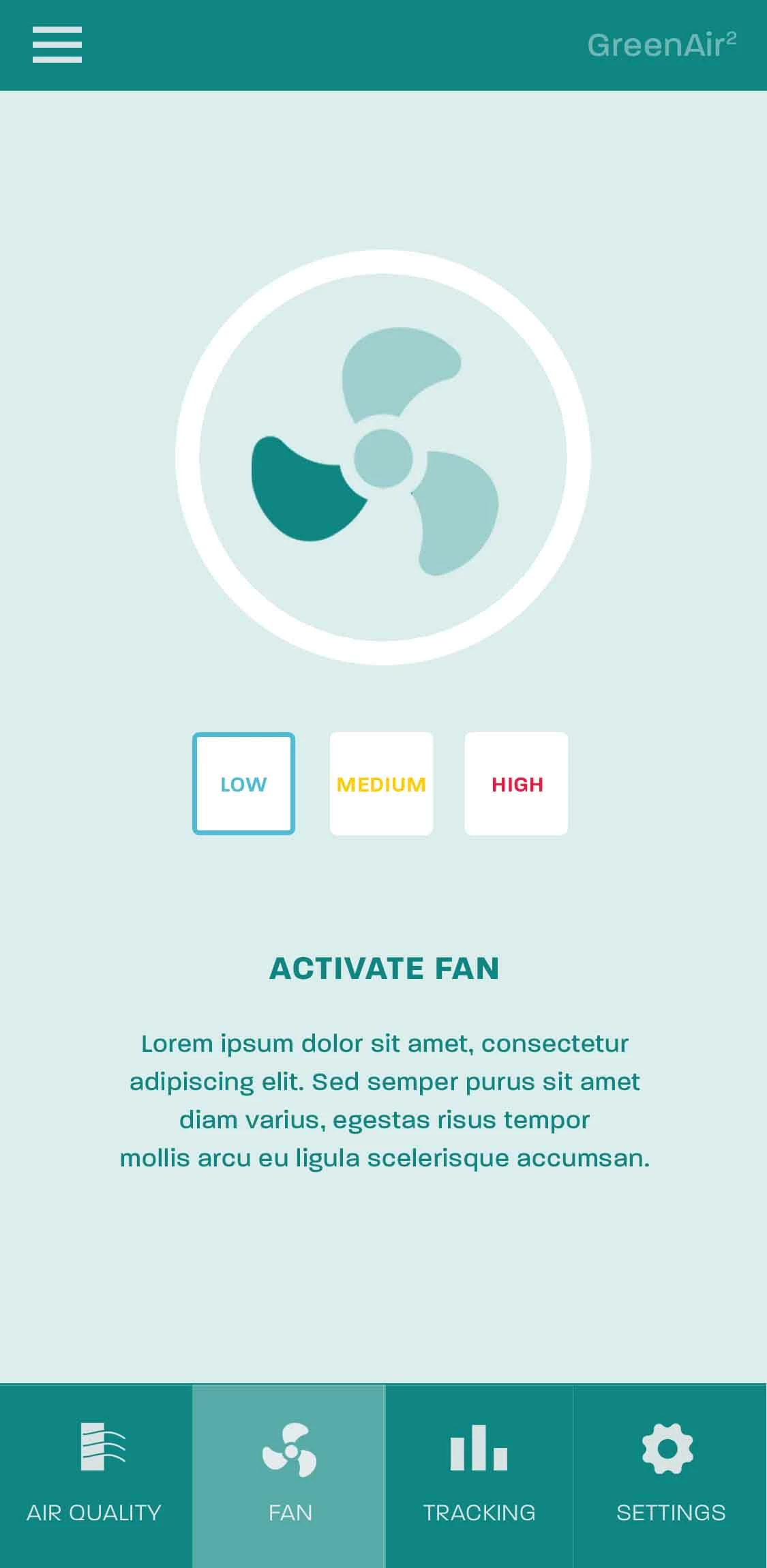
I am trying to import a psd project into XD, but i am finding that the GUI is getting distrorted. This is the GUI in adobe photoshop


When it gets inmported into XD this is how it looks.


Is there away to correct this from happening?

    This topic has been closed for replies.
    Correct answer Spas K.

    All right, I found the issue. All your text elements in the .psd have superscript activated. So they are larger font sizes, but they appear small because of this.
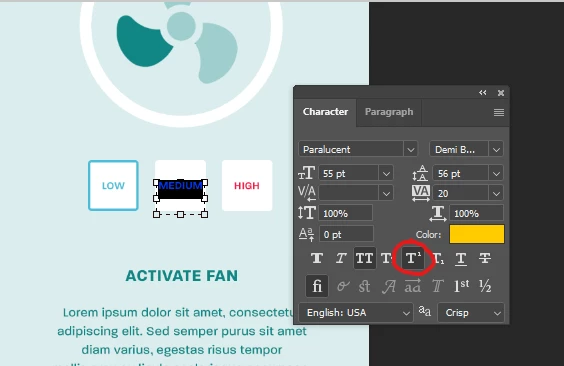


    When you import the psd in Xd, the superscript setting doesn't carry over, so they look bigger.
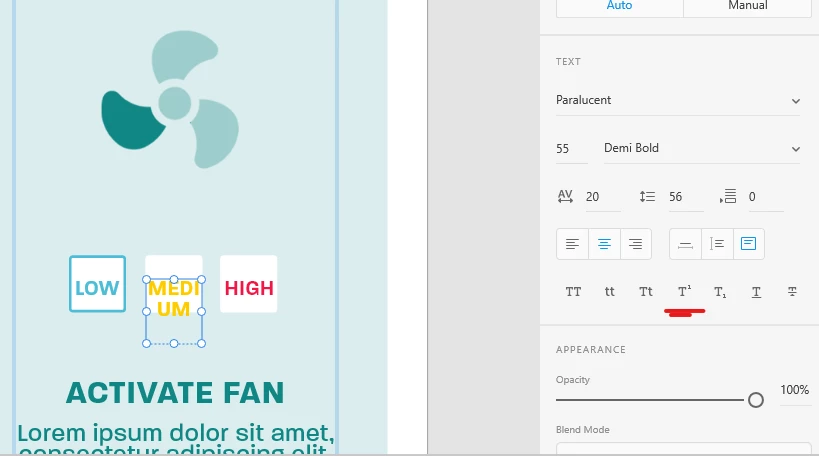


    If you activate superscript on all text layers in Xd, it appears the same as in PS:
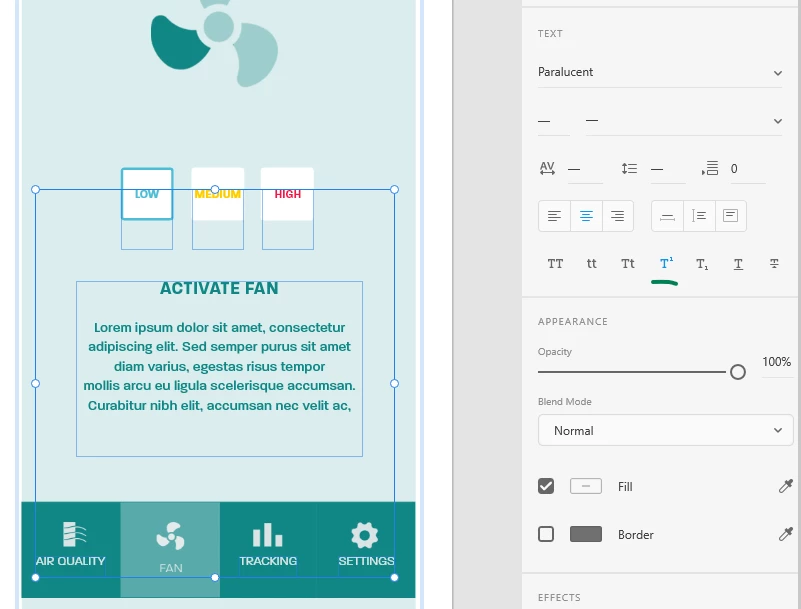


    And lastly, the reason the circle around the fan doesn't appear is because in PS it's made using a layer effect - Stroke, which doesn't exist in Xd, so it doesn't carry over. 
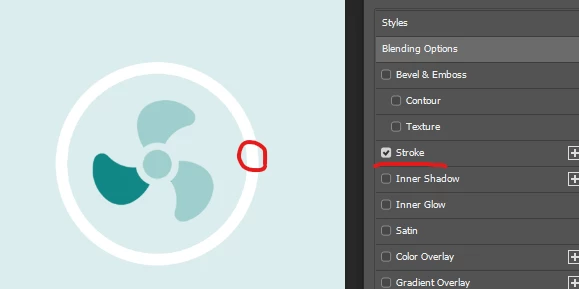


    If you want it to work, either make it a shape layer with a stroke in Photoshop, or recreate it in Xd with an ellipse that has a stroke with the same width. Shape layers and effects in Photoshop will normally work when you import in Xd, but when they are rasterized flat layers in PS, they won't work very well, as Xd is a vector based application.

     

    1 reply

    Spas K.
    Community Expert
    Community Expert
    September 12, 2021

    Hi there. Will you be able to share your .psd, so we can test it out and see if we can find what's causing this?

    Participant
    September 12, 2021

    This is one file

    Spas K.
    Community Expert
    Spas K.Community ExpertCorrect answer
    Community Expert
    September 12, 2021

    All right, I found the issue. All your text elements in the .psd have superscript activated. So they are larger font sizes, but they appear small because of this.


    When you import the psd in Xd, the superscript setting doesn't carry over, so they look bigger.


    If you activate superscript on all text layers in Xd, it appears the same as in PS:


    And lastly, the reason the circle around the fan doesn't appear is because in PS it's made using a layer effect - Stroke, which doesn't exist in Xd, so it doesn't carry over. 


    If you want it to work, either make it a shape layer with a stroke in Photoshop, or recreate it in Xd with an ellipse that has a stroke with the same width. Shape layers and effects in Photoshop will normally work when you import in Xd, but when they are rasterized flat layers in PS, they won't work very well, as Xd is a vector based application.