Known Participant
September 18, 2019
Answered

Does anyone know why missing fonts of Roboto always happened on new XD file but not on an old one?

  • September 18, 2019
  • 1 reply
  • 3723 views

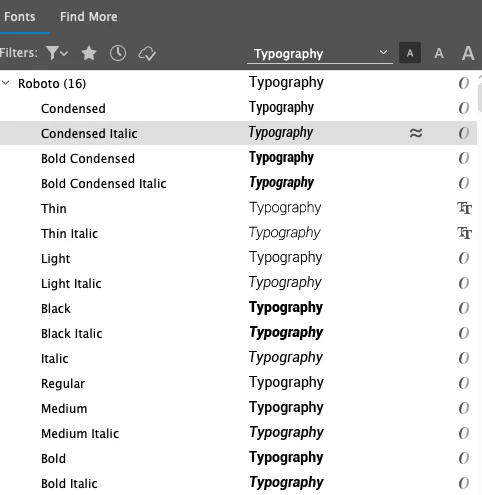
I always use Roboto on my company work, since my first XD work started it's about two years, and I use it very smoothly till one day I found it shows a symbol and tells it got a font missing...  
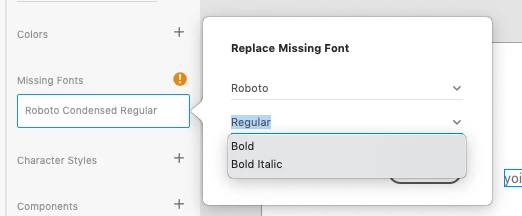
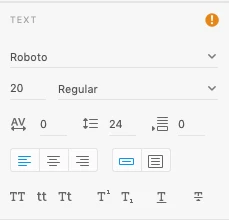
 

I thought it must be something wrong with the font system but nothing particular on it and so as Illustrator, they all got entire font set as good as usual. 
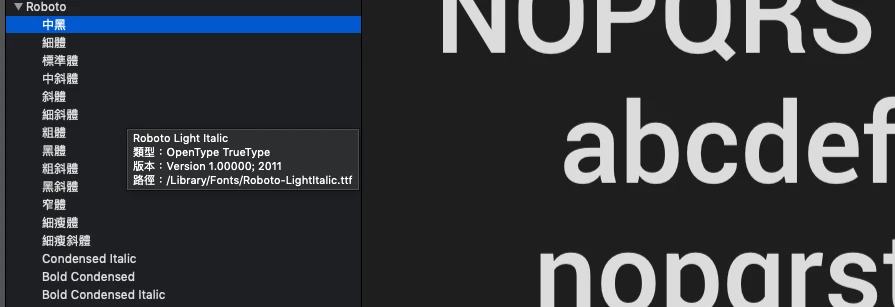
The weird thing is when I opened my old working file which used Rorobo, the fonts are showing perfectly without any warning symbols.
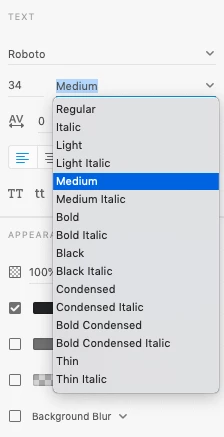
This problem caused if I have to work and use Roboto on my design, there is no choice, I always need to open an old XD file which has been using the Roboto fonts, and save as a new name then I can start my new work to use Roboto on my design working. Can someone tell me what's happening on it and how should I do for it? Thank you!

This topic has been closed for replies.
Correct answer italosan

Hi, what version of Adobe XD are you using? Have you tried installing the font again? Do you use a font manager?

1 reply

italosan
Community Expert
italosanCommunity ExpertCorrect answer
Community Expert
September 18, 2019

Hi, what version of Adobe XD are you using? Have you tried installing the font again? Do you use a font manager?

Known Participant
September 19, 2019

Hi, italosan

I would like to thank you for the reply, I have followed your advice to checked my Adobe XD version (which is 22.5.12.1. )and yes, I have also tried to install the font again but seems the fonts are stick on my font system and can not be removed or uninstalled

in the other hand, I have tried to overwrite Roboto font on Typekit again as well, but it tells some error message: "A font with the same name is already installed"

The last step is I have tried to check my font manager and turned it as deactivate, here comes the magic I can finally see all the font family on my new Adobe XD file!!! Oh! I am feeling relieved : ) Thank you again!!!

italosan
Community Expert
Community Expert
September 19, 2019
Hi, I'm really glad your problem has been solved. If you need help in the future, contact us.