


Participant
March 17, 2025
Question

Does the "Share" placement make sense?

  • March 17, 2025
  • 1 reply
  • 134 views

Hello everyone. This is just something I noticed trying to share my prototype link to my professor. Note that this is my first week in Adobe XD. I was already in my prototype and went to the icons on the left, and this icon lets you add people to edit. 

So, I got confused trying to find ways to share it or get a link. It was later on I went to the home button and noticed this "Share" tab. 
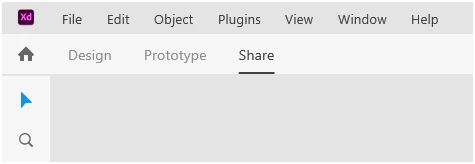
I personally wonder why they had the "Share" here, and not with these icons. 
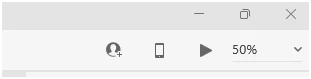
So, I was just curious what the community thinks. Like, do you get use to it or do you think Adobe can work on the placement better, or should they make "Design", "Prototype", and "Share" easier to see? 

1 reply

Spas K.
Community Expert
Community Expert
March 17, 2025

The "Share" tab is about sharing the prototype with a client, without them having edit access, but merely viewing the prototype and interactions. There you can manage flows generate different types of preview links and so on. The person icon on the other hand is about collaborating with other designers, and sharing *access* to the document, so it doesn't require a whole tab to do.


The collaboration feature in Xd was added much later than the share tab.


As a final note - Adobe Xd's development has been discontinued for some time, and it's just in maintenance mode, so no further changes will be made to it, and no additional features will be added.