


Question
Drop shadow not included in width and height of asset in adobe XD
Hello,
I am having an issue where the drop shadow in an asset is not included in the Width and Height of the asset (the shadow makes it bigger).
See below, XD highlights the green outline as the size, but it has a black drop shadow to the bottom right, and white to the top left. The asset exports correctly to a larger object with the shadows included.
This is an issue as I need an accurate X and Y position to use the assets in programming external firmware.
Is there a way to set the asset up so the drop shadow becomes the outside perimeter?
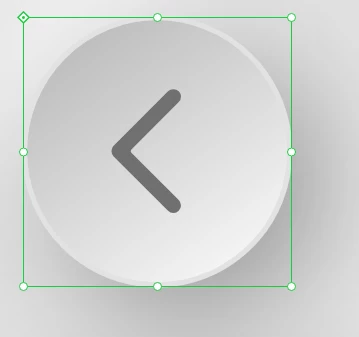
thank you.
 AdChoices