
Participant
September 10, 2021
Question

Error 5719 while opening Adobe XD

  • September 10, 2021
  • 2 replies
  • 583 views

I am having trouble oepning Xd with this error message. I have uninstalled and re-installed the programme and still get the same message. 

Seen this to help but my computer can not find gpedit.msc when I try and search for it.
I can not create a new user either.

  • Open Local Group Policy Editor Using Run
  • Press the Windows key + R to open the Run box.
  • Type gpedit.msc and press Enter.
  • If prompted by UAC, click on Yes.
  • Go to User Configuration > Administrative Templates > System
  • Disable Download missing COM components
  • Launch XD, if it fails then try after rebooting the machine.
  • If it still fails, try disabling the Download missing COM components from Computer Configuration also.
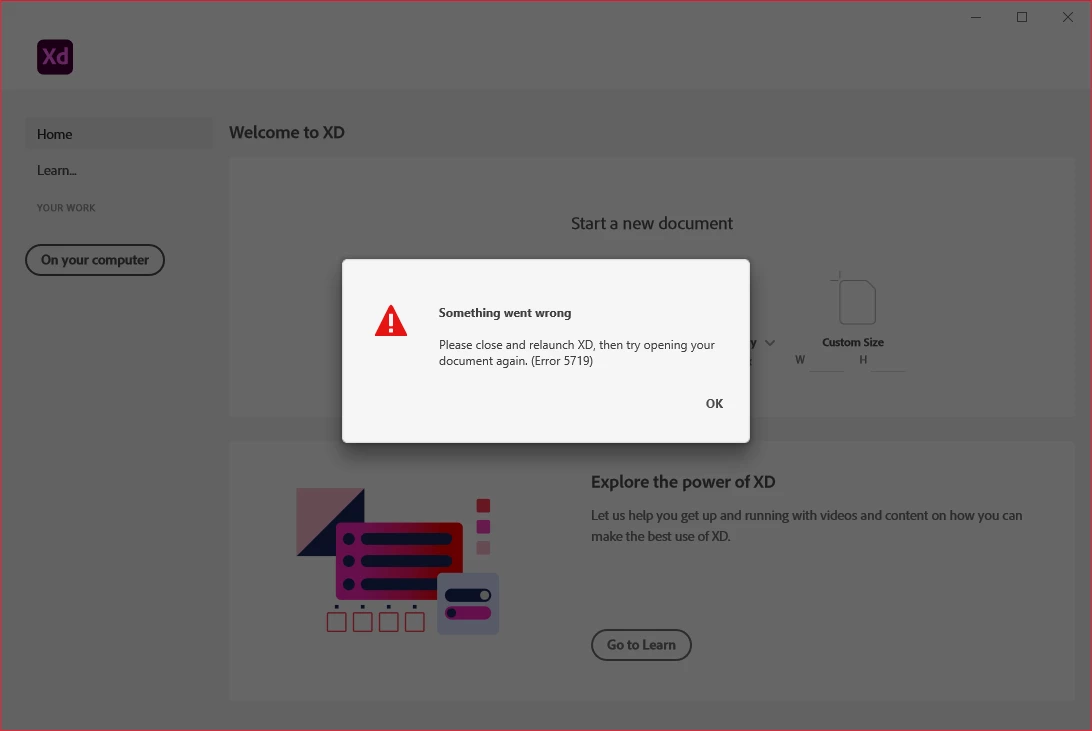


Any help would be fantastic thankyou!

This topic has been closed for replies.

2 replies

Participating Frequently
November 22, 2021

Sign out of windows and sign back in, this fixes it for some reason (despite restarting the PC not fixing it, strange). All the convoluted "fixes" from Adobe don't work half the time.

Rishabh_Tiwari
Community Manager
Community Manager
September 10, 2021

Hi there,


We're so sorry to hear about the trouble. Since you have already tried the suggestions, if you have an Enterprise Account, please contact your Admin or contact us using this link https://helpx.adobe.com/enterprise/using/support-for-enterprise.html and if you have an individual subscription, please contact us using this link https://helpx.adobe.com/contact.html


Regards

Rishabh