Participant
Jan 31, 2017 2:15 PM UTC
Answered

Expand artboard vertically in Web view?

Is there a way to expand the artboard vertically on the web view? I'd like to keep designing my website vertically down the page but seem to be limited by the view of 1920 x 1080.

    This topic is closed to new replies. Start a new post to keep the conversation going.
    mixmastermikeyCorrect answer
    Participant
    Jan 31, 2017 3:18 PM UTC

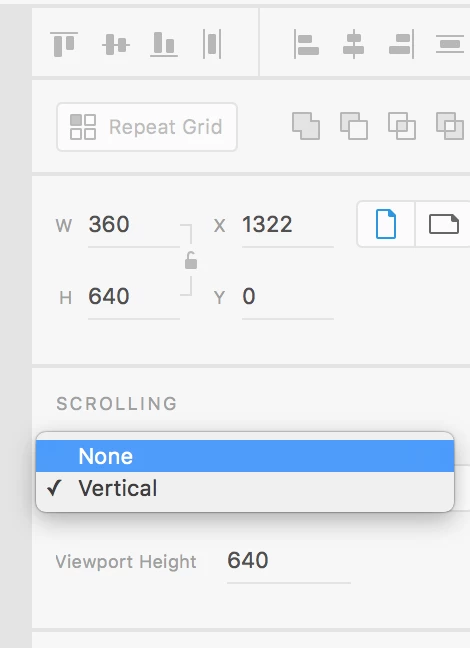
    1. Click on the text label above art board.

    2. On the right sidebar:

    - You can customize your dimensions 

    - You can customize your portal

    Tip:

    On the right bar, change your scrolling to none, this will allow infinite scrolling without the sidebar.

    2 replies

    mixmastermikeyCorrect answer
    Participant
    Jan 31, 2017 3:18 PM UTC

    1. Click on the text label above art board.

    2. On the right sidebar:

    - You can customize your dimensions 

    - You can customize your portal

    Tip:

    On the right bar, change your scrolling to none, this will allow infinite scrolling without the sidebar.

    Translate
    Participant
    Jan 31, 2017 2:17 PM UTC

    I was working off the Web 1920 - 1 artboard. If I create an artboard, it looks like I can make it as tall vertically as I want. I guess I answered my own question. Just can't resize the original artboard.

    Translate