Participant
October 8, 2020
Answered

export image from xd

  • October 8, 2020
  • 2 replies
  • 3499 views

how can select export specify  area to export image if image is big and visible in outside of artwork but we want to only get image shown in artboard or  a portion of image or part of image.

    This topic has been closed for replies.
    Correct answer Spas K.

    1. Draw a rectangle above the image with the size you want it "cropped" to. In your case, with the size of the artboard.

    2. Select both image and the rectangle in the layers panel, right click, and select "Mask with Shape.
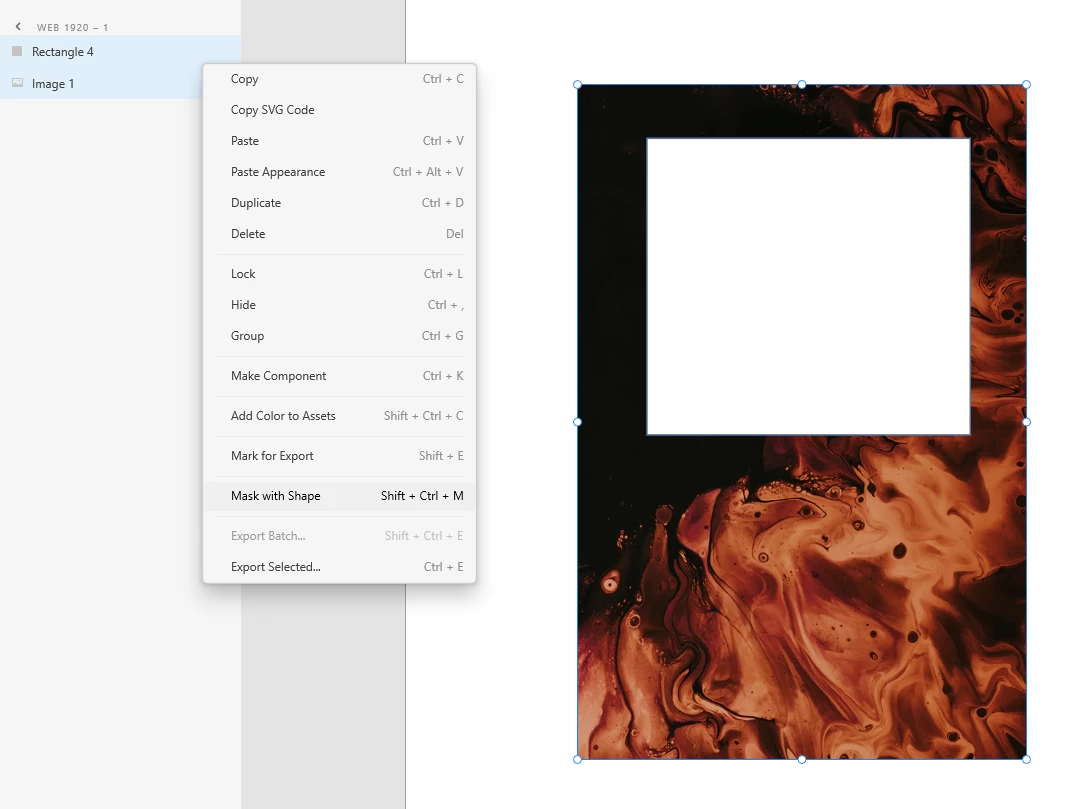


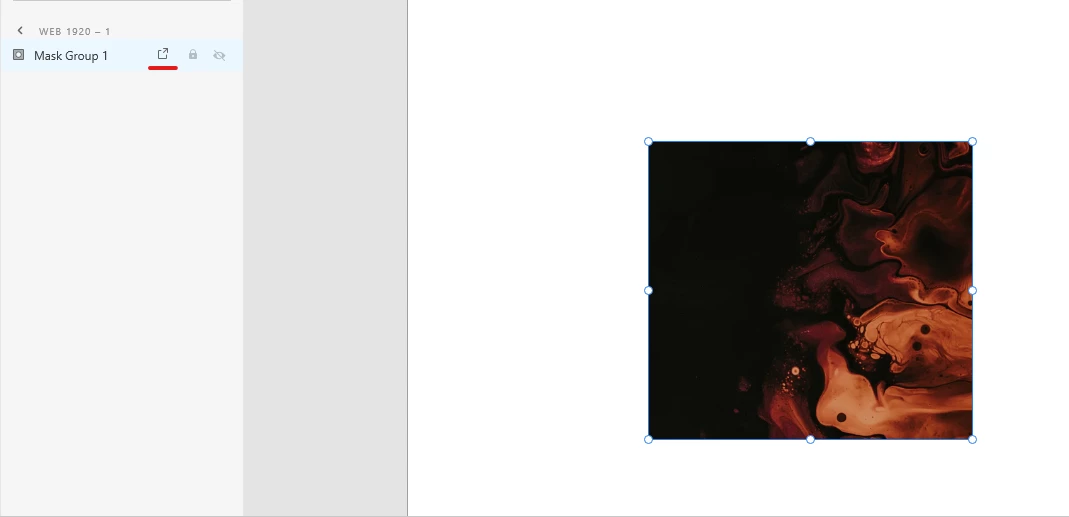
    3. Then you mark the whole masked group for export, and only the visible portion of the image will be exported.
     

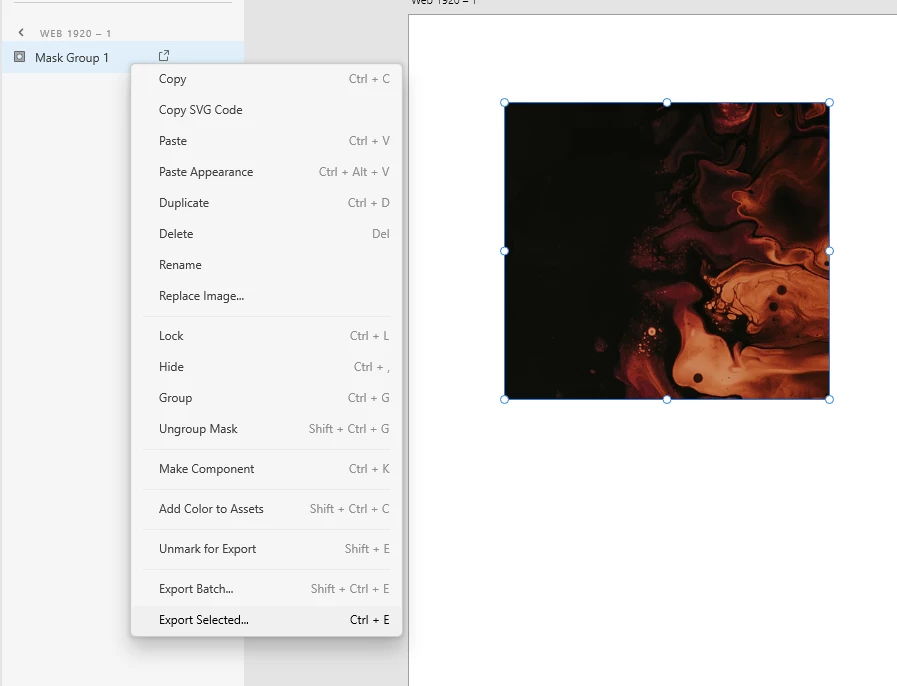
    If you just want to export the image manually, you can select the Mask Group, right click, and select "Export Selected":
    2 replies

    Spas K.
    Community Expert
    Spas K.Community ExpertCorrect answer
    Community Expert
    October 9, 2020

    1. Draw a rectangle above the image with the size you want it "cropped" to. In your case, with the size of the artboard.

    2. Select both image and the rectangle in the layers panel, right click, and select "Mask with Shape.


    3. Then you mark the whole masked group for export, and only the visible portion of the image will be exported.


    If you just want to export the image manually, you can select the Mask Group, right click, and select "Export Selected":

    Rishabh_Tiwari
    Legend
    October 8, 2020

    Hi Surendra,


    Thanks for reaching out. If I understood correctly, you are looking to export a specific area of an image? If yes, we do have an option to export a specifically selected asset however we don't have the option to export a specific area of that asset. As a workaround, you can try creating a path around that specific area using the Pen tool, and then you can try exporting it. For more information on export options, please refer to this article: https://helpx.adobe.com/xd/user-guide.html/xd/help/export-design-assets.ug.html


    This may not be feasible in all the workflows so do let us know if this helps or if you need any further assistance.


    Regards

    Rishabh