
Participating Frequently
June 29, 2020
Answered

Export not on the same size that the component

  • June 29, 2020
  • 1 reply
  • 1853 views

Hi everyone 🙂

I have an issue regarding exports.
When I export some components, the file is not on the same size (few pixels more) than the original.
For example, you can see that this component is 512*512
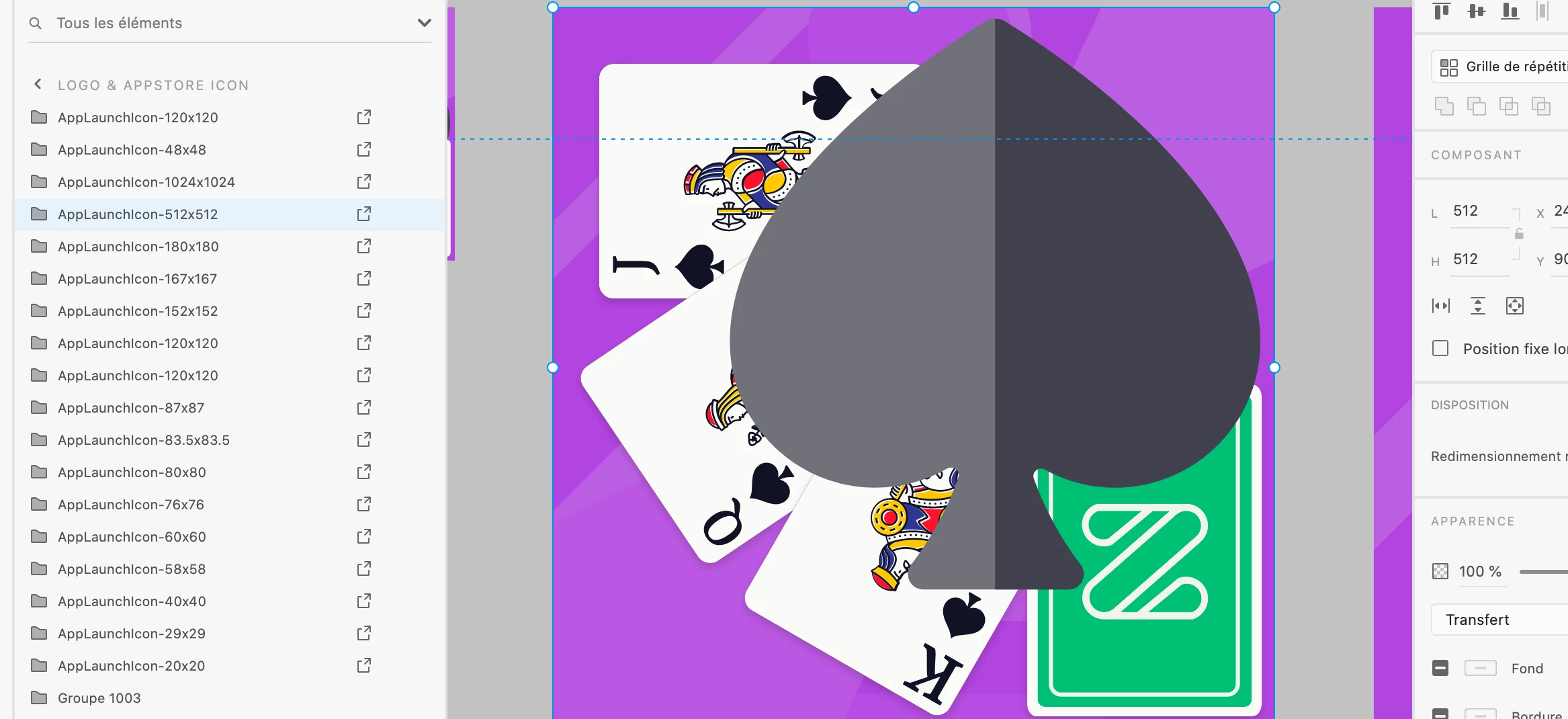
 

When I export it, it is 513*519:
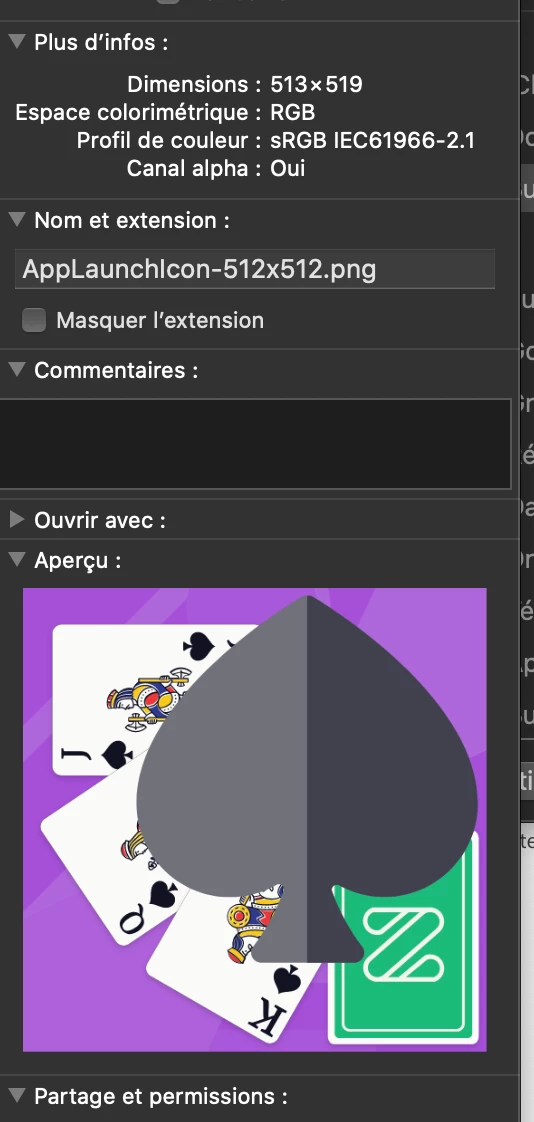
It's a big issue for me as it is a visual used for the App Store / Android. So it must be pixel-perfect 😕😕

Thanks for your help!

Damien
    This topic has been closed for replies.
    Correct answer Spas K.

    When you export the assets by itself?
    When you select the artboard export mode?

    I know that on artboard export mode it works, but not when I choose the "Batch" or "Selected" mode. And the problem is that my XD libraries has assets that developpers export on Batch. So I can't make a special process only for those assets 😕😕


    Okay, so I exported as is, and I got 512 x 519, same as you.

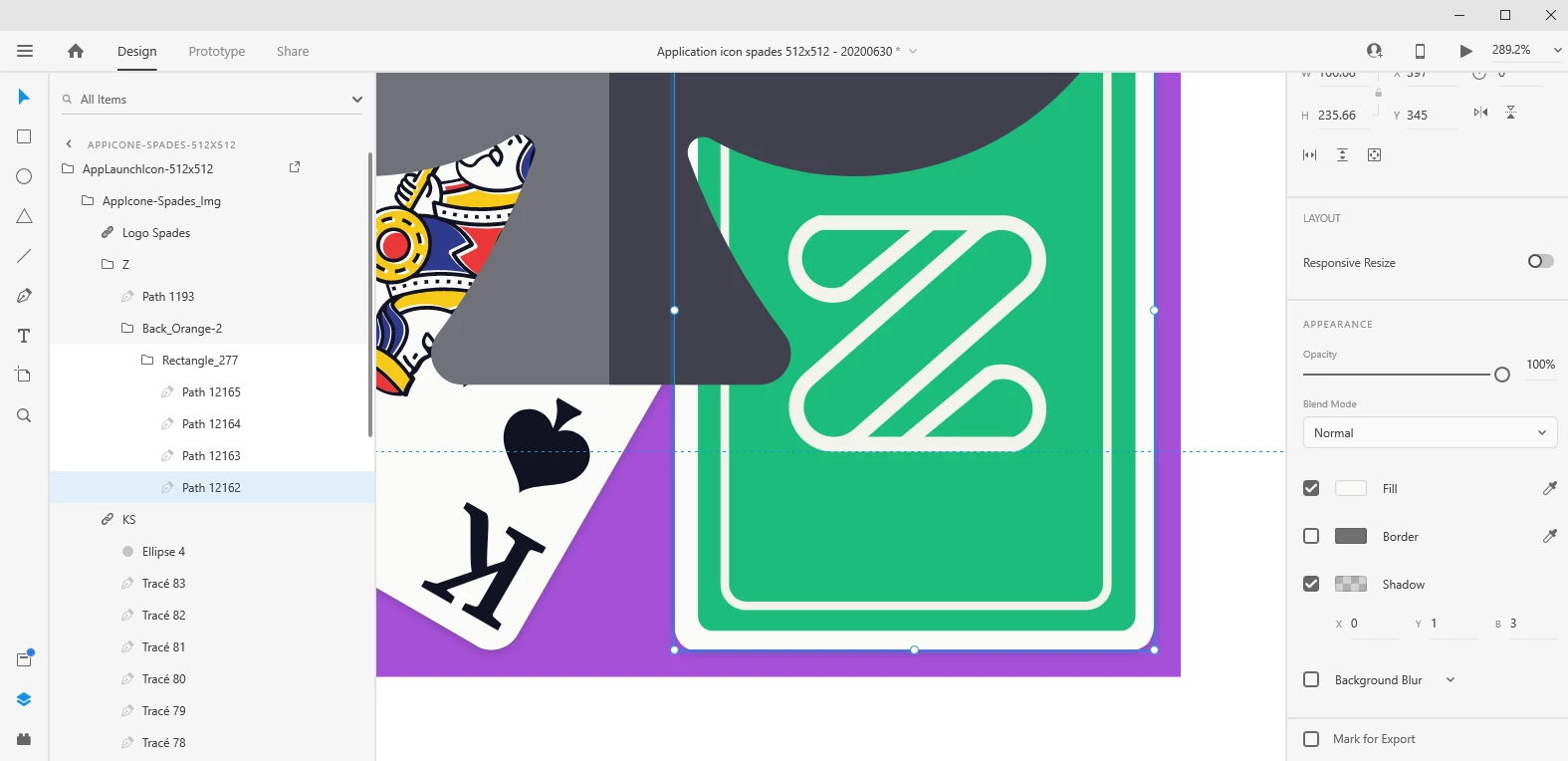
    The problem were indeed the shadows of the cards, apparently they extend beyond the purple square.

    Once I moved the King and the Z card up a bit, I managed to export 512x512. Reducing their shadows to Y:1 Blur: 3 also does the job.


    Here's the file, so you can check it out: https://we.tl/t-zGer6nuVi9


    1 reply

    Rishabh_Tiwari
    Community Manager
    Community Manager
    June 29, 2020

    Hi there,


    Thanks for reaching out. We will need to test this on our end, so could you please confirm what preset you selected in Export For and Designed At? Also please confirm the version of Adobe XD, we'll try our best to help you with it.


    Regards

    Rishabh

    DamienSAuthor
    Participating Frequently
    June 30, 2020

    Hi Rishabh,

    Thanks for your reply!

    Well actually this problem is on every export of a lot / selection that I do: PNG / Design or Android, JPG, etc.


    And as you can see, there is a layer around the export, I don't know why =>


    I  checked every layer of the component (pattern, color, AppIcone-Spades_img, etc.), there is nothing that is more than 512*512 or going outside the artboard.


    For now, the only solution that  I found is to export the artboard, instead of the composent. But it is not convenient at all for my developers as they use to export all the components of this XD files when they need to upgrade our app files. So it makes them do a special process only for those ones...

    Thanks a lot for your kind help,

    Damien

    Community Expert
    June 30, 2020

    One possible theory is that your artboards and/or elements are not placed on a whole pixel position - I see the Y location is 904.99 in your screen shots - can you try fixing that and see if it helps?