Pixelysian
Inspiring
August 14, 2017
Answered

Export sizing issue

  • August 14, 2017
  • 1 reply
  • 529 views

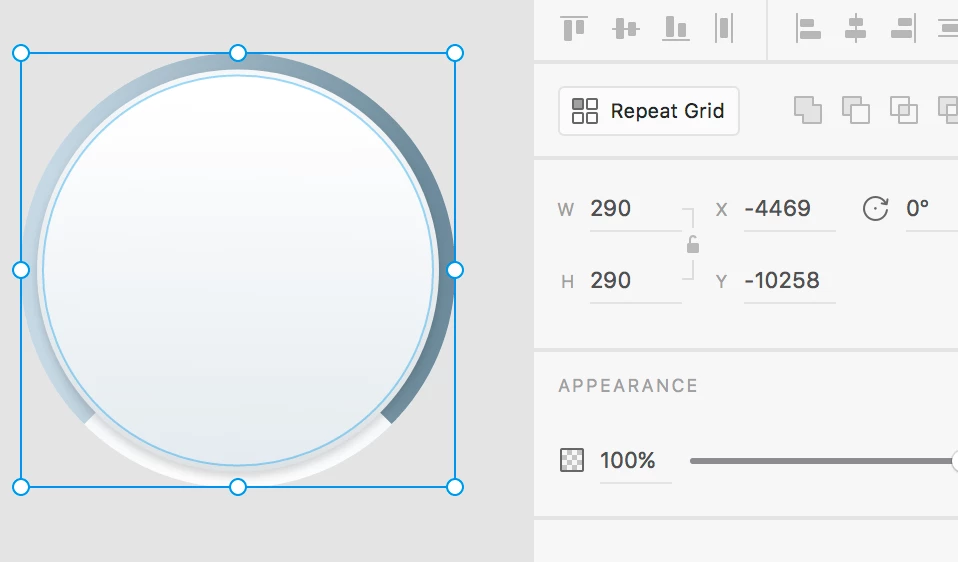
I have an image 290x290px

When I export, it is saving out at 290x291...
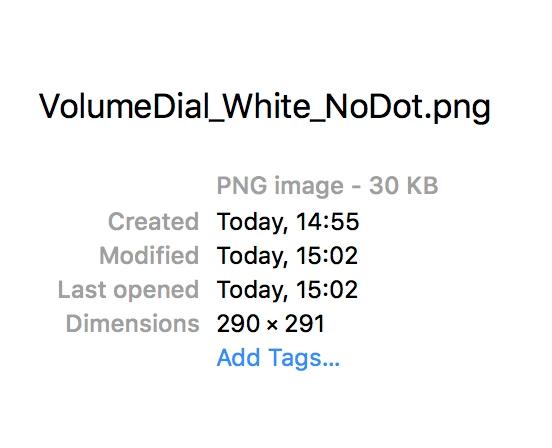
I tried putting a box around it that was 292x292. Same problem. Saved out at 292x293px

This is not helpful when you need sizes to be precise.

The only way around it was to create a PSD file at 290x290 and paste in and export from there. Pretty hopeless really 😕😕

Please advise.

    This topic has been closed for replies.
    Correct answer Vlad G.

    Hi Pixelysian​,

    I found the reason in your SVG to be the shadow on what's called 'Ellipse 312' in the document.

    The blur of 6 is actually using 9 pixels to render (you can see this if you set a solid shadow color) and if you add that tot he 3px drop of the shadow you get more than the 11 pixels you have from the surrounding group.

    This shadow does not impact the parent size but we do want it output in the PNG rasterization, that's why you get a different file size (you can test with larger drop shadow Ys to see this).

    In this particular case, setting 5.33 instead of 6 to the shadow's blur factor fixes your issue.

    Using a rectangular path of 290x290 to mask the current object also works.

    Hope this helps,

    --

    Vlad

    1 reply

    Vlad G.
    Participating Frequently
    August 18, 2017

    Hi Pixelysian​,

    To understand better what happens in your case I need some information. Could you export the same object to svg for us to take a look at its structure and understand what happens?

    Thank you

    Vlad

    Pixelysian
    Inspiring
    August 18, 2017

    Hi Vlad

    I am unable to insert an .svg image so here is a link to it:

    Dropbox - PPDial.svg

    Vlad G.
    Vlad G.Correct answer
    Participating Frequently
    August 21, 2017

    Hi Pixelysian​,

    I found the reason in your SVG to be the shadow on what's called 'Ellipse 312' in the document.

    The blur of 6 is actually using 9 pixels to render (you can see this if you set a solid shadow color) and if you add that tot he 3px drop of the shadow you get more than the 11 pixels you have from the surrounding group.

    This shadow does not impact the parent size but we do want it output in the PNG rasterization, that's why you get a different file size (you can test with larger drop shadow Ys to see this).

    In this particular case, setting 5.33 instead of 6 to the shadow's blur factor fixes your issue.

    Using a rectangular path of 290x290 to mask the current object also works.

    Hope this helps,

    --

    Vlad