
Answered
Eyedropper tool missing in Adobe XD – Windows 10
Hi there,
How may I switch on the eyedropper tool in the latest version of !XD? In most of recent articles I may see the tool active, just as in here: Learn to set stroke, fill, and drop shadow for objects in Adobe XD. However, in my !XD, the tool is not there next to the "Fill" section (see the screenshot).
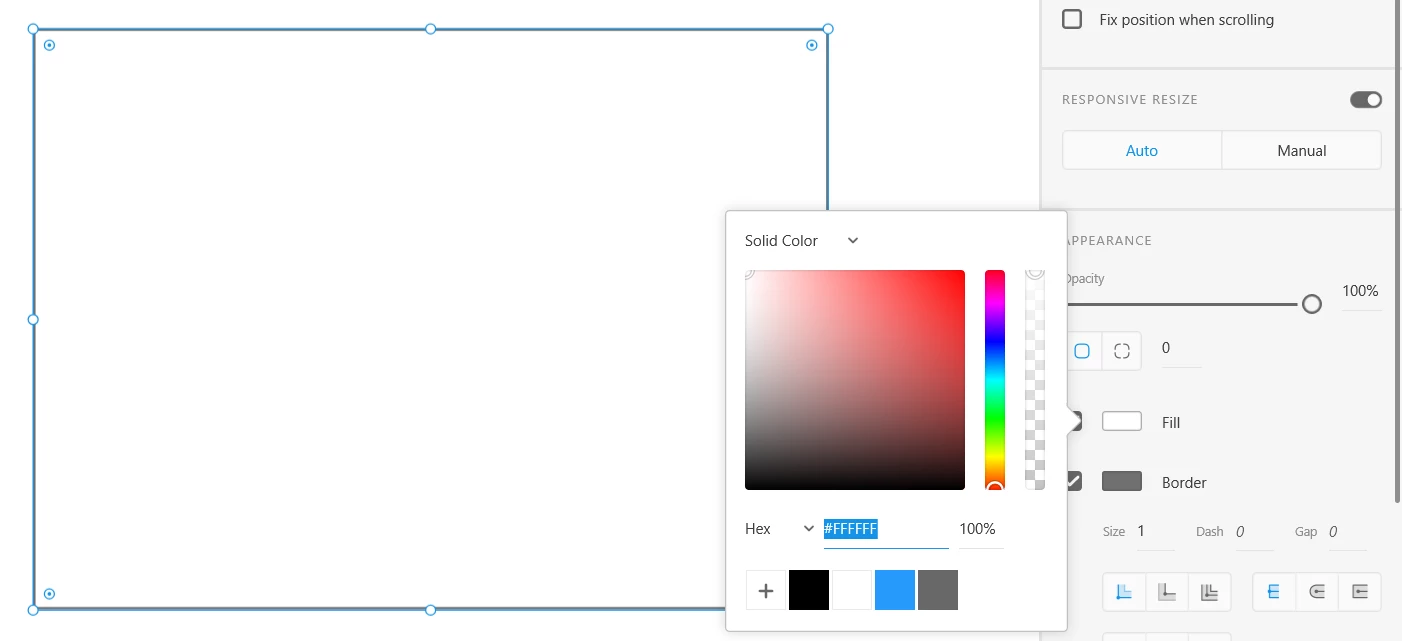
I've read about some tools which could help out with the issue but I am not sure whether they support Windows 10.
I'd be very grateful to anyone who may help me out.
Best,
Marta
 This plus also "update all symbols" were not there for a while
  and then magically appeared
  AdChoices