Known Participant
September 12, 2019
Question

"Fix position when scrolling" not showing up in second level of artboards

  • September 12, 2019
  • 2 replies
  • 936 views

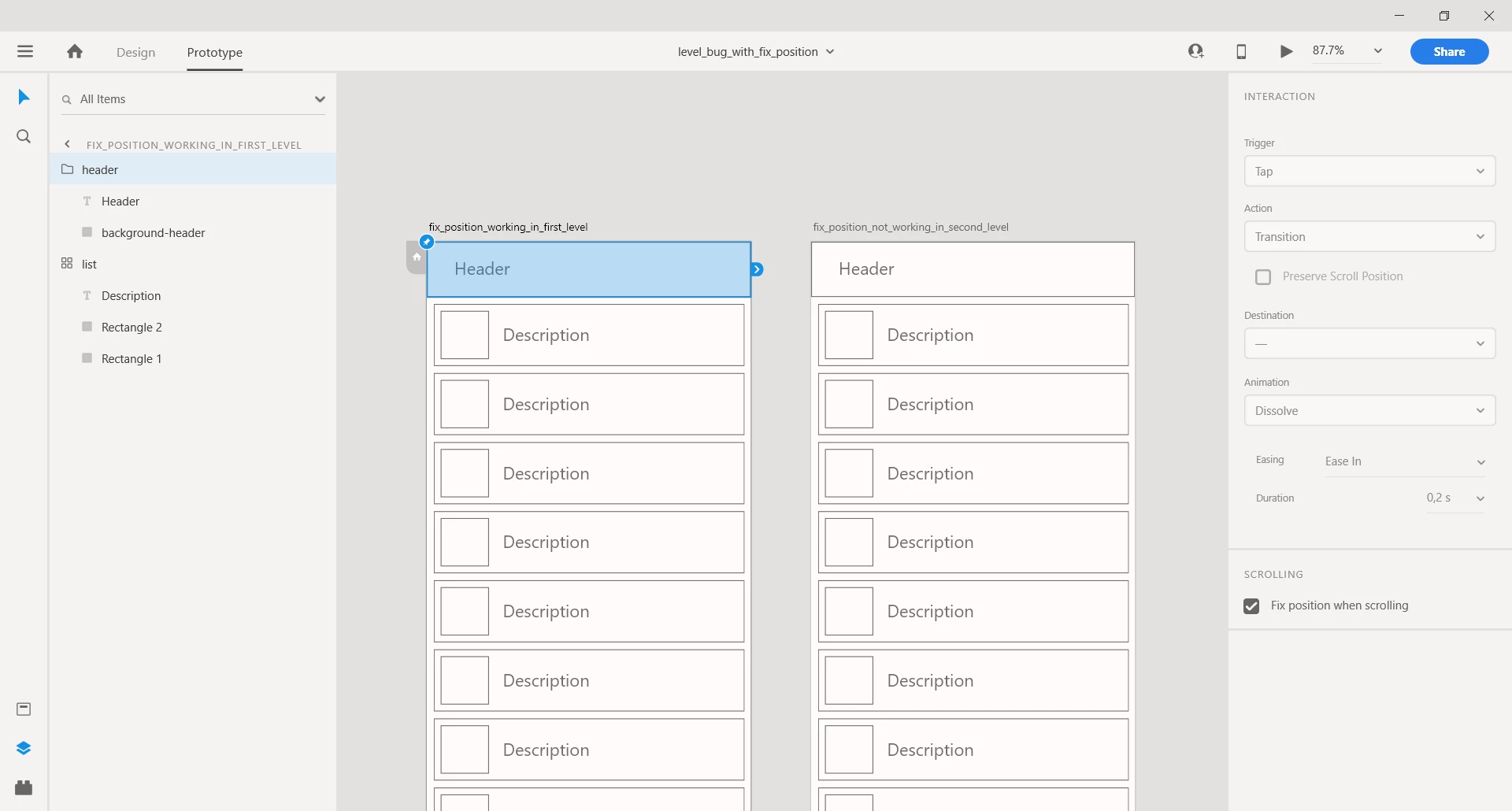
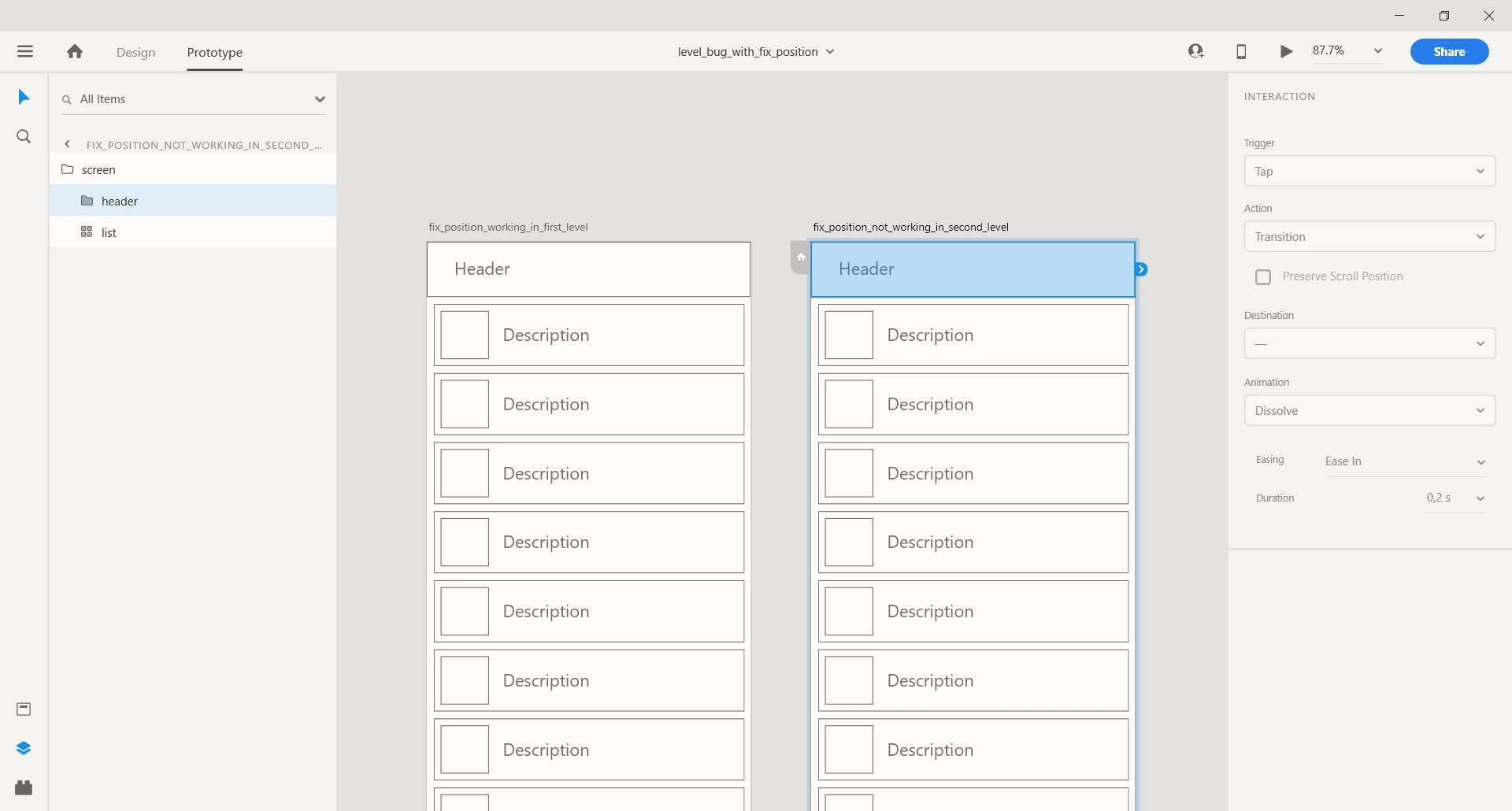
Hi there, "Fix position when scrolling" does only show up in the first level of artboards (see screenshots below) ... There are cases in which restricting "Fix position when scrolling" to the first level is inconvenient. So therefore, please also allow "Fix position when scrolling" in deeper levels in an artboard. Also currently, trying to attach example XD files is not possible in this new forum. We are using XD 22.3.12.2 on Windows 10 Enterprise (1703).
 

This topic has been closed for replies.

2 replies

Harshika Verma
Community Manager
Community Manager
September 12, 2019

Hi there,


Welcome to the New Adobe Community Platform and thank you for sharing the details with the screenshot. It looks like in the first screenshot, you have selected the entire artboard instead of an object. However in the second screenshot, you have selected the particular object because of which you are seeing the option for "Fixed Position".


Could you please confirm the observation i have made is correct or not? 


Let us know if that helps.


Thanks,

Harshika

Harshika Verma
Community Manager
Community Manager
September 22, 2019

Hi there,


Could you please confirm if you need more assistance on this?


We'd be happy to help.


Thanks,

Harshika

Participant
October 13, 2020

Hi,


I am having a similar issue with fix position when scrolling. The feature disappears when selecting an object that is inside of a component. Is this intended or a bug?


Thanks,

Daniel

Preran
Legend
September 12, 2019

Thank you for your feedback.  I suggest using this link https://adobexd.uservoice.com/forums/353007-adobe-xd-feature-requests to place your feature request with the XD team.


Preran