60dage
Participant
February 13, 2019
Answered

Flipped photos with mask when I export as PDF

  • February 13, 2019
  • 8 replies
  • 7671 views

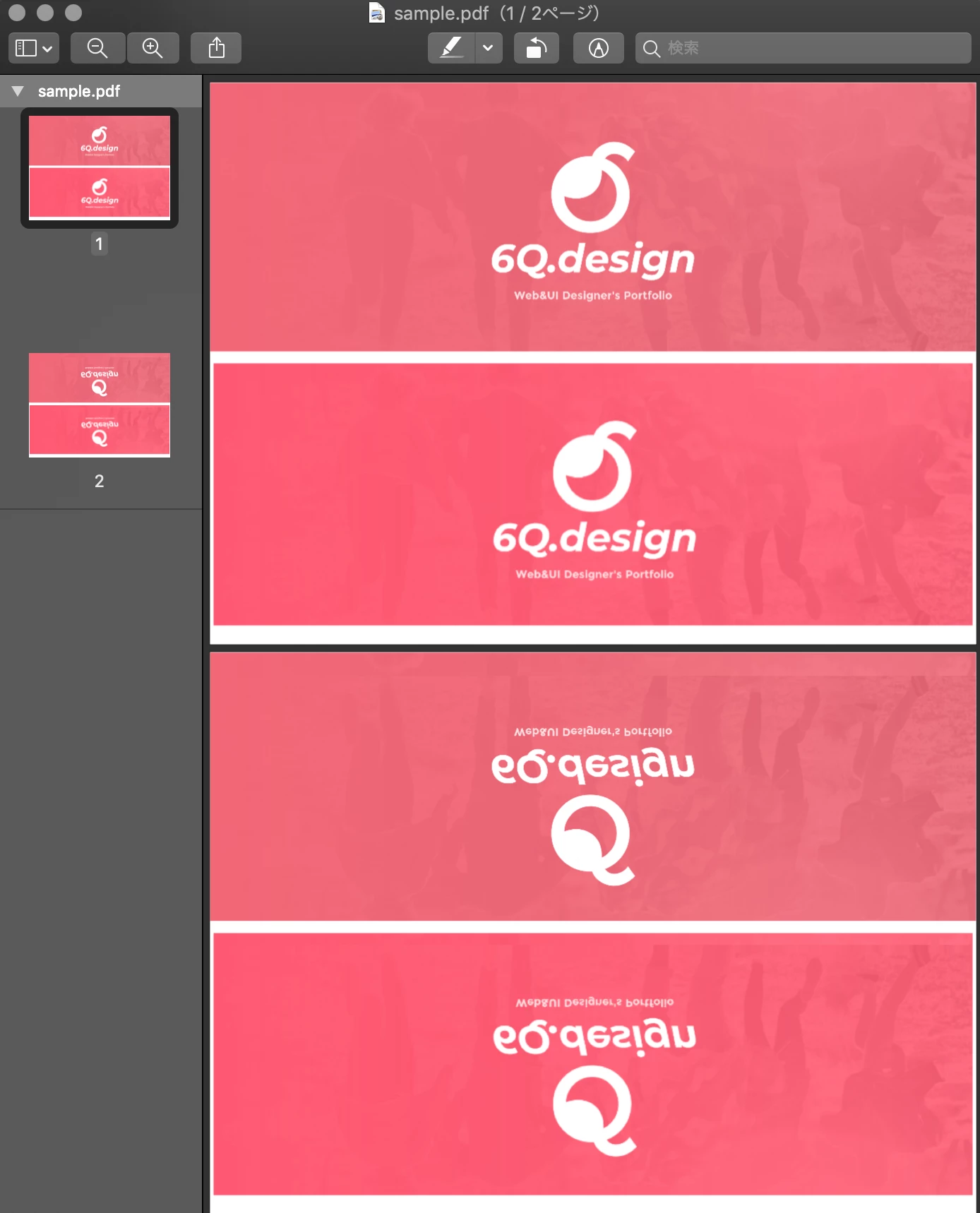
Only the masked image is flipped when I export as PDF. Like this.

sample file: Dropbox - sample.xd
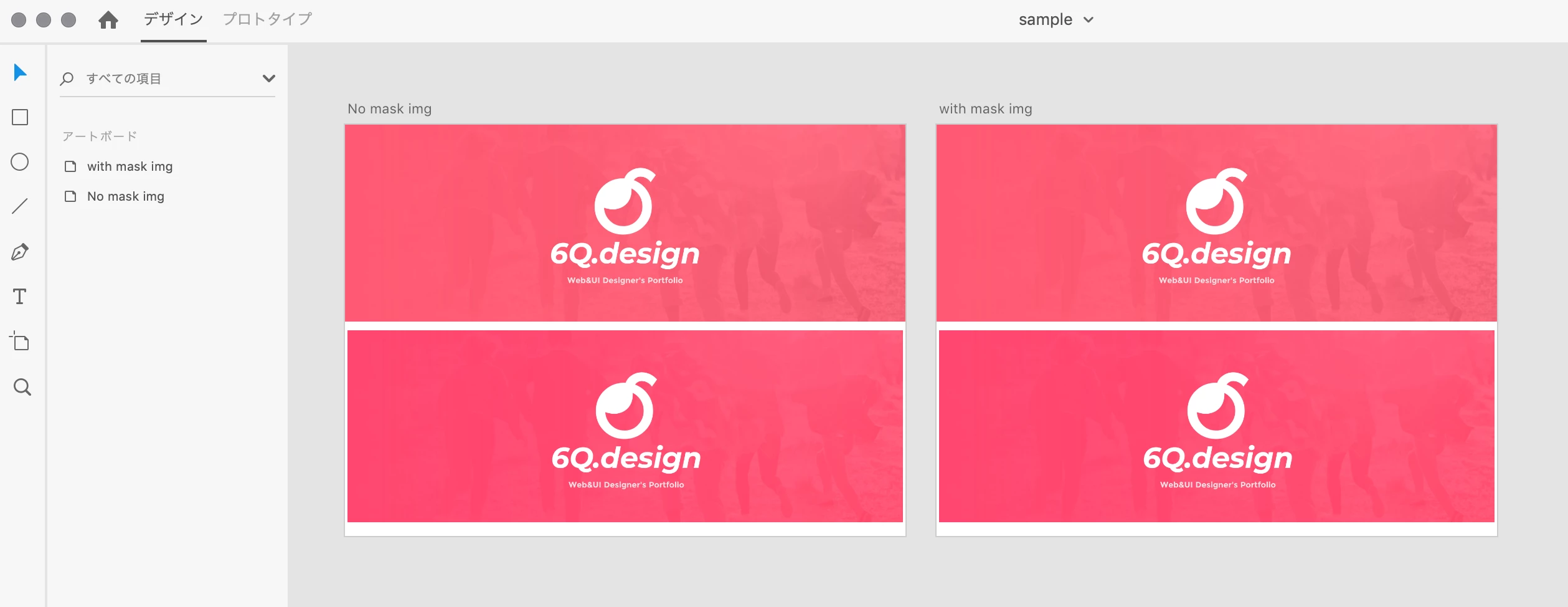
I read this article and tried reinstalling XD app, but the problem did not resolve.

Flipped photos when I export as PDF

I need help from the developer. Thanks

Udon Rokuze

This topic has been closed for replies.
Correct answer Preran

The team confirmed that this is an issue when using with Preview, they are updating the help documents with that information.

I suggest viewing your files in Acrobat Reader after export.

Thanks,

Preran

8 replies

Participant
September 20, 2022

How can this problem still exist after 3 years, how long is the team investigating this issue?!

Participant
September 20, 2022

@Preran Any update on this? 

Participant
January 6, 2022

January 6, 2022, this remains a problem.
M1 macOS Monterey 12.1

mn45283122
Participating Frequently
February 8, 2022

Can confirm this.

Inspiring
October 20, 2021

October 2021, 2 2 1/2 years after acknowledging this issue, and it remains an issue. Can we get some clarity fromo Adobe on where this is in the priority queue?

Participant
April 27, 2021

I am using Big Sur and latest version of XD and am still having these problems. The images in the pdf are flipped. Please correct this problem. 

Participant
January 20, 2021

Jan 2021 and this is still occurring. Poor show.

Participant
March 27, 2021

This is still happening to me too. I export the same artboard as a .png and its fine; however, when I export as a PDF it inverts the image

paul153
Participant
February 15, 2019

As per the other post, this problem is only when viewing the exported PDF on Mojave. Clearly there is something about the PDF that is not 100% right but this and the way Mojave is rendering the PDF is the cause. Workaround is to open the exported PDF in Acrobat and then Export as Other > Optimised PDF. Then all is good on Mojave. Hopefully an upcoming XD release will provide the fix for Mojave.

60dage
60dageAuthor
Participant
February 15, 2019

paul@runway

> As per the other post, this problem is only when viewing the exported PDF on Mojave.

It was a blind spot for me. You're right!

I uploaded PDF to Dropbox and previewed through Dropbox viewer, the placed image was displayed correctly without flipping.

https://www.dropbox.com/s/26n4udg2s6daaiw/sample.pdf?dl=0

@Preran

> Are you viewing the PDF in Preview or in Acrobat reader?

Thanks, in Preview. I was not viewing in Acrobat reader.

60dage
60dageAuthor
Participant
February 15, 2019

> Meanwhile, if possible, can you try exporting on a different version of Mac OS and let us know if it worked?

Sorry, my another mac is also latest Mojave&XD...

I tried and the same problem was seen.

Preran
Community Manager
Community Manager
February 14, 2019

Are you viewing the PDF in Preview or in Acrobat reader? The team tested the scenario, and they were able to reproduce it in Preview but not in Acrobat reader. Just to be sure, 10.10 is not a supported OS for Adobe XD version yet, although it is unlikely to be causing this issue.

Thanks,

Preran

Preran
Community Manager
Community Manager
February 13, 2019

I tested your project on Mac OS 10.13.4 using the latest version of Adobe XD, and I am unable to reproduce your issue. In another post, a user wondered about whether this is an issue with the latest version of Mac OS, although I am not sure if that is the reason.

Which OS are you on, and what is its version number? Also provide the version of XD that you are working with.

Thanks,

Preran

60dage
60dageAuthor
Participant
February 13, 2019

Thanks,

  • Mac OS 10.14.3
  • Adobe XD 16.0.2.8

certainly my environment is the latest MacOS.

Preran
Community Manager
Community Manager
February 13, 2019

Thank you. Let me check and get back to you.

Thanks,

Preran