


Inspiring
Sep 21, 2018 10:41 AM UTC
Question

Fonts missing tragedy still occurs

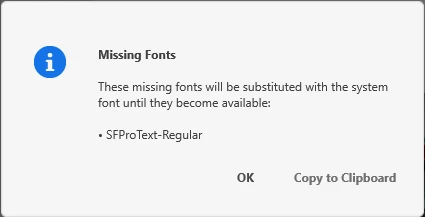
This is still hopeless. Dear Adobe, if your out there could you pleease do something to fix missing font error?! It's been with us from the start. NO, I do NOT miss the fonts! They are installed and working fine with Photoshop, Indesign, Illustrator, Word, PP etc. But XD keeps messing things up telling me that the fonts are missing. I created these project with that same font!! Every single time I open a document I'm forced to remove that blue error bar and click OK on the dialogue that pops up afterwards. It is hopeless. It applies to all documents no matter what font I'm using in the project. W10. It's a headache.

This topic is closed to new replies. Start a new post to keep the conversation going.

8 replies

Atul_Saini
Legend
Sep 26, 2018 2:20 AM UTC

Hi Perrybrus,

Could you please check if this request here: - Missing fonts (XD can't locate installed system fonts due to name mismatch) – Adobe XD Feedback : Feature Requests & Bug matches your situation?

As per the comments, please check the name of the font in other application is different or not. If it's different then upvote this bug and share your comments.

Please update the discussion with the results.

Thanks,

Atul_Saini

Translate
Known Participant
Oct 25, 2018 2:53 PM UTC

This keeps happening to me too and the fonts ARE available in WordPad.

Translate
Known Participant
Oct 25, 2018 2:55 PM UTC

Usually deactivating and activating in FontBase will get them to load but apparently not today. I've already attempted to restart my machine a few times and have deactivated/activated the fonts about a zillion times in FontBase.

Adobe XD team needs to get this working like the rest of the Creative Suite ASAP. I'm going to have to stop using this for client work if you don't figure this out.

Translate