This topic has been closed for replies.
Correct answer Dan Rodney

Because we can see at accurate size when in Design mode, the Play button is mainly for testing the prototype and making sure everything works. Therefore it's important to be able to see everything... so large designs get scaled to fit.

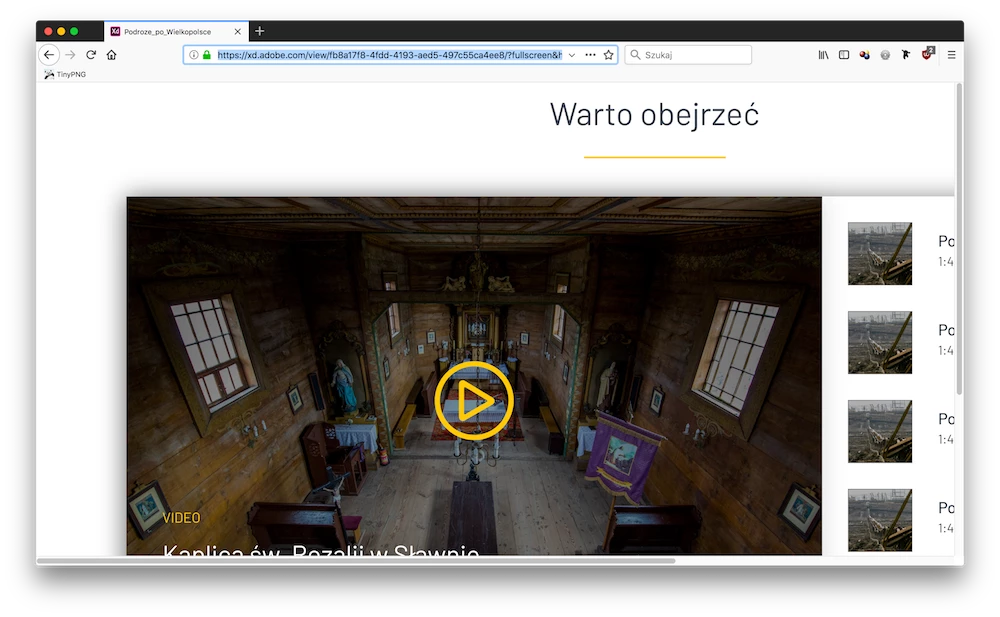
When sending a prototype to people (via sharing) in full screen mode, I think the mindset was that it's important that they see it accurately (to judge type size, etc.) so designs are not scaled. For shared prototypes that are not in full screen mode, designs are scaled. It could be useful to have the option to determine how it works in fullscreen though. You could submit that feature request at https://adobexd.uservoice.com/ (do a search to see if it exists first, and if it does then upvote that idea).

1 reply

Dan Rodney
Community Expert
Community Expert
February 20, 2018

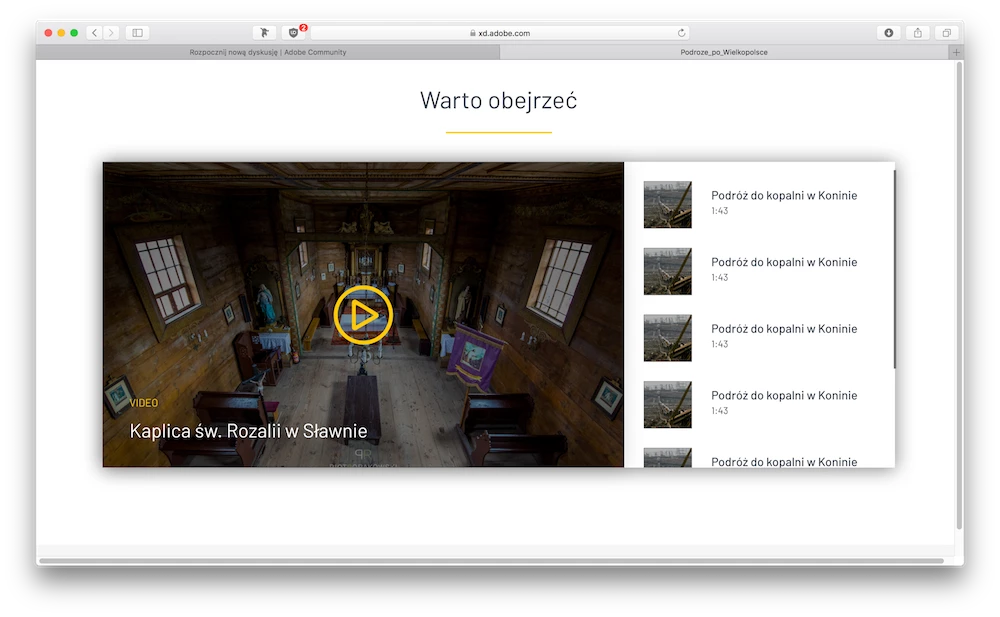
With the fullscreen options your link set, XD shows the design at the 1920 size you created it. If you're on a smaller screen the design will be cut off, not scaled down to the browser window size. You may want to consider designing for a smaller screen size. 1920 is quite a large desktop size.

— Adobe Certified Expert & Instructor at Noble Desktop | Web Developer, Designer, InDesign Scriptor
maciejkukulka
Participant
February 20, 2018

Yes it is kind of answer but when I click PLAY button, which open preview on my desktop, my project is 100% width. Not 1920px size. So it is some discrepancy.

Dan Rodney
Community Expert
Dan RodneyCommunity ExpertCorrect answer
Community Expert
February 20, 2018

Because we can see at accurate size when in Design mode, the Play button is mainly for testing the prototype and making sure everything works. Therefore it's important to be able to see everything... so large designs get scaled to fit.

When sending a prototype to people (via sharing) in full screen mode, I think the mindset was that it's important that they see it accurately (to judge type size, etc.) so designs are not scaled. For shared prototypes that are not in full screen mode, designs are scaled. It could be useful to have the option to determine how it works in fullscreen though. You could submit that feature request at https://adobexd.uservoice.com/ (do a search to see if it exists first, and if it does then upvote that idea).
— Adobe Certified Expert & Instructor at Noble Desktop | Web Developer, Designer, InDesign Scriptor