shajeea80854055
Participant
May 7, 2022 5:27 AM UTC
Answered

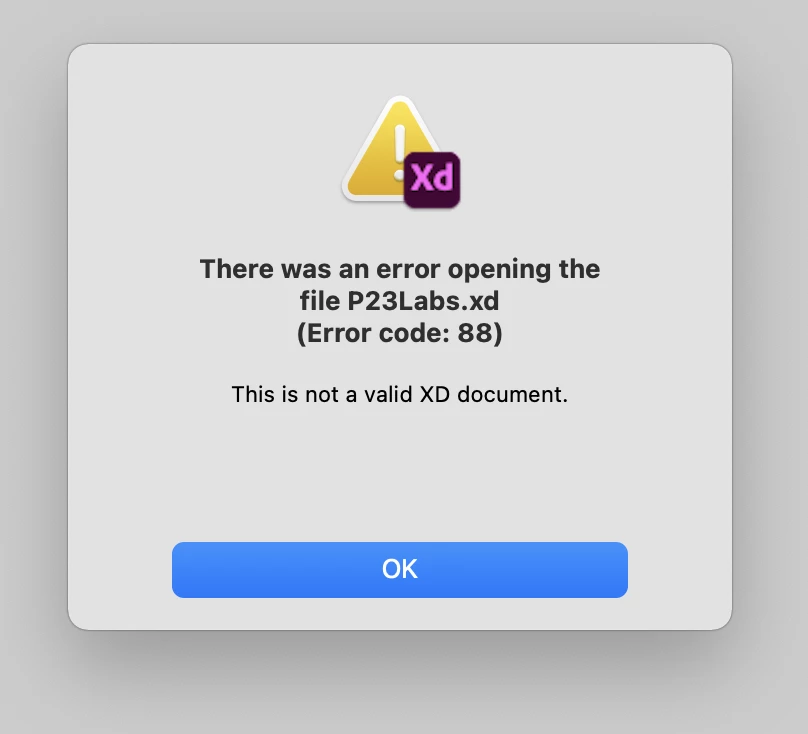
Getting an Error: 88

I'm a freelancer and recently I've delivered my project to client and he said that he cannot open the file. Because it gives Error:88. Can anyone helps me to sort this out? If this failed I'm going to lose the project that I've worked on weeks. I download the same file that I shared with client but it works well for me. File was not saved on cloud. (I'm working on Mac OS 11.2.3) 
    This topic is closed to new replies. Start a new post to keep the conversation going.
    Ares Hovhannesyan
    Ares HovhannesyanCorrect answer
    Community Expert
    May 8, 2022 12:05 PM UTC

    There is one online free editor that can open xd files and save them as PSD, PDF or any other format. Photopea | Online Photo Editor


    3 replies

    Ares Hovhannesyan
    Community Expert
    Community Expert
    May 7, 2022 3:45 PM UTC

    Here is some info about this topic [Crash/Load]-Error code: 88 while opening file in ... - Adobe Support Community - 10713744

    Also you can share your project as pdf file as workaround. 

    Translate
    shajeea80854055
    Participant
    May 7, 2022 4:05 PM UTC

    I've gone through that thread but I cound't find a proper solution for that there. the issue is that file works perfectly on my device. My client is the one who getting that error code. I downloaded the same file that I delivered to him and check and it works for me well

    Translate
    Ares Hovhannesyan
    Community Expert
    Ares HovhannesyanCommunity ExpertCorrect answer
    Community Expert
    May 8, 2022 12:05 PM UTC

    There is one online free editor that can open xd files and save them as PSD, PDF or any other format. Photopea | Online Photo Editor


    Translate