
Inspiring
March 8, 2022
Question

Glitch When Using Scroll Groups with Background Blur

  • March 8, 2022
  • 2 replies
  • 524 views

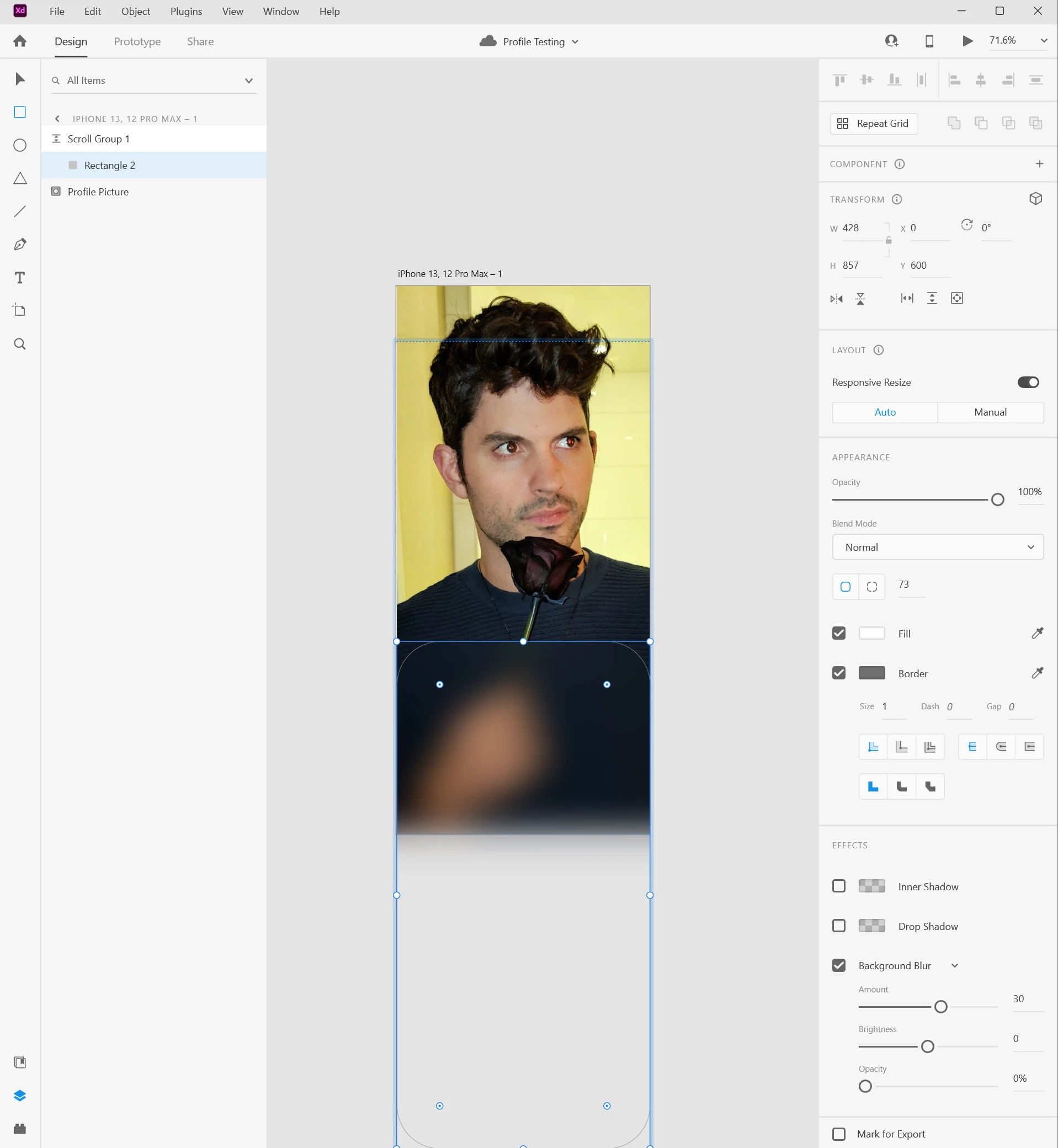
Hi! I've included a video of what the output on the Adobe XD app for iOS looks like, and a still of what it looks like in Adobe XD for Windows with all the settings open so you can see. I started a whole new project and just added a shape to the bottom, made it a background blur then turned on vertical scroll so you can swipe it up onto the page, and in the output via my iPhone, it glitches out and is completely wrong. It also comes out wrong when I push the play button in the program itself. Check it out, I included pics and vids:
 

This topic has been closed for replies.

2 replies

Inspiring
March 14, 2022

Looks like it got fixed in the latest update! Thanks guys!

AkinGn
Community Expert
Community Expert
March 9, 2022

Hi @danield25437812, I've tried to recreate the issue and the bg blur works perfectly fine when I tap on the section in the first artboard for it to cover the screen, you can see the prototype link here https://xd.adobe.com/view/6ecb8add-a7b7-444f-a590-741a987460a6-3b98/ It should be fine in both prototype preview and in the app, if you want to check the file you can see it here also: https://www.dropbox.com/s/g7fj0h4a882t1db/bg-blur-test.xd?dl=0 Hope this helps! 

Inspiring
March 9, 2022

Thanks so much for your reply! I looked at your file and you don't have a scroll group enabled, which is a big part of my doc, and when I enable scroll groups on your doc, the glitch happens again. I've attached my file so you can take a look at it on your device if you want, see if its just me.


https://www.dropbox.com/s/3z6pq1vyyjfh81w/Troubleshooting%20Sample.xd?dl=0


Thanks!

-dan