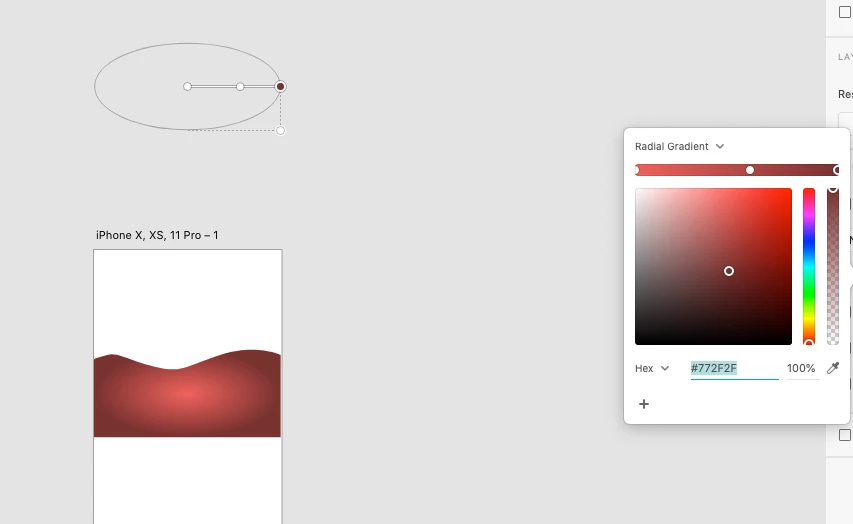
Hi. When I draw a shape using pen tool, set its fill to linear gradient (same goes for radial gradient), the gradient gets applied but there is no gradient tool visible on screen that would allow me to change the gradient direction. Can you please fix this... ? I am using XD version 33.1.12.4.
This topic is closed to new replies. Start a new post to keep the conversation going.
My initial artboard size was 1920 x 1080 px. During the design process I expanded the artboard vertically (now is around 6000 px). So, when I draw a shape BELOW-the-fold the gradient annotation tool is "tied" to above-the-fold section of the artboard. Long story short: draw your shape above-the-fold (above the blue dotted line), apply the gradient (set colors and direction) and only then drag the shape wherever you want it (in my case below-the-fold / footer).
This doesn't work for me. I am not drawing a new shape but using existing logo. When I copy-paste it above the fold the same thing happens, the gradient tool is always on the same distance from the logo and there is no way to use it proparely.
Oh wow, thank you. I zoomed out and now I can see the gradient annotation tool (it's like a mile away from the shape) but when I try to bring them together it's not easy... It seems they are somehow "locked away" from each other (if I try to bring gradient tool closer to the shape it just won't cooperate; the opposite is also true: if I try to bring the shape closer, the tool just "runs away" from the shape so it keep the same big distance). Not sure why this happens... I drew new shape but the same thing happens.
P.S.
Sorry, I wasn't aware of that, should I re-locate this post to the uservoice section... ?




 AdChoices