
Participant
August 1, 2022
Answered

Greyed out artboards in XD

  • August 1, 2022
  • 1 reply
  • 1190 views

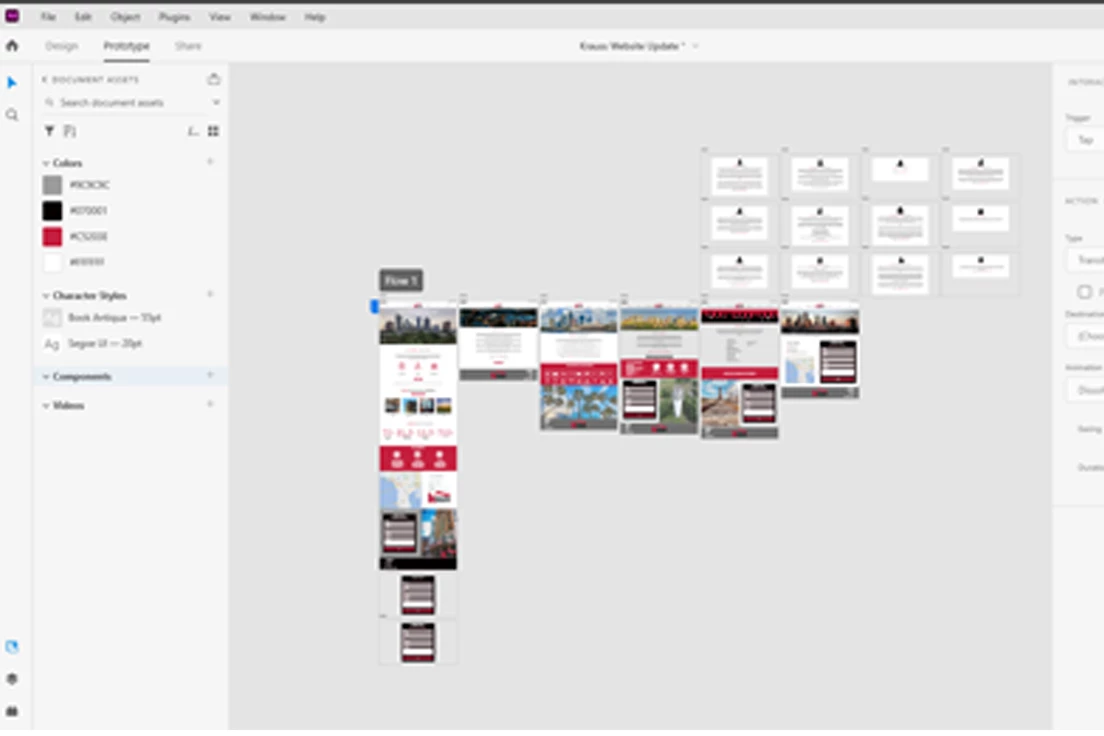
Two of my artboards are greyed out and although they appear in the Shared link, they appear as blacked out when exported to PDF. How do I resolve the artboards being greyed out?

They are connected to the Home Page and the links seem to work in the Shared link. Please see attached screenshot
This topic has been closed for replies.
Correct answer HARSHIKA_VERMA

Hi @TKO Marketing,


Thank you for reaching out and trying the suggestion shared by our expert. It looks like you're talking about the artboard below Flow 1. If yes, could you please select those artboards in Design mode and ensure if both have "Fill" enabled from the right side property inspector?


We will try our best to help.


Thanks,

Harshika

1 reply

Chris W. Griffith
Community Expert
Community Expert
August 1, 2022

Have you tried exporting just those artboard? I wonder if there is an issue with some masking on those screens? Have you tried viewing the PDF in different viewers?

Participant
August 1, 2022

I saved the individual artboards as png's and when I open the file in photoshop the background is transparant, which is not the case with the artboards that are not greyed out. Is there a setting in xd that I may have accidentally selected which turns the background transparant?

HARSHIKA_VERMA
Community Manager
HARSHIKA_VERMACommunity ManagerCorrect answer
Community Manager
August 1, 2022

Hi @TKO Marketing,


Thank you for reaching out and trying the suggestion shared by our expert. It looks like you're talking about the artboard below Flow 1. If yes, could you please select those artboards in Design mode and ensure if both have "Fill" enabled from the right side property inspector?


We will try our best to help.


Thanks,

Harshika