
Participant
September 30, 2020
Answered

Grid with a left navigation

  • September 30, 2020
  • 1 reply
  • 1458 views

Hi guys so im trying to create a website with a left navgation but offset the grid to the middle but It seems XD cant do this? Is there a way around this? or does this feature still need to be developed?


What i want to do with the built in grid system in xd :
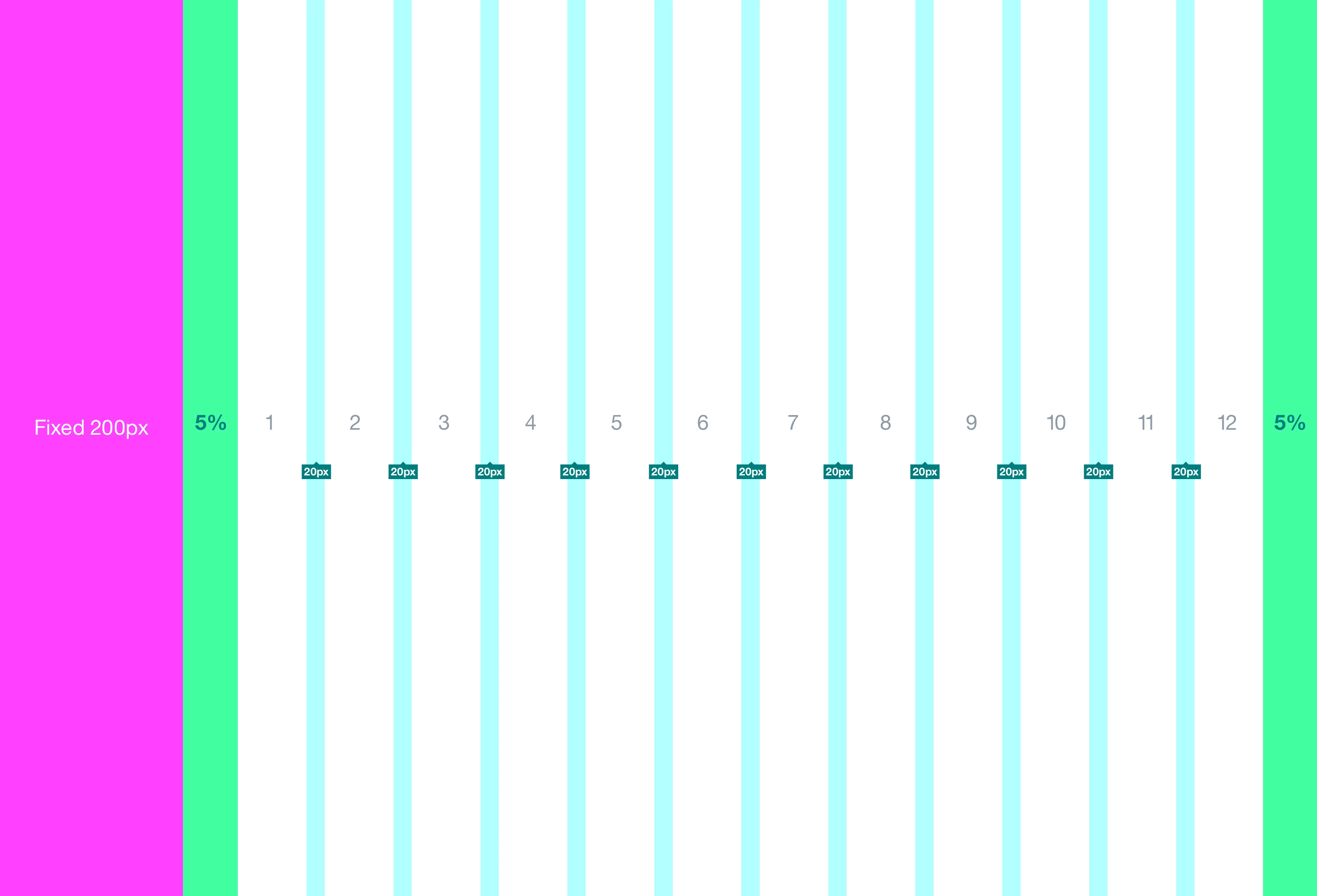
 

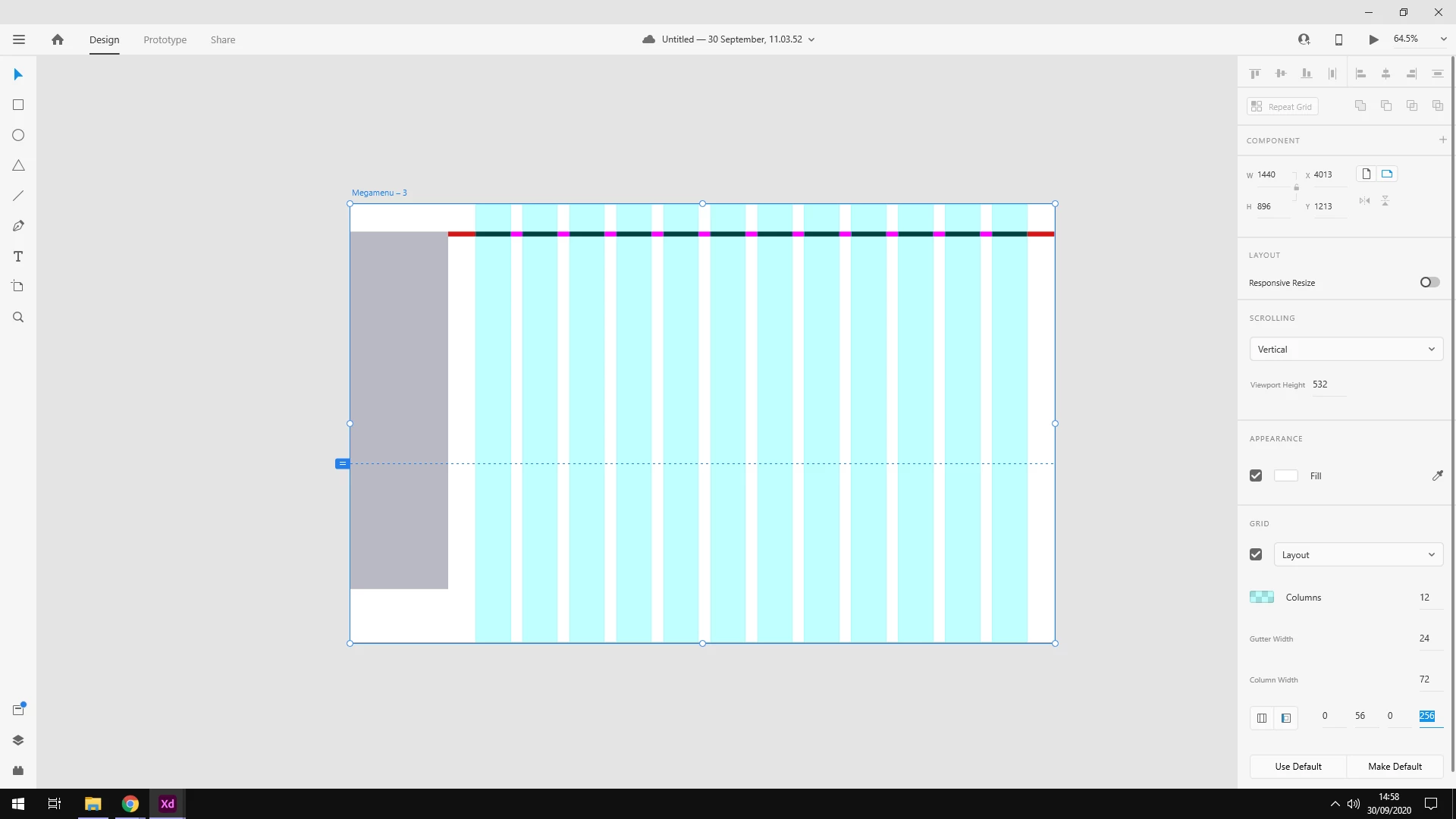
Edit; It seems while wrtting this i could possbily do this with the margins and choose how much to have etc - See screenshot : (As you can see ive set it for 56px for margin from 1 side and the other being 256px - 200 for the left nav and then 56 for the margin.) I wanted to know if this is the best way to do this? or anther way around etc? I know figma has like an offset function but not about XD. Thanks 
 

Thank you 
Correct answer Spas K.

Hi Ali, for now you can only control the number of columns, gutter, and the side margins. You can't control individual columns. What you have done in the second image is the correct way to offset the grid 🙂


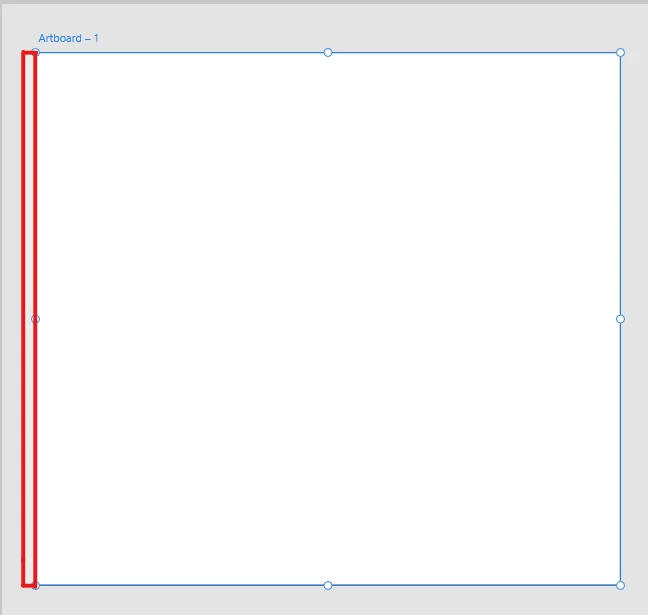
For better precision, you can make guides manually by dragging from the sides of the artboard, this is the area to drag from:


1 reply

Spas K.
Community Expert
Spas K.Community ExpertCorrect answer
Community Expert
September 30, 2020

Hi Ali, for now you can only control the number of columns, gutter, and the side margins. You can't control individual columns. What you have done in the second image is the correct way to offset the grid 🙂


For better precision, you can make guides manually by dragging from the sides of the artboard, this is the area to drag from:


Ali5FC2Author
Participant
September 30, 2020

Hi Spas K, 

Thanks for the reply, yes i think the second way is the way i will do this as the devolpers like to have the grid be clickable etc. thank you for your answer