
mattyB
Inspiring
January 21, 2021
Answered

Grouped layer can't move forward

  • January 21, 2021
  • 1 reply
  • 670 views

Hi Community,
I'm facing the strangest issue with Xd today.
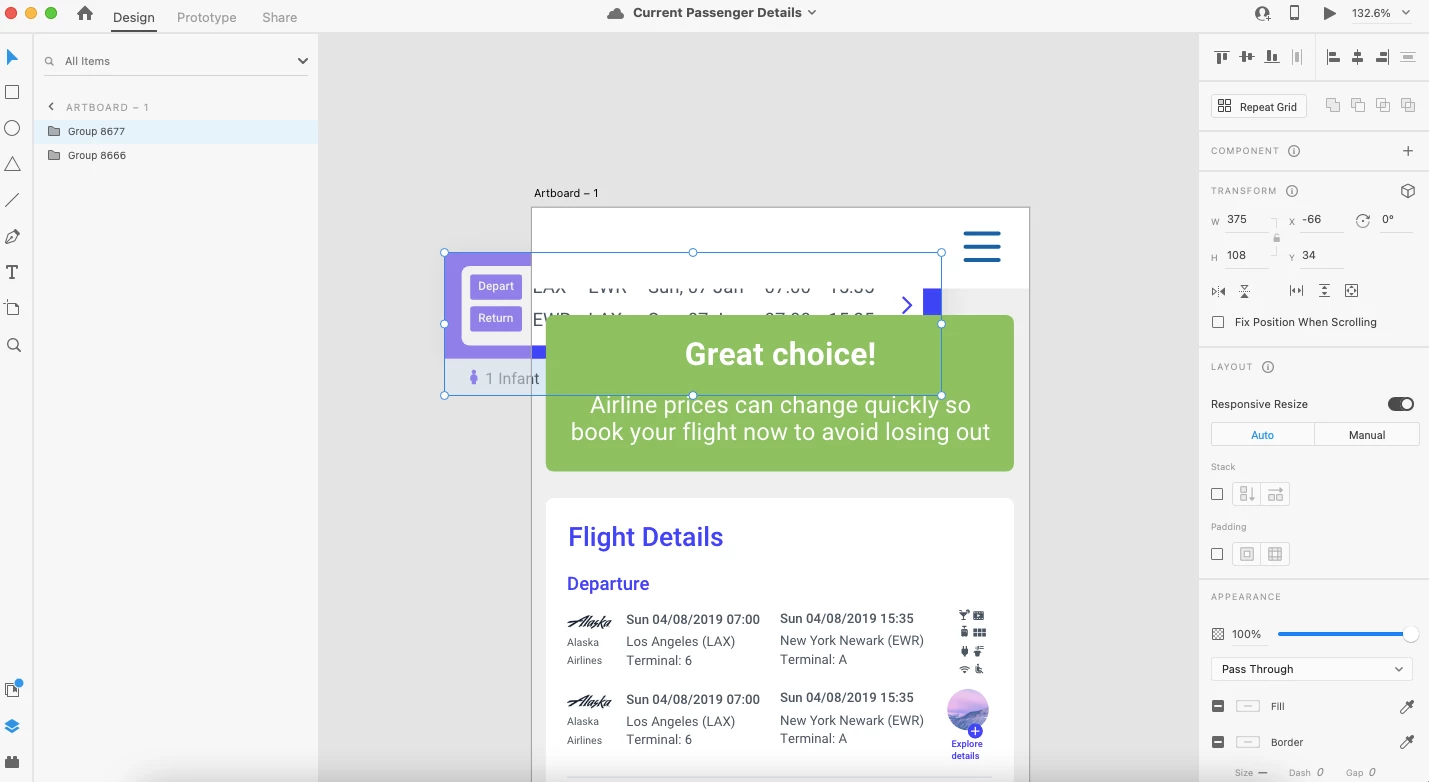
1 artboard, 2 groups. 1 of the groups can't be moved forward?


    This topic has been closed for replies.
    Correct answer mattyB

    Hey
    I have found a fix.
    From what I can understand I had an illustration/vector (made in Xd) I copied the vector into Illustrator and expanded the artwork. Copied back into Xd, re-grouped the components and issue solved. 

    The illustration was originally made in Xd with the 3d perspective tool.

    1 reply

    Participating Frequently
    January 21, 2021

    Hello Matty,


    Thanks for writing us , I tried to replicate the issue from my end but I couldn't .

    Hope you are using "Bring forward" option from context menu or "command+]" shortcut to bring group  forward 

    Could you please help us with the following information 


    1. Which version of XD you are currently using?

    2. In which OS you are facing this issue?

    3. Is this specific to any particular file or happening with all the files? 


    Regards,

    Rajasekhar.

    mattyB
    mattyBAuthorCorrect answer
    Inspiring
    January 21, 2021

    Hey
    I have found a fix.
    From what I can understand I had an illustration/vector (made in Xd) I copied the vector into Illustrator and expanded the artwork. Copied back into Xd, re-grouped the components and issue solved. 

    The illustration was originally made in Xd with the 3d perspective tool.

    Rishabh_Tiwari
    Legend
    January 21, 2021

    Glad to hear that! Feel free to reach out if you have any other questions or issues.