brucel10756688
Participant
July 10, 2019
Question

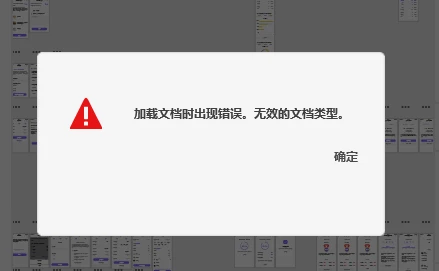
HELP!!!救命啊,打开云文档,提示“加载文档时出现错误,无效的文档类型”

  • July 10, 2019
  • 1 reply
  • 2317 views

事情经过:

使用XD工作中,不小心电脑重启了,然后再次打开刚才工作的文档时,就出现了提示“加载文档时出现错误,无效的文档类型”

怎么解决?有办法恢复么,我的这个项目文件非常重要!Adobe XD

This topic has been closed for replies.

1 reply

italosan
Community Expert
Community Expert
July 10, 2019

Hi, I'm sorry you encountered a problem while using Adobe XD. In order to help you, we need more information, such as the version of Adobe XD in use and the specifications of your computer.

brucel10756688
Participant
July 10, 2019

XD版本:20.2.12.1(1分钟前更新了版本,也没有办法打开) Creative Cloud同步4.2.7.2

windows10 1809 操作版本系统 17763.615

意外重启时,windows安装了更新 KB4506998,KB4509095,刚才重启安装了更新KB4507469

Harshika Verma
Community Manager
Community Manager
July 10, 2019

Thank you for sharing the details, Bruce. Could you please try signing out and signing back in from the Creative Cloud desktop app? I'd also suggest trying the steps mentioned in this article: Issue saving xd files to creative cloud and let us know if that works.


Thanks,

Harshika