


Participant
April 22, 2024
Question

History not working

  • April 22, 2024
  • 3 replies
  • 539 views

I have a large file that I've been working on for a while and was frequently deleting old pages and bookmarking versions in the history because I knew if I needed them again I could just use the file history to find those pages. Then one day i started getting this message whenever I opened the history. 
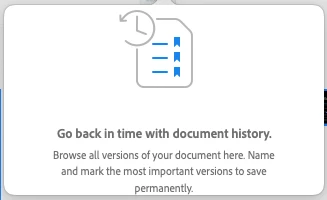
I've uninstalled and reinstalled, updated to the most recent version, and I can't seem to access the history anywhere. Does anyone know any secret kung fu to help me find those old versions.

This topic has been closed for replies.

3 replies

Participant
May 1, 2024

It's been a while and haven't heard any more information. I'm hoping that commenting here can get some attention to this issue so I can get my file working again.

Spas K.
Community Expert
Community Expert
May 1, 2024

You should upload the system log file somewhere (ex. google drive, dropbox) and send the link to @Rishabh_Tiwari via PM. When he requested the document name I believe he meant the name of the Xd document with the missing history, so they can check it out in the backend.


I personally can't help further, hopefully the team at Adobe can fix that for you.

Rishabh_Tiwari
Community Manager
Community Manager
April 23, 2024

Hi,


Sorry to hear about the trouble. We have logged a bug for this issue, as it was reported by a few other users. Can you share the system logs and the document name so that I can share them with the team for investigation?

Thanks

Rishabh

Participant
April 24, 2024

I've collected the logs, how do I share them? The file is 250mb.

Spas K.
Community Expert
Community Expert
April 22, 2024

What system is this on? Windows or Mac? Is this happening on just one file or all files?


If you go to your cloud documents ( https://assets.adobe.com/cloud-documents ), find the file, click on it, on the right side panel there's a history tab/button, do you see your previous versions there? Usually when you click on the dropdown where the history is in Xd, you should at at least see the current version.

Participant
April 24, 2024

When I do that it says "Bad Requests" on the top and "Cannot load document history" on the side. There are no versions.