MartoniDePapel
Participant
December 15, 2020
Answered

Hover mode rotation problem

  • December 15, 2020
  • 1 reply
  • 481 views

I want to have a slight rotation effect when I hover my mouse over my icon.


So I create a component, I create a Hover state and I assign it a 10 ° rotation. But when I do that, the rotation ALSO applies to my "Default State" automatically, and I can't seem to disassociate the two states. So I want to have a rotation of 0 on my Default state and a rotation of 10 ° on my Hover state.


Does anyone have the solution to my problem? Thank you

    This topic has been closed for replies.
    Correct answer Spas K.

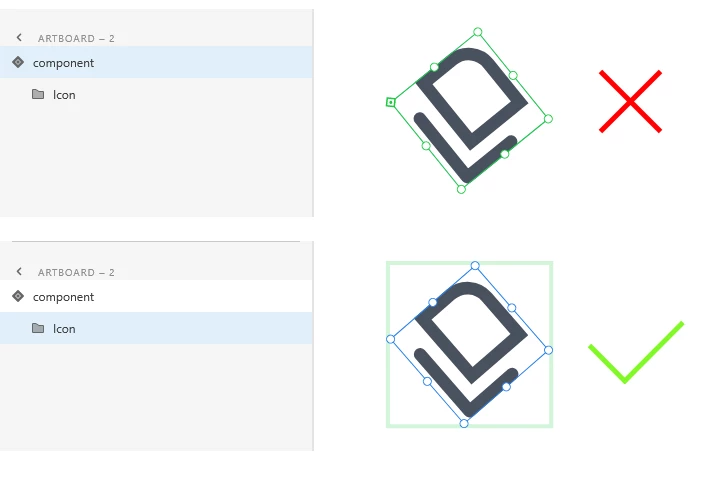
    Make sure you are applying the rotation to the elements within the component, and not to the component itself. The component is like a shell. If you rotate it, you rotate all of its states and contents as well. 


    1 reply

    Spas K.
    Community Expert
    Spas K.Community ExpertCorrect answer
    Community Expert
    December 15, 2020

    Make sure you are applying the rotation to the elements within the component, and not to the component itself. The component is like a shell. If you rotate it, you rotate all of its states and contents as well.