Participant
September 21, 2020
해결됨

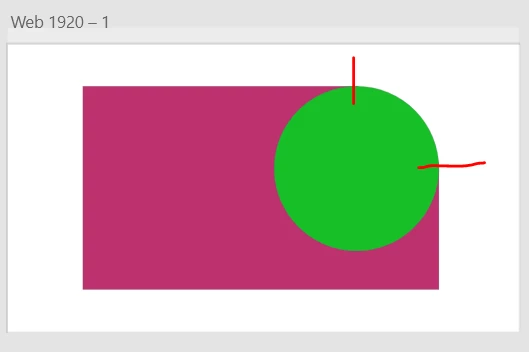
How do I warp the edges of this circle so it can match with the corner of the dark red background?

Dark red is a square with a rounded radius of 20, with a circle in the corner.

이 주제는 답변이 닫혔습니다.
Rishabh_Tiwari
Legend
September 22, 2020

Hi Sebastian,


Thanks for reaching out. In order to achieve this, please double click on the border of the square to enter into edit mode and then add two anchor points as highlighted in the screenshot and then you can drag the corner of the square to merge it with circle.


Let us know if this helps or if you need any further assistance.


Regards

Rishabh

1 답변

Rishabh_Tiwari
Legend
September 22, 2020

Hi Sebastian,


Thanks for reaching out. In order to achieve this, please double click on the border of the square to enter into edit mode and then add two anchor points as highlighted in the screenshot and then you can drag the corner of the square to merge it with circle.


Let us know if this helps or if you need any further assistance.


Regards

Rishabh

번역