
Answered
How do you turn off the 3D guide in Adobe XD?
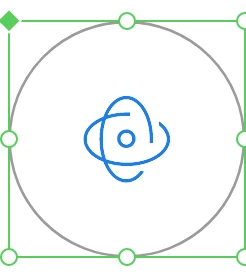
This guide is not necessary for me right now and I can't figure out how to turn it off.

This guide is not necessary for me right now and I can't figure out how to turn it off.
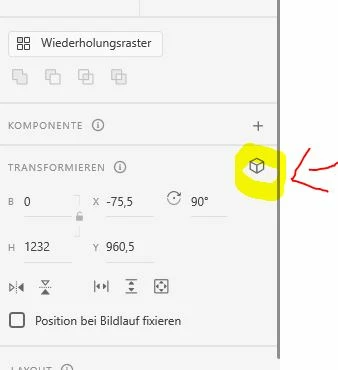
Just click on this Icon in the right toolbar and the guides go away.
Already have an account? Login
Enter your E-mail address. We'll send you an e-mail with instructions to reset your password.


 AdChoices