Participant
November 29, 2021
Answered

How to correctly show Font Awesome Pro in Adobe XD?

  • November 29, 2021
  • 1 reply
  • 13562 views


I just migrate from PC to MACBOOK and now all my Adobe XD files are opening like this image.


The Font Awesome Pro are installed on my Macbook (new and updated) but the only Adobe software that are running with this bug is XD. Other apps (Photoshop and Illustrator) open the font correctly.

How can i solve this (keep copying and pastying the icon name and not using the SVG or the glyphs).


Please, help me!
This topic has been closed for replies.
Correct answer ArtSim

I Just found the solution for this!

Step 1: Remove the fonts from your macbook font library.


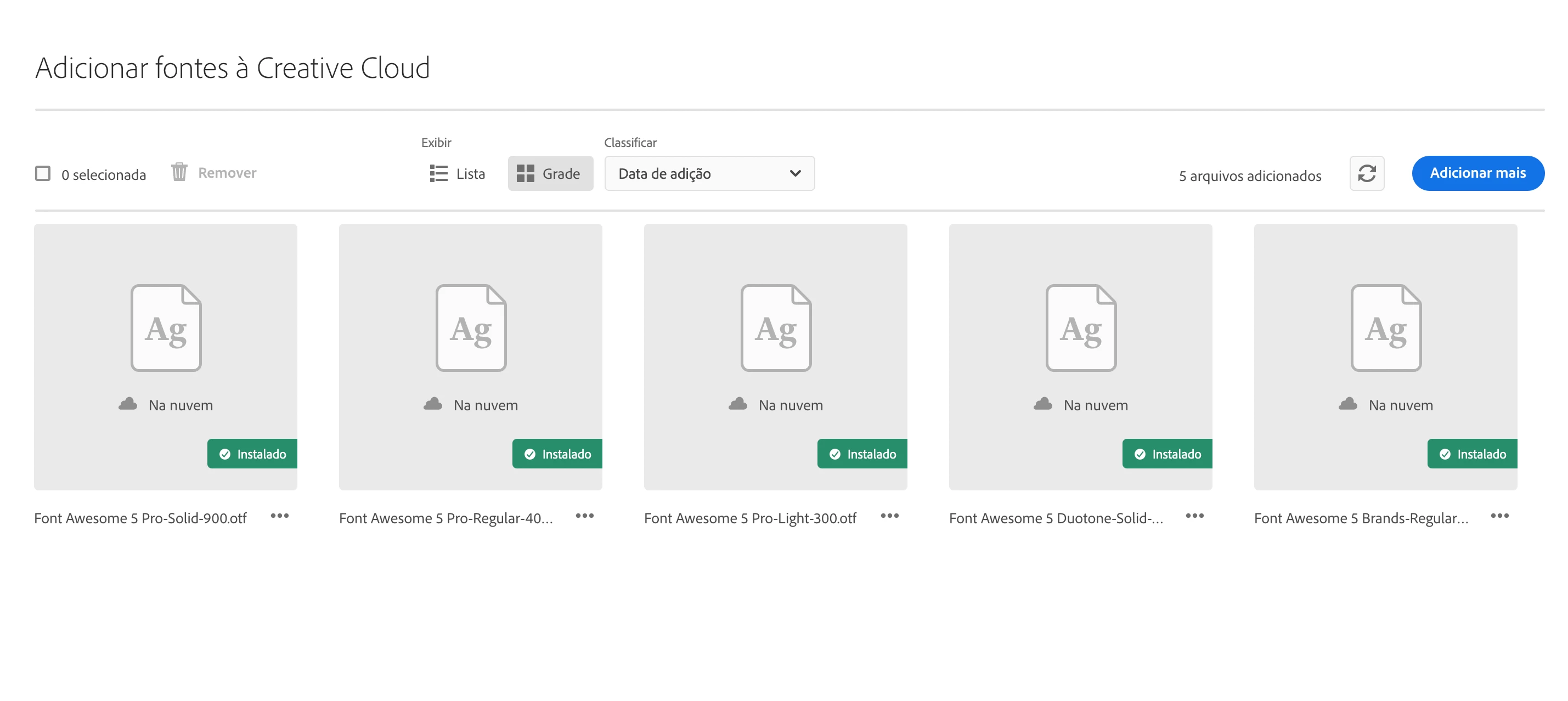
Step 2: Add/upload the font awesome inside Creative Cloud fonts (see image)


Step 3: Reboot your computer


Step 4: Open the XD file and update the font/text for the awesome font code (example: car)


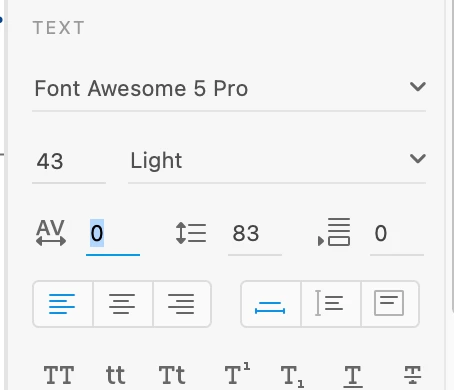
Step 5: Change to ZERO the AV icon spacement (see image)


Step 6: Bingo


1 reply

ArtSimAuthorCorrect answer
Participant
November 29, 2021

I Just found the solution for this!

Step 1: Remove the fonts from your macbook font library.


Step 2: Add/upload the font awesome inside Creative Cloud fonts (see image)


Step 3: Reboot your computer


Step 4: Open the XD file and update the font/text for the awesome font code (example: car)


Step 5: Change to ZERO the AV icon spacement (see image)


Step 6: Bingo


Participant
May 2, 2022

Are there some workaround to be able to display icons like "cart" without being interpreted as "car" ? 


Participant
May 2, 2022

current rendering is not really smart