
Participant
November 6, 2021
Question

How to create a dial aka rotary knob in XD? Is it even possible?

  • November 6, 2021
  • 1 reply
  • 1435 views
Halp!
I'm trying to learn XD by designing a UI synthesizer (no sound, just the design). Im stuck when it comes to the dials aka rotary knobs.
So if I set the trigger to drag, I only can rotate the knob by moving the mouse along the horizontal axis. But software-synthesizer use the vertical axis.
Coulnd't find any option to change the axis or something. I also searched the web and couldn't find at least one tutorial for that kind of knobs. Afraid that it isn't even possible in XD. Or is it?
 
Thats what I am talking about. Start and stop position:
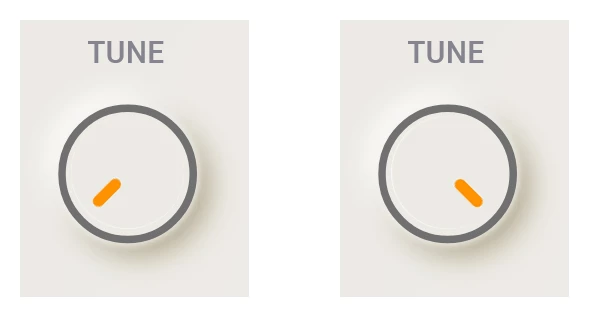
This topic has been closed for replies.

1 reply

AkinGn
Community Expert
Community Expert
November 7, 2021

Hi Oliver, I checked and saw currently drag trigger works in one axis, if you want to vote for the multiple drag directions in user voice here's the link: https://adobexd.uservoice.com/forums/353007-adobe-xd-feature-requests/suggestions/39766354-drag-in-multiple-directions I tested a little bit if you want to prepare a prototype video simulating the vertical drag you can kinda do somethig close to it by dragging diagonally. Happy designing!

Oliver AAuthor
Participant
November 7, 2021

Hey Akin, thanks for making me aware that adobe XD totally doesn't include this kinda basic function. 

Since im not a programmer, I have to abandon my project at this point and look out for other programs. I did vote for the feature request though.

AkinGn
Community Expert
Community Expert
November 7, 2021

I respect your opinion but I still think (and even other app users say this) XD's prototyping features are the best in the market, I even see people start animating things never did animation before thanks to the easy, quick and efficient "auto animate" feature and use in their social media designs etc 😉