foiltape
Participant
Sep 7, 2022 12:30 PM UTC
Answered

How to create home screen Bookmark (iOS) or Shortcut (Android) to Xd flow on mobile?

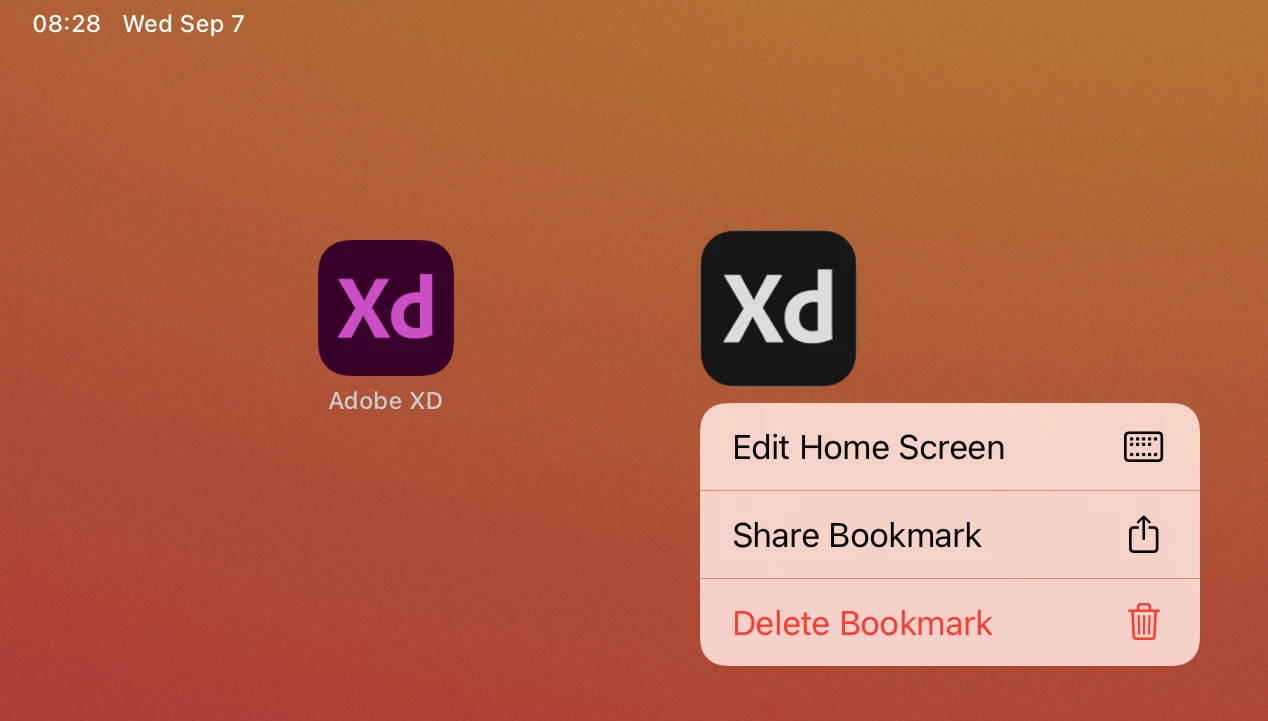
On my iPad, I have a bookmark (icon) on my home screen that i created using some previous version, and it directly launches a particular Xd prototype. This is different than my default Xd app icon, which just opens the app.

I want to create another bookmark to open another prototype, but i don't see this as an option in this version (50.0) on iOS or Android. 


This topic is closed to new replies. Start a new post to keep the conversation going.
Atul_Saini
Atul_SainiCorrect answer
Legend
Sep 7, 2022 10:45 PM UTC

Hi Foiltape,


Thank you for reaching out. This is what you can do to get an icon like this. Open the prototype in Safari, hit the share button, and choose "Add to Home Screen." 


I hope this helps. Please let me know if you need further assistance. 


Thanks,

Atul_Saini

1 reply

Atul_Saini
Atul_SainiCorrect answer
Legend
Sep 7, 2022 10:45 PM UTC

Hi Foiltape,


Thank you for reaching out. This is what you can do to get an icon like this. Open the prototype in Safari, hit the share button, and choose "Add to Home Screen." 


I hope this helps. Please let me know if you need further assistance. 


Thanks,

Atul_Saini

Translate