Participant
Jul 28, 2020 7:04 AM UTC
Answered

How to delete a published link

I published a link without a password from old file (from March). when i found out, i went to the manager links and deleted it. but the link is still alive....
I opened the the same file and published new link with a  password, but nothing happend (it didn'e delete the old link) . I need to delete this link asap. Can you help me?

    This topic is closed to new replies. Start a new post to keep the conversation going.
    Rishabh_Tiwari
    Rishabh_TiwariCorrect answer
    Legend
    Jul 28, 2020 1:39 PM UTC

    Hi there,


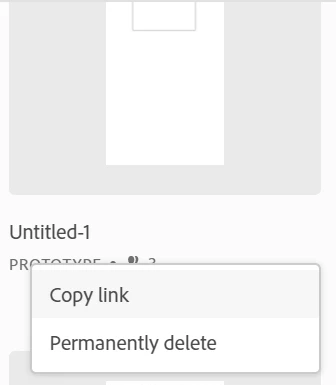
    Sorry to hear about the trouble. As we discussed on the Twitter thread, please try deleting the links from here: https://assets.adobe.com/links


    As you already tried that, let us know if it is still visible here or on the XD app? We'll try our best to help you with it.


    Regards

    Rishabh


    1 reply

    Rishabh_Tiwari
    Rishabh_TiwariCorrect answer
    Legend
    Jul 28, 2020 1:39 PM UTC

    Hi there,


    Sorry to hear about the trouble. As we discussed on the Twitter thread, please try deleting the links from here: https://assets.adobe.com/links


    As you already tried that, let us know if it is still visible here or on the XD app? We'll try our best to help you with it.


    Regards

    Rishabh


    Translate