


Inspiring
August 12, 2023
Question

How to make text border go outside of text and not inside

  • August 12, 2023
  • 2 replies
  • 750 views

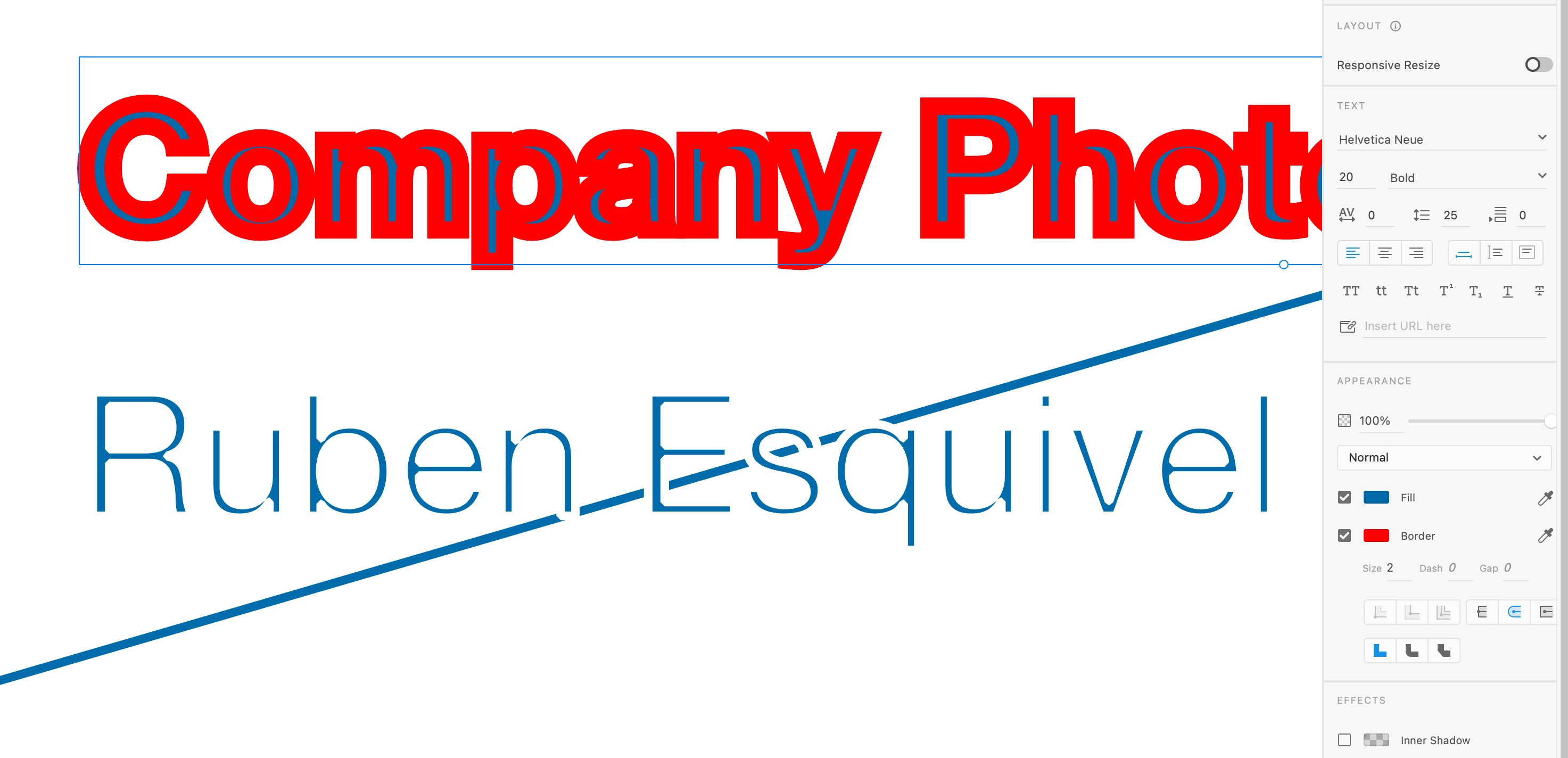
Hello please see screenshot below. How do  i make the the border go outside of text and not go inside?

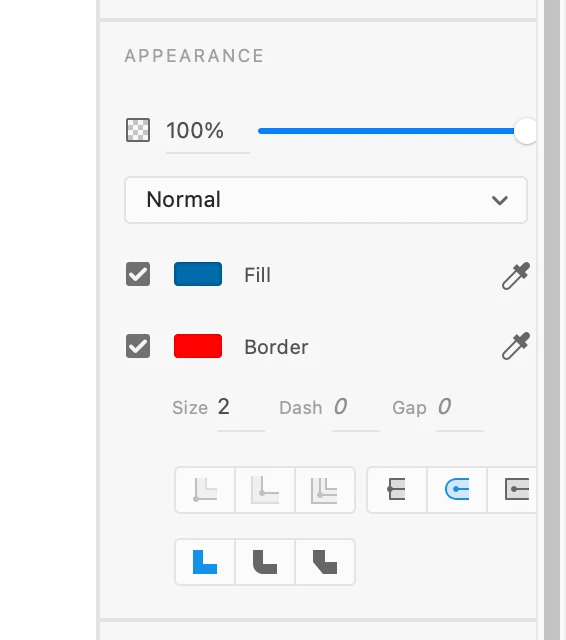
If you look at the screenshot on the botttom right I dont get an option to adjust if the border goes in or outside of text.


    This topic has been closed for replies.

    2 replies

    Participant
    July 12, 2024

    The only way around this I've found, is once you've finished making your text, convert it to a path.  That way you can add a border to it.  It's a good idea to copy the text first so you've got a backup!

    Dan Rodney
    Community Expert
    Community Expert
    August 13, 2023

    XD can't do that, but Figma can (which Adobe has announced their intent to purchase, although that has not yet been finalized). XD is a dead-end product at this point, so I'd recommend switching to Figma (which can do that you want).

    — Adobe Certified Expert & Instructor at Noble Desktop | Web Developer, Designer, InDesign Scriptor
    Inspiring
    August 28, 2023

    thats weird i wonder why xd would set it to be that way. Doesnt make sense considered that xd is used for design.