Participant
June 21, 2022
Answered

How to search in Documents

  • June 21, 2022
  • 1 reply
  • 312 views

Hello, my fellow designers!


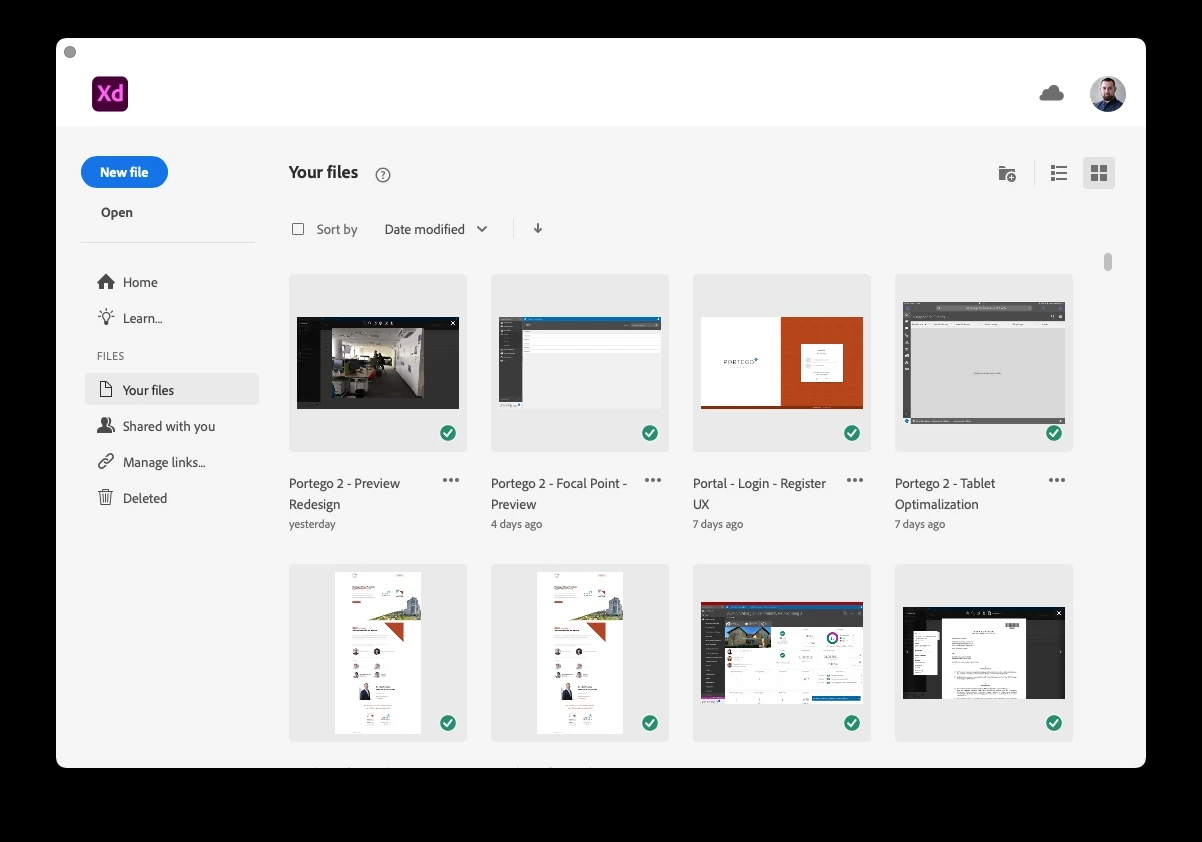
Is there any way that I could search in Adobe XD Cloud documents from the app welcome screen?

Our team is using Adobe XD for designing various features for our custom software solution. We have different products and have created mockups and scenarios in one document. But after a while, it was tedious to organize and slow when we connected to one document.

So we now split different features to separate documents with one connected design system library. The only problem that we now face is, that we cannot search in the "big pile" of documents saved to the cloud.


Do you have any suggestions on how to solve this issue? Or is there a search functionality that I am missing? Please let me know! THANK YOU! ❤️ 


Here is a screenshot of my welcome screen, so you understand what I am talking about. I would like to search here in my documents:
This topic has been closed for replies.
Correct answer Ares Hovhannesyan

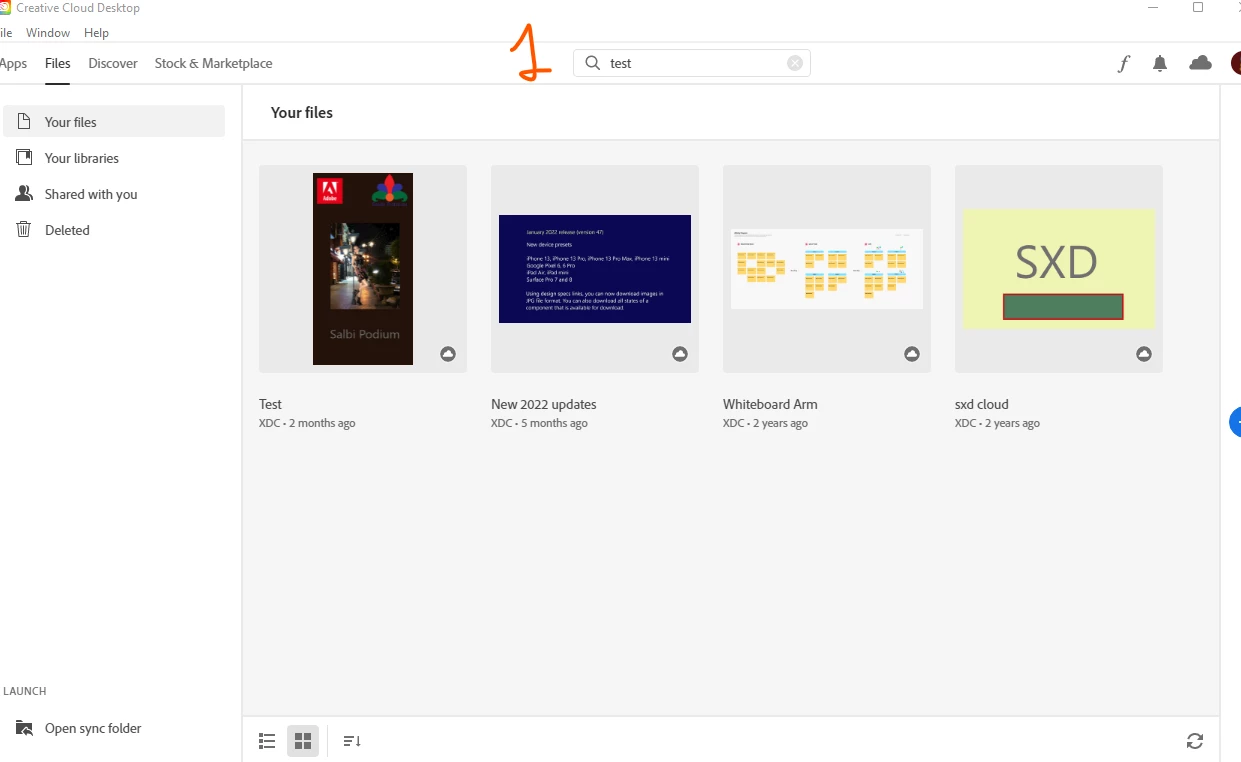
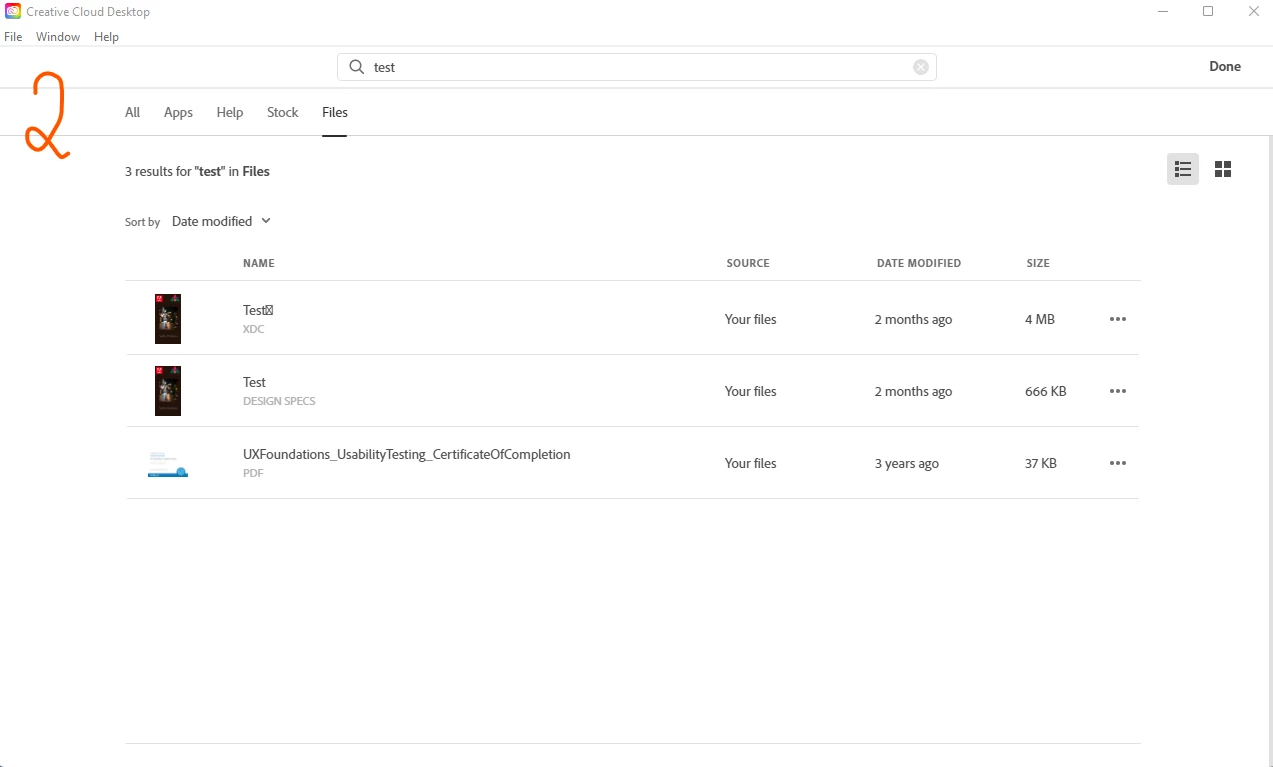
In CC app manager Entering "test" shows result with the list of files containing "test" in their name. See capture 2. Do you mean that? That can be useful to do that in Adobe xd, but xd shows only files that are compatible with xd. For now you can use CC app manager.


1 reply

Ares Hovhannesyan
Community Expert
Ares HovhannesyanCommunity ExpertCorrect answer
Community Expert
June 21, 2022

In CC app manager Entering "test" shows result with the list of files containing "test" in their name. See capture 2. Do you mean that? That can be useful to do that in Adobe xd, but xd shows only files that are compatible with xd. For now you can use CC app manager.


Participant
October 21, 2022

I have used it for a while. It's kind of a workaround. But it would be nice to have an integrated search function in Adobe XD.