Participant
July 7, 2022
Answered

How to set the sound to "ON" by default in XD?

  • July 7, 2022
  • 1 reply
  • 508 views

Hey team,

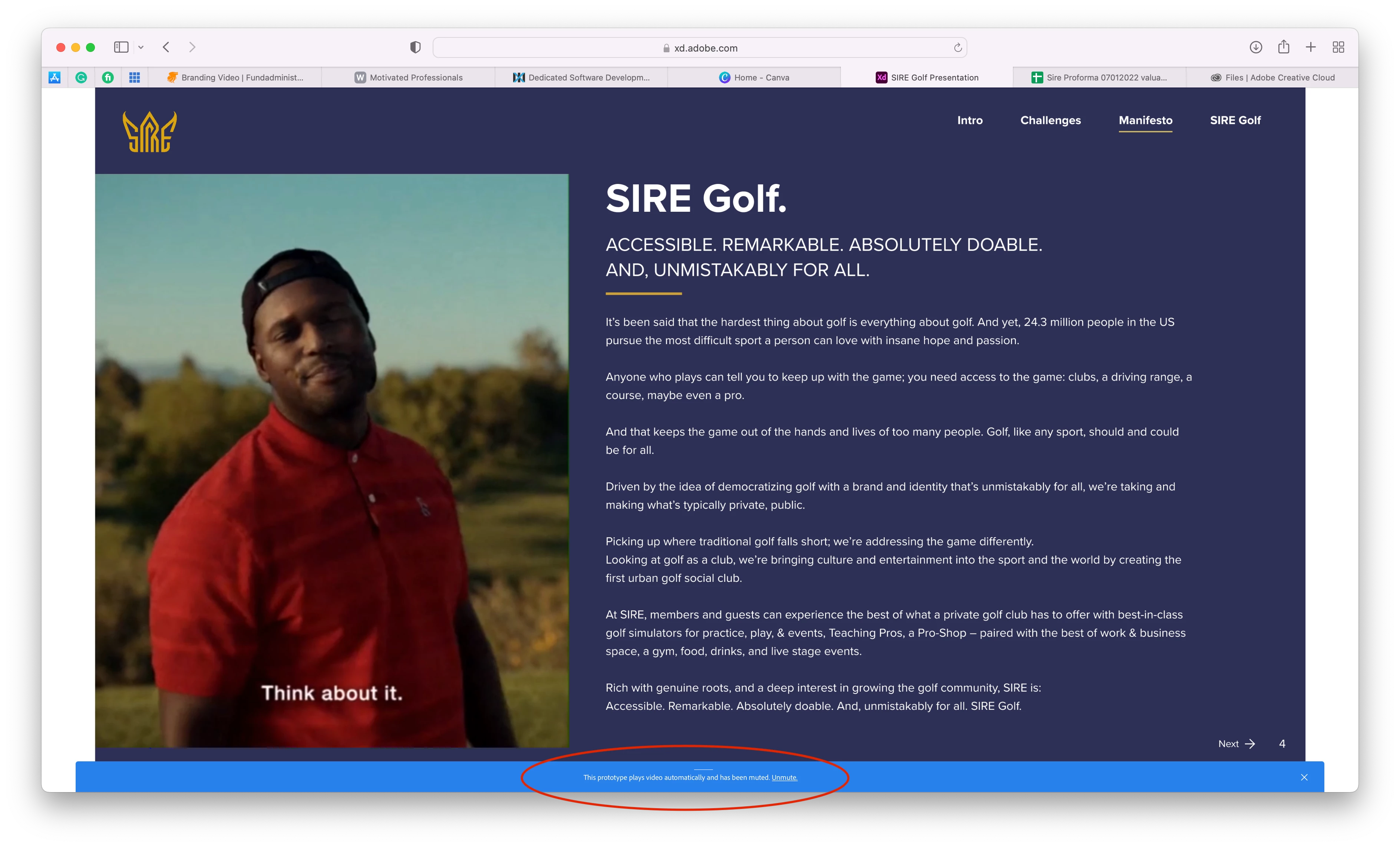
I've just started using videos in XD. The autoplay works well, however, the sound is set to 'MUTED' by default. Any ideas on how to set the sound to 'ON' by default? I've uploaded a screenshot of the message below.


Thanks in advance!
 

<Title renamed by moderator>
This topic has been closed for replies.
Correct answer Chaitanya21936374hmkf

Hi Tracy Allan,

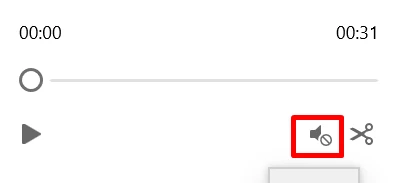
Thanks for reaching out to us, as per your screenshot, it seems whoever created the xd file and shared they kept the audio as muted. Hence request the owner to unmute the audio or if you are the owner of the file in that case. Follow the below steps in XD:

1. Select the Video on artboard

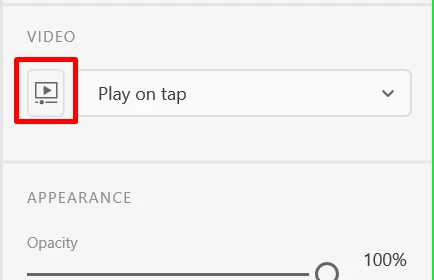
2. Now in PI click on "Customize video"
3. And then you will see the open to unmute.
4. For the refrence please refer the attached screenshot.


Thanks,
Chaitanya

1 reply

Chaitanya21936374hmkf
Community Manager
Chaitanya21936374hmkfCommunity ManagerCorrect answer
Community Manager
July 7, 2022

Hi Tracy Allan,

Thanks for reaching out to us, as per your screenshot, it seems whoever created the xd file and shared they kept the audio as muted. Hence request the owner to unmute the audio or if you are the owner of the file in that case. Follow the below steps in XD:

1. Select the Video on artboard

2. Now in PI click on "Customize video"
3. And then you will see the open to unmute.
4. For the refrence please refer the attached screenshot.


Thanks,
Chaitanya