
Participant
October 19, 2022
Answered

How to transform like in AdobeXD with CSS

  • October 19, 2022
  • 1 reply
  • 249 views

I have a pretty annoying problem. In Adobe XD I used the transform tool to rotate an image on the Y axis a couple of degrees:
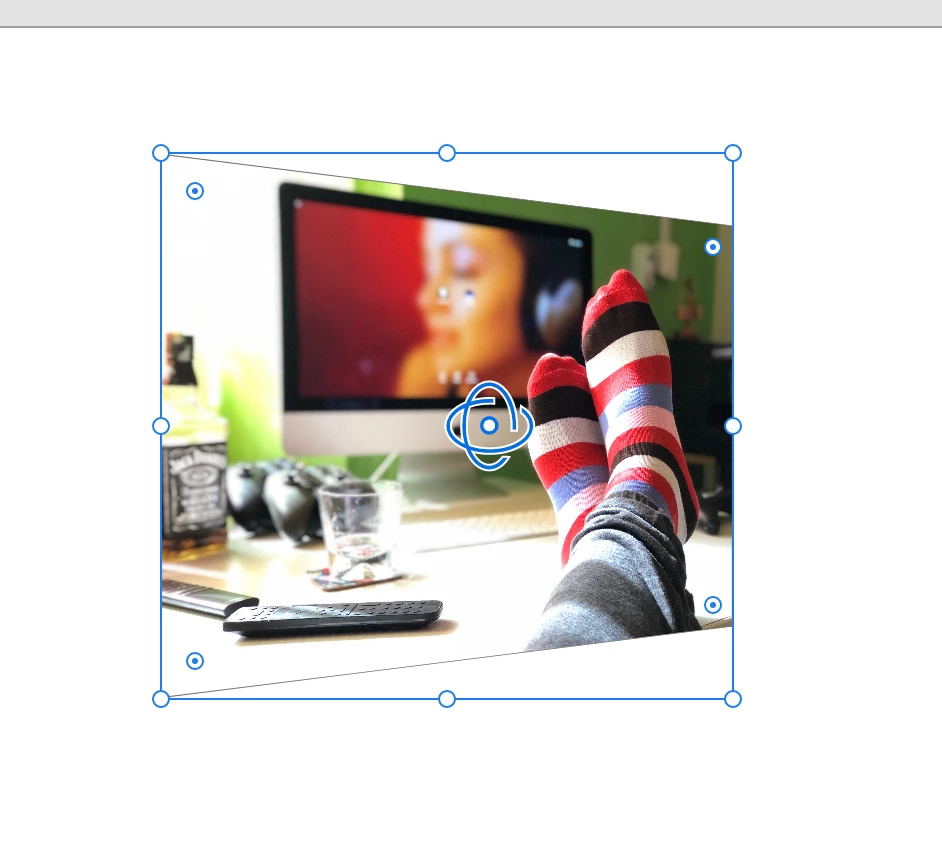
 

I used the "horizontal" line to rotate it. 


But in the love of his holy name, how the hell do I replicate this in CSS3? Because I cannot figure it out. I tried everything with transform, skewing, rotating, scaling... I cannot get it right. It seems pretty straightforward, but I cannot figure it out. Also AdobeXD doesn't export transform CSS rules it seems for this particulair thing. So I cannot use that. Does anyone know how to do this? I cannot imagine I am the only one wanting to do this.

This topic has been closed for replies.
Correct answer HARSHIKA_VERMA

Hi @Yuzi25397705bwwk,


Thank you for reaching out. We had a similar discussion happened in the past here: https://community.adobe.com/t5/adobe-xd-discussions/how-to-export-html-css-javascript-from-adobe-xd/m-p/11033176/page/3.


You may check out the plugins suggested to export to HTML/CSS and see if that helps.


Thanks,

Harshika

1 reply

HARSHIKA_VERMA
Community Manager
HARSHIKA_VERMACommunity ManagerCorrect answer
Community Manager
October 28, 2022

Hi @Yuzi25397705bwwk,


Thank you for reaching out. We had a similar discussion happened in the past here: https://community.adobe.com/t5/adobe-xd-discussions/how-to-export-html-css-javascript-from-adobe-xd/m-p/11033176/page/3.


You may check out the plugins suggested to export to HTML/CSS and see if that helps.


Thanks,

Harshika