


saarus33
Participant
May 6, 2020
Answered

How to use grids in Adobe XD?
  • May 6, 2020
  • 1 reply
  • 488 views

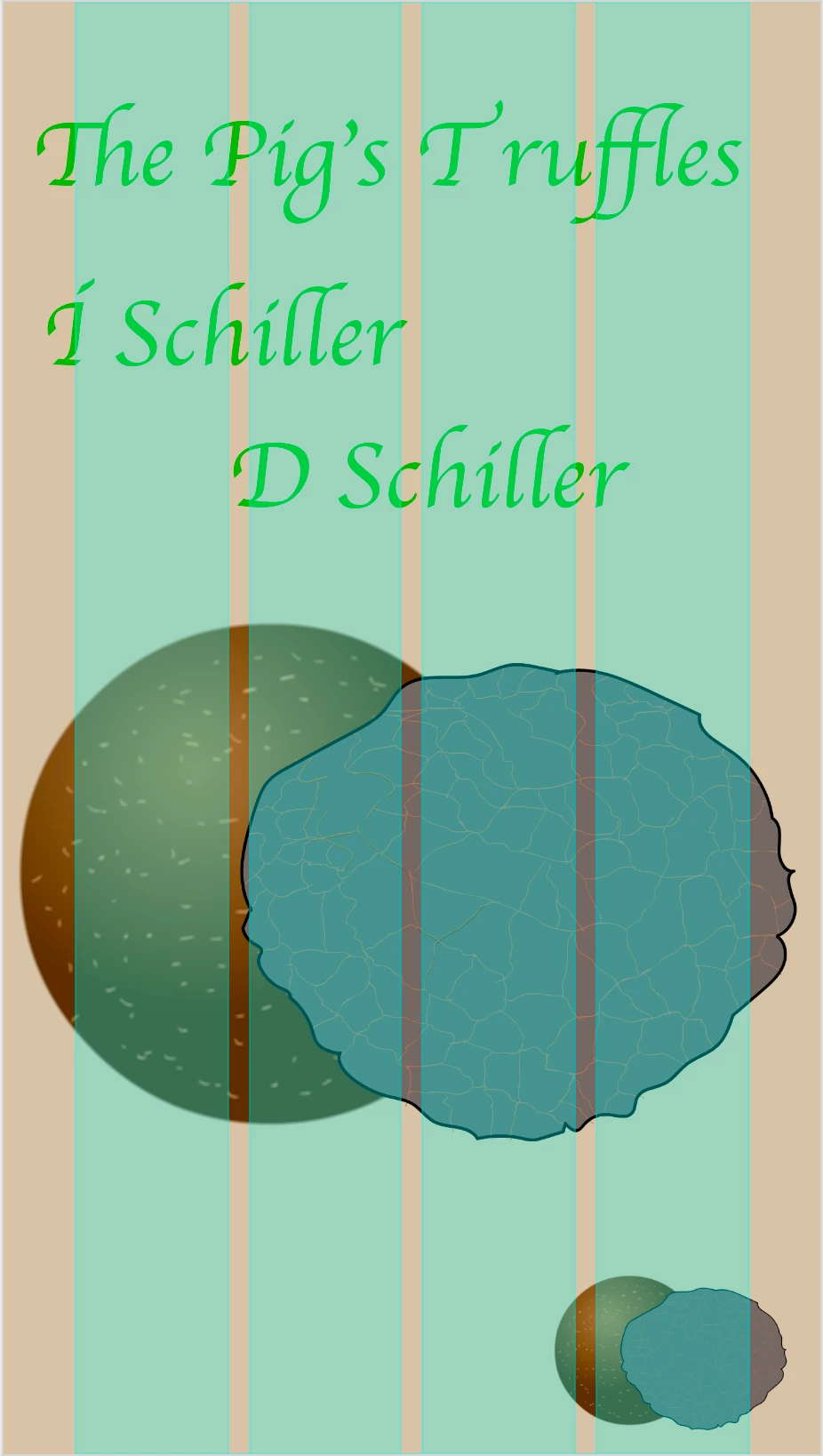
Hello, new to XD and really trying to learn more and more. I started a new project and was wondering what these green rectangular things are for? If I get hide of everything on my screen, not sure if they are there, I am colorblind. They only appear on the design tab. Can someone please help me.


{Renamed By MOD}

This topic has been closed for replies.
Correct answer Rishabh_Tiwari

Hi there,


Thanks for reaching out. These are Layout grids in Adobe Xd. You can activate them and also deactivate them from the Property Inspector on the right. You can also refer to this help article for more information: https://helpx.adobe.com/xd/help/artboards-grids.html


Let us know if this helps or if you need any further assistance.


Regards

Rishabh

1 reply

Rishabh_Tiwari
Rishabh_TiwariCorrect answer
Legend
May 6, 2020

Hi there,


Thanks for reaching out. These are Layout grids in Adobe Xd. You can activate them and also deactivate them from the Property Inspector on the right. You can also refer to this help article for more information: https://helpx.adobe.com/xd/help/artboards-grids.html


Let us know if this helps or if you need any further assistance.


Regards

Rishabh