
Question
HSLA color format values are incorrect in prototype specs view
In the Specs View of a shared prototype, when changing the color format to HSLA, the values generated are not accurate.
Eg: #7FCAEF shows a HSLA value of: hsla(199, 77%, 71%, 1):
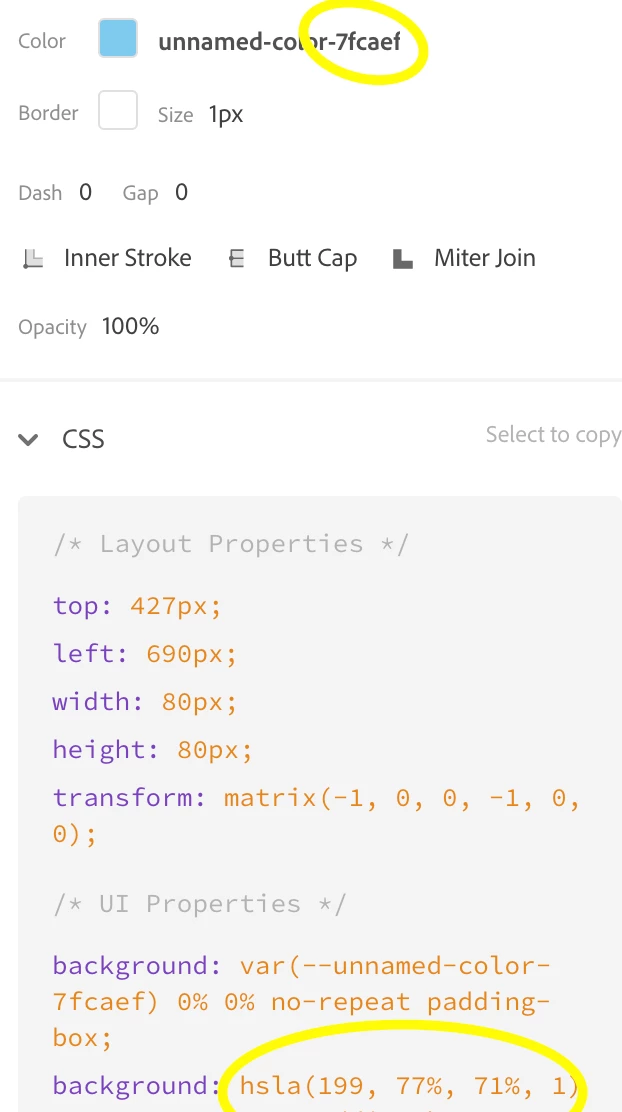
When using other online color conversion tools I get the value of: hsla(200, 78%, 72%, 1)
On further inspection, I found a more accurate conversion tool which gives the value of: hsla(199.8, 77.8%, 71.8%, 1)
It would appear that Adobe XD is rounding the values down rather than to the closest whole number.
Please can this be rectified, unless there's a reason for this?
Cheers
Euan
 AdChoices