Inspiring
March 22, 2023
Answered

Hyperlink and Insert URL options missing in XD

  • March 22, 2023
  • 3 replies
  • 2706 views

I have only been using XD for a short period of time, I can’t seem to turn anything into a hyperlink. The video I watched stated that I should go into prototype mode select hyperlink in interaction. This option is not there. When I go to Design there is also no option in the text box where I could past the URL.  The “hyperlink” or "Insert URL here" option as explained in all tutorials isn’t there.  I have the latest version according to my adobe cloud. I searched in plugins in case there is one for that feature but didnt find anything. It tried a bigger screen thinking it might be hidden or not shown on my laptop screen. It is not there. I dont know what else to do. Any help would be very much appreciated.

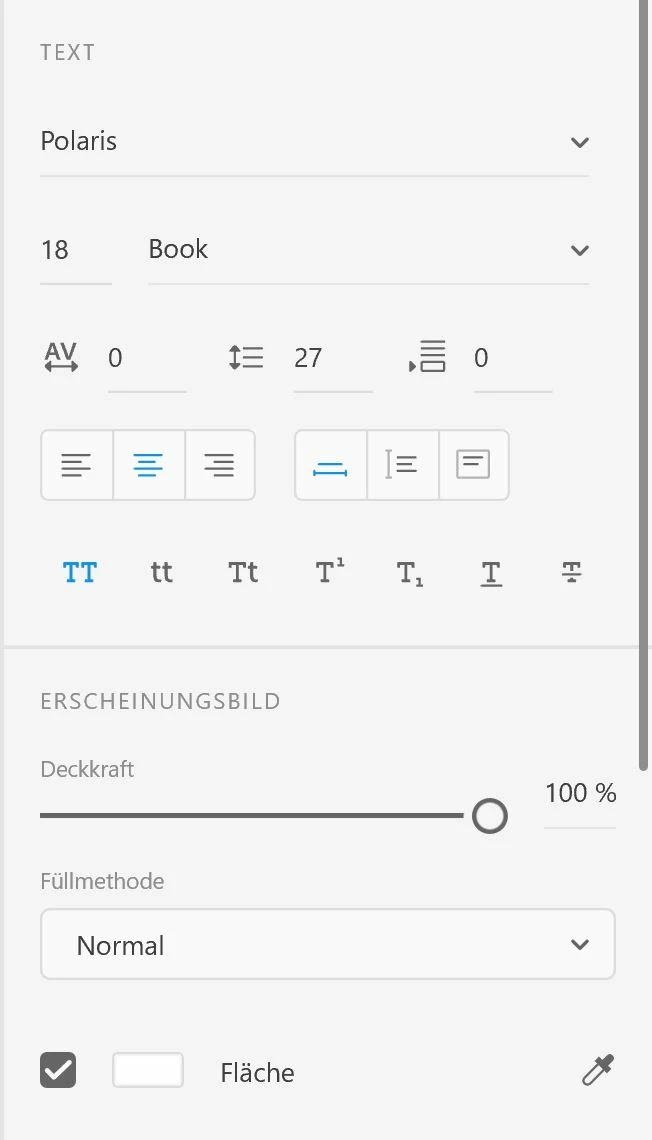
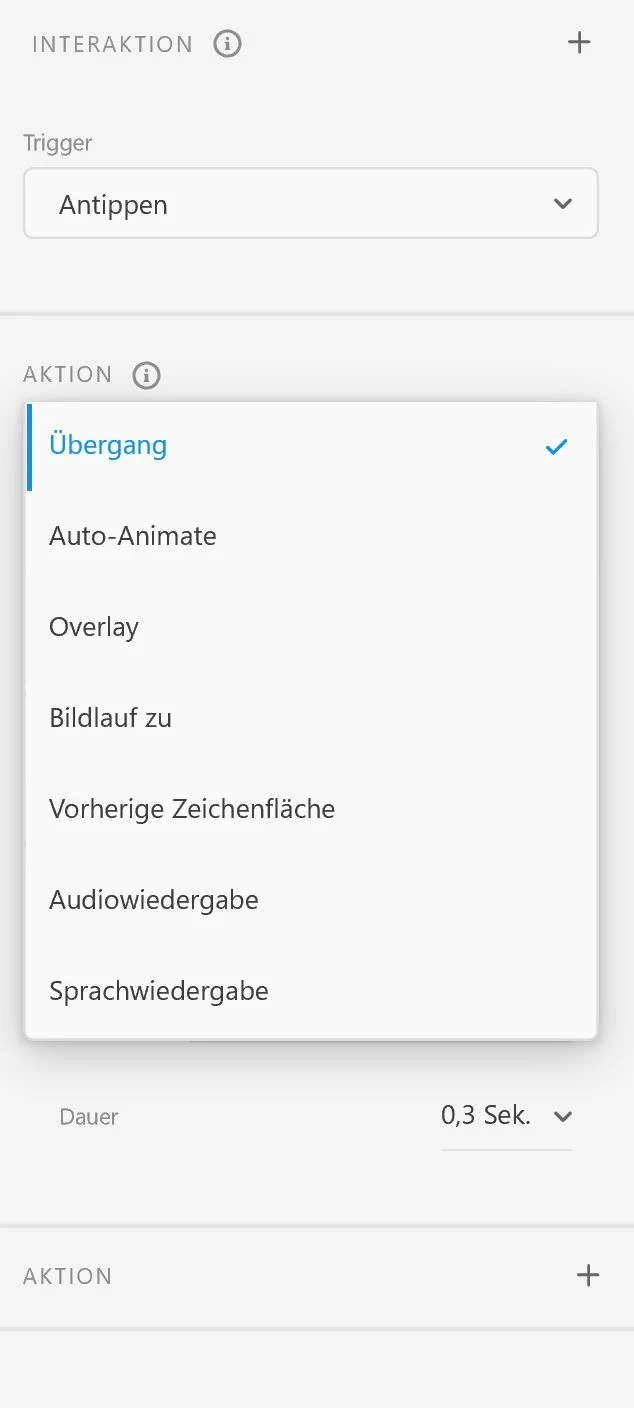
I added some screenshots to show the missing "Hyperlink". It is in German but "Hyperlink" is the same word. So you ll see it is not there. Any idea? that would be amazing. thank you!
 

    This topic has been closed for replies.
    Correct answer konstanze 57913916

    The version of XD where hyperlinks became available was 47:


    I'm on Windows 10 and currently have XD version 56.1.12. 


    The Creative Cloud Desktop app will automatically update apps if that's how it's set up. If it's not set to auto-update, then you can check in the Updates section to see if there are any Adobe XD updates waiting to be applied.


    thank you!! I dont know why my windows 10 doesnt do it. But thankfully I managed to upgrade on a different device where it works now.

    3 replies

    Myra Ferguson
    Community Expert
    Community Expert
    March 22, 2023

    There's also a video that shows making text hyperlinks in the Design mode or adding hyperlinks to buttons in the Prototype mode:

    Inspiring
    March 22, 2023

    thank you. as said, I know how to create it. I watched many tutorials. But the options to do it are not in my version. As the screenshots show. It is not there.


    Community Expert
    March 22, 2023

    What's the XD version?

    Inspiring
    March 22, 2023

    I use creative cloud. I dont know where to find the version, but there is no update available in the cloud. it says it is uptodate. 😞

    Community Expert
    March 22, 2023

    In CC click on the three dots (...) → Other versions

    Or in XD menu bar → About XD
    I think version 47 or newer has hyperlinks

    Rishabh_Tiwari
    Community Manager
    Community Manager
    March 22, 2023

    Hi @konstanze 57913916 ,


    Thank you for reaching out. I tested this on my end it's working. Would you mind checking this article and trying again? If it still doesn't work, please share a screenshot of the artboard and property panel. 


    Thanks

    Rishabh

    Inspiring
    March 22, 2023

    Thank you Rishabh. I know the article. That is what I used to learn it. But both options dont exist in my XD.

    In Design, there is no window where I could insert the URL in the text feature box.

    In Prototype, there is under Action no Hyperlink option in the scroll down menu. See attachments from my previous post and new ones again here.

    As said, my XD version is uptodate. I cant update any newer version in my adobe cloud. I really dont know why those hyperlink options are missing in my XD version. I am lost.