
fares djefaflia
Participating Frequently
Jun 30, 2020 7:08 PM UTC
Question

I can't open and install an app (Adobe XD)

Hello
I previously installed Adobe XD
Then I uninstalled it
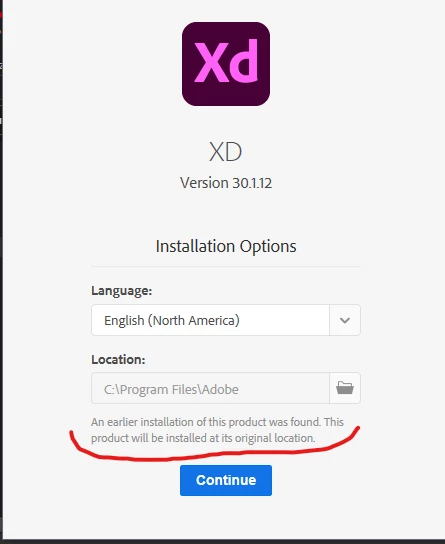
And now I want to reinstall it. But there is a problem and it is during the installation of the application that appears: An earlier installation of this product was found. This product will be installed at its original location.

When I ignore it and press continue, the application will be installed, but I cannot open it.
When I enter it, it opens for ten seconds and then closes for good.
When I search for the location of files where the application was installed, I don't find it installed in the default path.

Can I understand where the problem is and how the application does not exist but when I try to install it it appears to me that it really exists !!


This topic is closed to new replies. Start a new post to keep the conversation going.

4 replies

Rishabh_Tiwari
Legend
Jun 30, 2020 7:34 PM UTC

Hi there,


Sorry to hear about the trouble. Please try the clean installation of Adobe XD, in order to so please follow the steps shared here: https://helpx.adobe.com/creative-cloud/kb/cc-cleaner-tool-installation-problems.html


Let us know if this helps or if you need any further assistance.


Regards

Rishabh

Translate
fares djefaflia
Participating Frequently
Jun 30, 2020 8:02 PM UTC

I have already tried it
The method does not work with me
The sentence has disappeared, but the application is installed in another folder

Translate
Rishabh_Tiwari
Legend
Jul 1, 2020 7:40 PM UTC

Thanks for confirming. Adobe XD is a UWP app, so please change the installation location to this path and also please ensure that you have read and write permission for the folder C:\Program Files\WindowsApps\ and if you have the full permission, please check if you find any folder related to XD, if yes, please delete that and try re-installing it.

Translate