jodisanford
Participant
November 4, 2023
Answered

If I cancel my plan, does my account stay active and do I get to keep my files?

  • November 4, 2023
  • 2 replies
  • 322 views

I need to take a break. I'll be back one day. How do I save my XD files? Do I save the files and upload them back into CC when I return or does it stay in the Cloud until I come back?

This topic has been closed for replies.
Correct answer jane-e

@jodisanford 


I've moved your post to Adobe XD for you.


I found this in the FAQs (but I would still back them up if it were me):


https://helpx.adobe.com/creative-cloud/faq.html


Your Creative Cloud files are stored on your desktop and the Creative Cloud servers. If you cancel or downgrade your paid membership, you still have access to all the files in the Creative Cloud folder on your computer and via the Creative Cloud website.

Your account will be downgraded to a free membership, which includes 2 GB of storage. If you’re using more than 2 GB of storage, you won't be able to upload new files to the cloud. To upload new files, delete files on the Creative Cloud server until the amount of storage you're using drops below 2 GB.

If you're over your storage limit, you have 30 days to reduce your online usage. After 30 days, you could lose access to some or all of your files saved on the Creative Cloud servers.


Your Creative Cloud files are stored on your desktop and the Creative Cloud servers. If you cancel or downgrade your paid membership, you still have access to all the files in the Creative Cloud folder on your computer and via the Creative Cloud website.

Your account will be downgraded to a free membership, which includes 2 GB of storage. If you’re using more than 2 GB of storage, you won't be able to upload new files to the cloud. To upload new files, delete files on the Creative Cloud server until the amount of storage you're using drops below 2 GB.

If you're over your storage limit, you have 30 days to reduce your online usage. After 30 days, you could lose access to some or all of your files saved on the Creative Cloud servers.

Your Creative Cloud files are stored on your desktop and the Creative Cloud servers. If you cancel or downgrade your paid membership, you still have access to all the files in the Creative Cloud folder on your computer and via the Creative Cloud website. Your account will be downgraded to a free membership, which includes 2 GB of storage. If you’re using more than 2 GB of storage, you won't be able to upload new files to the cloud. To upload new files, delete files on the Creative Cloud server until the amount of storage you're using drops below 2 GB. If you're over your storage limit, you have 30 days to reduce your online usage. After 30 days, you could lose access to some or all of your files saved on the Creative Cloud servers.


Jane


2 replies

kglad
Community Expert
Community Expert
November 4, 2023

it's best to download them and secure them locally.

jane-e
Community Expert
jane-eCommunity ExpertCorrect answer
Community Expert
November 4, 2023

@jodisanford 


I've moved your post to Adobe XD for you.


I found this in the FAQs (but I would still back them up if it were me):


https://helpx.adobe.com/creative-cloud/faq.html


Your Creative Cloud files are stored on your desktop and the Creative Cloud servers. If you cancel or downgrade your paid membership, you still have access to all the files in the Creative Cloud folder on your computer and via the Creative Cloud website.

Your account will be downgraded to a free membership, which includes 2 GB of storage. If you’re using more than 2 GB of storage, you won't be able to upload new files to the cloud. To upload new files, delete files on the Creative Cloud server until the amount of storage you're using drops below 2 GB.

If you're over your storage limit, you have 30 days to reduce your online usage. After 30 days, you could lose access to some or all of your files saved on the Creative Cloud servers.

Your Creative Cloud files are stored on your desktop and the Creative Cloud servers. If you cancel or downgrade your paid membership, you still have access to all the files in the Creative Cloud folder on your computer and via the Creative Cloud website.

Your account will be downgraded to a free membership, which includes 2 GB of storage. If you’re using more than 2 GB of storage, you won't be able to upload new files to the cloud. To upload new files, delete files on the Creative Cloud server until the amount of storage you're using drops below 2 GB.

If you're over your storage limit, you have 30 days to reduce your online usage. After 30 days, you could lose access to some or all of your files saved on the Creative Cloud servers.
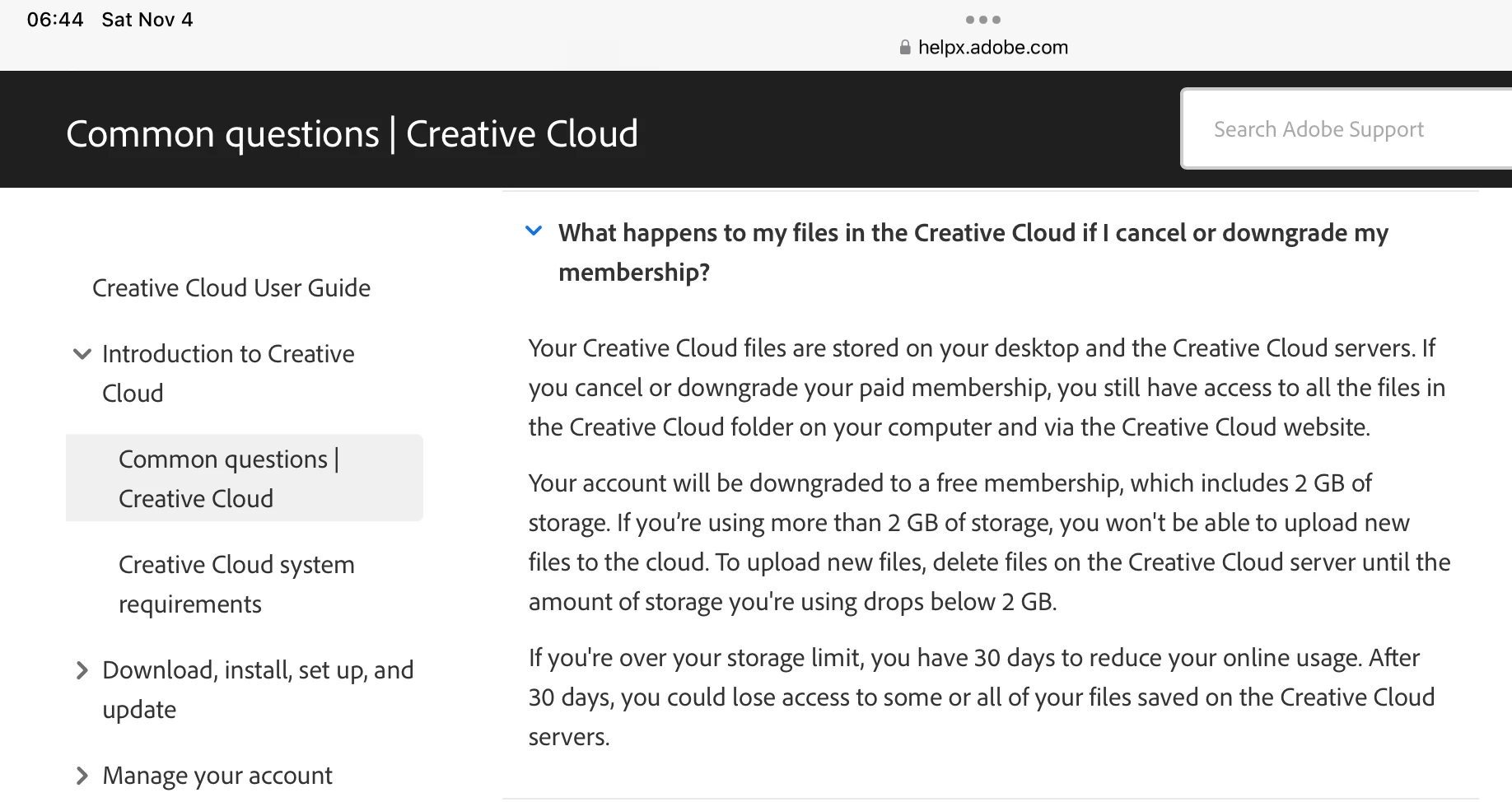
Your Creative Cloud files are stored on your desktop and the Creative Cloud servers. If you cancel or downgrade your paid membership, you still have access to all the files in the Creative Cloud folder on your computer and via the Creative Cloud website. Your account will be downgraded to a free membership, which includes 2 GB of storage. If you’re using more than 2 GB of storage, you won't be able to upload new files to the cloud. To upload new files, delete files on the Creative Cloud server until the amount of storage you're using drops below 2 GB. If you're over your storage limit, you have 30 days to reduce your online usage. After 30 days, you could lose access to some or all of your files saved on the Creative Cloud servers.


Jane