
Participant
January 31, 2020
Question

[Import & Export]-Unable to export assets and replace it to existing assets in XD.

  • January 31, 2020
  • 3 replies
  • 932 views

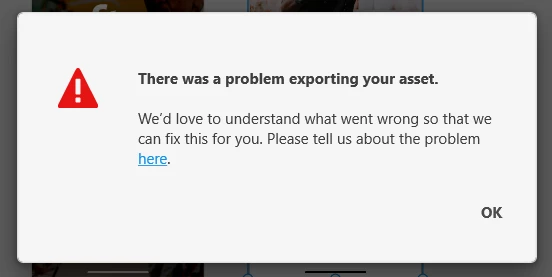
Error came out when I want to export selected artboard and replace the assets that already exists. For new artboard there is no problem for me to replace when export it. 


<The Title was renamed by moderator>

This topic has been closed for replies.

3 replies

Participating Frequently
February 3, 2020

I currently have the exact same issue (Windows 10 1903, Adobe XD 26.0.22), it frustrates me a lot, other plugins don't export as well. This happens when exporting artboards, doesn't matter how much or how to export. Most of the times just doesn't do anything or gives the same useful error... Also having a lot of crashes since a year ago on Windows, it very much seems like Windows has the lowest priority for Adobe... The sad truth. I'm not paying this amount a month to have crappy software that crashes or freezes randomly when having a project larger than a few MB, please test your software properly before publishing..


Literally every update that comes out creates more bugs, seems like the software just isn't tested properly on multiple systems (especially with larger files)

Harshika Verma
Community Manager
Community Manager
January 31, 2020

Hi Muhamad,


We are sorry to hear you are having trouble exporting assets in XD. In addition to what Italo has asked, we would also like to know the version of XD you are using. We'd also suggest checking this article: https://helpx.adobe.com/in/xd/help/export-design-assets.html


Let us know if that helps.


Thanks,

Harshika

Participant
February 3, 2020

Currently running XD version 26.0.22 on Windows PC

italosan
Community Expert
Community Expert
February 3, 2020

Does this problem also occur with other files or only with a specific one?

italosan
Community Expert
Community Expert
January 31, 2020

Hi, in what format are you trying to export your artboards?

Participant
February 3, 2020

PNG format