
YKorg
Participant
December 5, 2016
Answered

Install Xd project fonts on Android Device

  • December 5, 2016
  • 3 replies
  • 4455 views

Hi everyone
Just started to use Xd Beta today for a new UX/ UI project.

When I want to preview the UI Kits projects, with the Xd application running on my device (Huawei P9),
I have missing fonts (on my device still)  so a standard font is used for the device preview.

How can I fix this, even the Roboto font is not present on my phone, any ideas where the system font file used by the app might be ?
So I could copy .ttf in there and have them recognized by Xd app ?
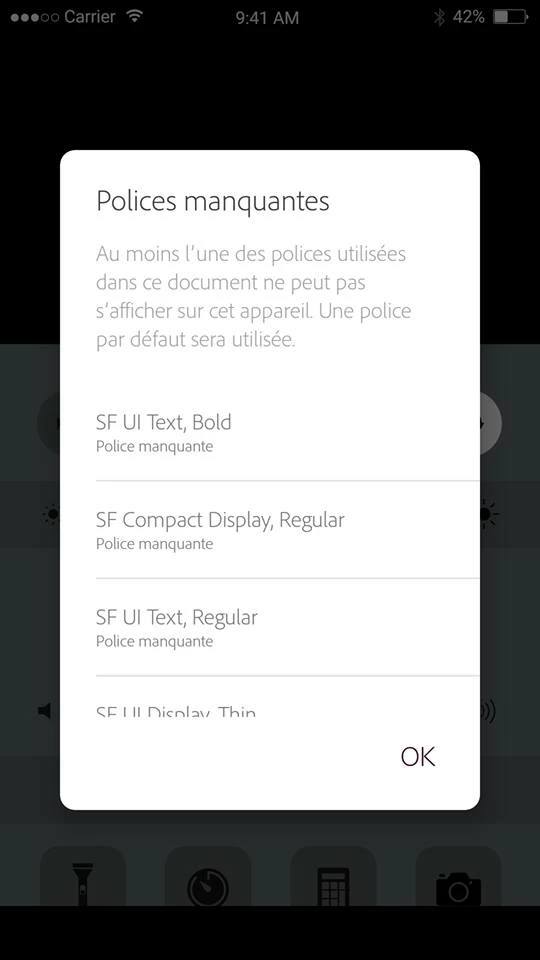
This topic has been closed for replies.
Correct answer Preran

This is a link to the bug [Android] Font not found: Roboto – Adobe XD Feedback : Feature Requests & Bugs where you can vote and provide feedback on this topic. I see that this bug is still work in progress.

Thanks,

Preran

3 replies

Participant
August 16, 2017

I have this same problem. Do you have any update for this bug?

Preran
PreranCorrect answer
Legend
August 21, 2017

This is a link to the bug [Android] Font not found: Roboto – Adobe XD Feedback : Feature Requests & Bugs where you can vote and provide feedback on this topic. I see that this bug is still work in progress.

Thanks,

Preran

Participant
June 15, 2017

Any update for this problem? It even says Roboto is missing, though thats the default font on stock android

Participant
May 26, 2017

Does anyone has any solution for this issue? I am still having the same issue with Open Sans font.

saikath22948178
Participant
May 26, 2017

Well I hear about this problem many times and adobe will actually update the XD for this reason soon . I see this message from adobe in there website.

I’m not sure.

Sent from Mail for Windows 10