

"Interesting" things that happend to me with Adobe XD CC. PLEASE HELP!
So basically the first time and a couple of times after installing XD I had a white screen problem, I tried different ways of solving the problem described in this forum like this Adobe XD shows white screen after launch and crashes on Windows and some of them helped, but not for long time, until I restart my computer actually)). The most interesting thing appears after reboot when I want to open XD, new shit happens, an unexpected error "This app can't open. There's a problem with Adobe XD CC. Contact your system administrator about repairing or reinstalling it." Nice one)
I will attach all screenshots.
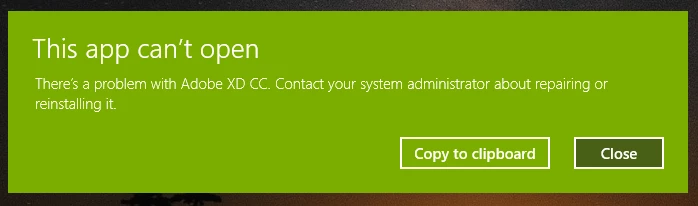
When this error is triggered I delete XD, kill all processes, clean the temp folder, delete the XD folder, etc., restart the computer, install XD and it works until the next restart))
or when I close the program and try to open it again, I get a white screen. The most annoying shit that's happened to me lately.
Oh, and I forget that all this time I've had another problem too.
This one
Not that annoying like in case when the program don't open at all)
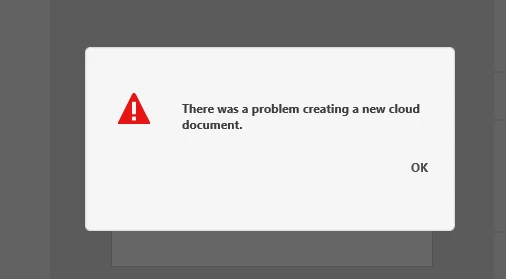
Every time I install, uninstall, reinstall, etc. all of these problems are keep following me. I don't know what to do, I almost gave up and deleted it forever, but maybe someone here has these problems too and he knows how to fix them.

Error from Event Viewer:
Faulting application name: XD CC.exe, version: 16.0.2.8, time stamp: 0x5c52eba9
Faulting module name: ntdll.dll, version: 10.0.17763.348, time stamp: 0xca65c822
Exception code: 0xc0000005
Fault offset: 0x0000000000046ad7
Faulting process id: 0x1184
Faulting application start time: 0x01d4d26886d9473e
Faulting application path: C:\Program Files\WindowsApps\Adobe.CC.XD_16.0.2.8_x64__adky2gkssdxte\XD CC.exe
Faulting module path: C:\WINDOWS\SYSTEM32\ntdll.dll
Report Id: 0080bf5f-3406-40f1-aa23-6f6be133aaac
Faulting package full name: Adobe.CC.XD_16.0.2.8_x64__adky2gkssdxte
Faulting package-relative application ID: App
In couple cases module path was:
Faulting module path: C:\Program Files\WindowsApps\Adobe.CC.XD_16.0.2.8_x64__adky2gkssdxte\XD CC.exe
Faulting module path: C:\Program Files\WindowsApps\Adobe.CC.XD_16.0.2.8_x64__adky2gkssdxte\VulcanMessage5.dll
PLEASE HELP!
 AdChoices