



Denis Frietman @ Ordina
Participant
September 27, 2023
Answered

Invited people can't access shared links. see message "You can't acces this link"

  • September 27, 2023
  • 1 reply
  • 1079 views

We've got a policy to only share links to invited people only, but since a couple of days ago, those newly invited people cant open the links shared with them. They see a message as follows: 
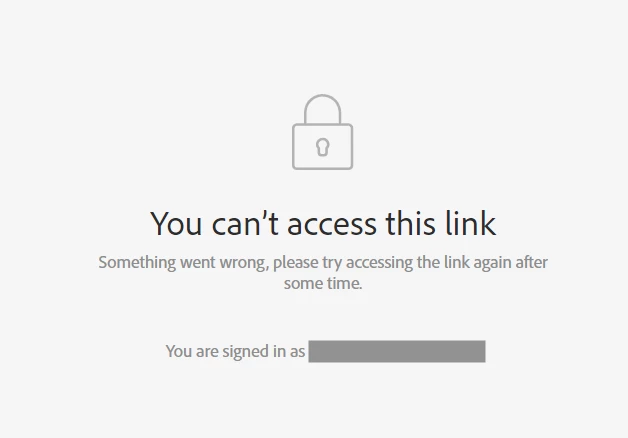
 

What's wrong here and what can I do about it? It prevent's my colleagues to accurately do their jobs.

This topic has been closed for replies.
Correct answer Denis Frietman @ Ordina

After a session with Adobe's technical support we uncovered the issue at hand. It's as follows. 

  • The users trying to access the prototype didn't verify their email address for their Adobe ID account. This isn't clear in the account-settings themselves but a verified email address has a verified badge attached to it. If the user doesnt have this badge, they cannot open any recently shared private links. 
  • Adobe has recently been applying stricter access-policies. Where before unverified email adresses could access prototypes, they now can't anymore for recently shared prototypes. 


To resolve these issues, do as follows:

  • When a user can't access a prototype, let them check if their email adress is verified in their Adobe ID account. (it should have a verified-badge attached to it)
  • If the email address is not verified, let them contact support (chat or call) and they can resend an email-verification-mail. 
  • After verifying the email address (check for the verified badge in your account), the prototype links should be accessable again. 

1 reply

Denis Frietman @ Ordina
Denis Frietman @ OrdinaAuthorCorrect answer
Participant
October 5, 2023

After a session with Adobe's technical support we uncovered the issue at hand. It's as follows. 

  • The users trying to access the prototype didn't verify their email address for their Adobe ID account. This isn't clear in the account-settings themselves but a verified email address has a verified badge attached to it. If the user doesnt have this badge, they cannot open any recently shared private links. 
  • Adobe has recently been applying stricter access-policies. Where before unverified email adresses could access prototypes, they now can't anymore for recently shared prototypes. 


To resolve these issues, do as follows:

  • When a user can't access a prototype, let them check if their email adress is verified in their Adobe ID account. (it should have a verified-badge attached to it)
  • If the email address is not verified, let them contact support (chat or call) and they can resend an email-verification-mail. 
  • After verifying the email address (check for the verified badge in your account), the prototype links should be accessable again.