
June 11, 2018
Answered

Is it a joke about line tool?

  • June 11, 2018
  • 1 reply
  • 379 views

I want to add border bottom to my button.

So, I choose the line tool draw a line.

But...I found there is a 0.5 inaccuracy which you can't remove it just only use your mouse.
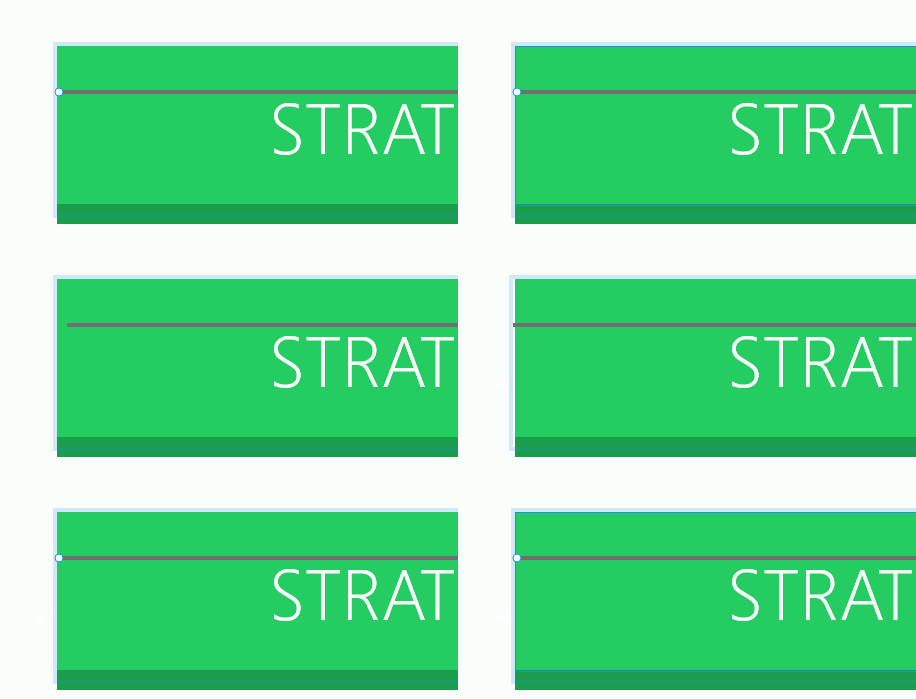
The only thing you can do is use your keyboard delete the 0.5 inaccuracy.

    This topic has been closed for replies.
    Correct answer Preran

    I checked with the team, and this behavior is as intended. According to the team, "This is because Lines are drawn as center stroke, so by default they are positioned on half-pixels to "snap" them to pixels"

    Thanks,

    Preran

    1 reply

    Preran
    Legend
    June 11, 2018

    Can you try pressing the control key and moving the line around? It looks like it works for me.

    EDIT: I see what you mean. I have to enter the information manually in X to get the positioning to 0. Let me check with the team.

    Thanks,

    Preran

    Preran
    PreranCorrect answer
    Legend
    June 11, 2018

    I checked with the team, and this behavior is as intended. According to the team, "This is because Lines are drawn as center stroke, so by default they are positioned on half-pixels to "snap" them to pixels"

    Thanks,

    Preran