
Participant
April 14, 2022
Question

Issue copying vector copy from AI & paste to XD, the shadow is not coming up right.

  • April 14, 2022
  • 1 reply
  • 458 views

Hi dear everyone, 


Currently I having few issues:


1. Copy the vector from Ai, and paste to XD, the effect is not same as Ai. (The middle shape's stroke is missing)
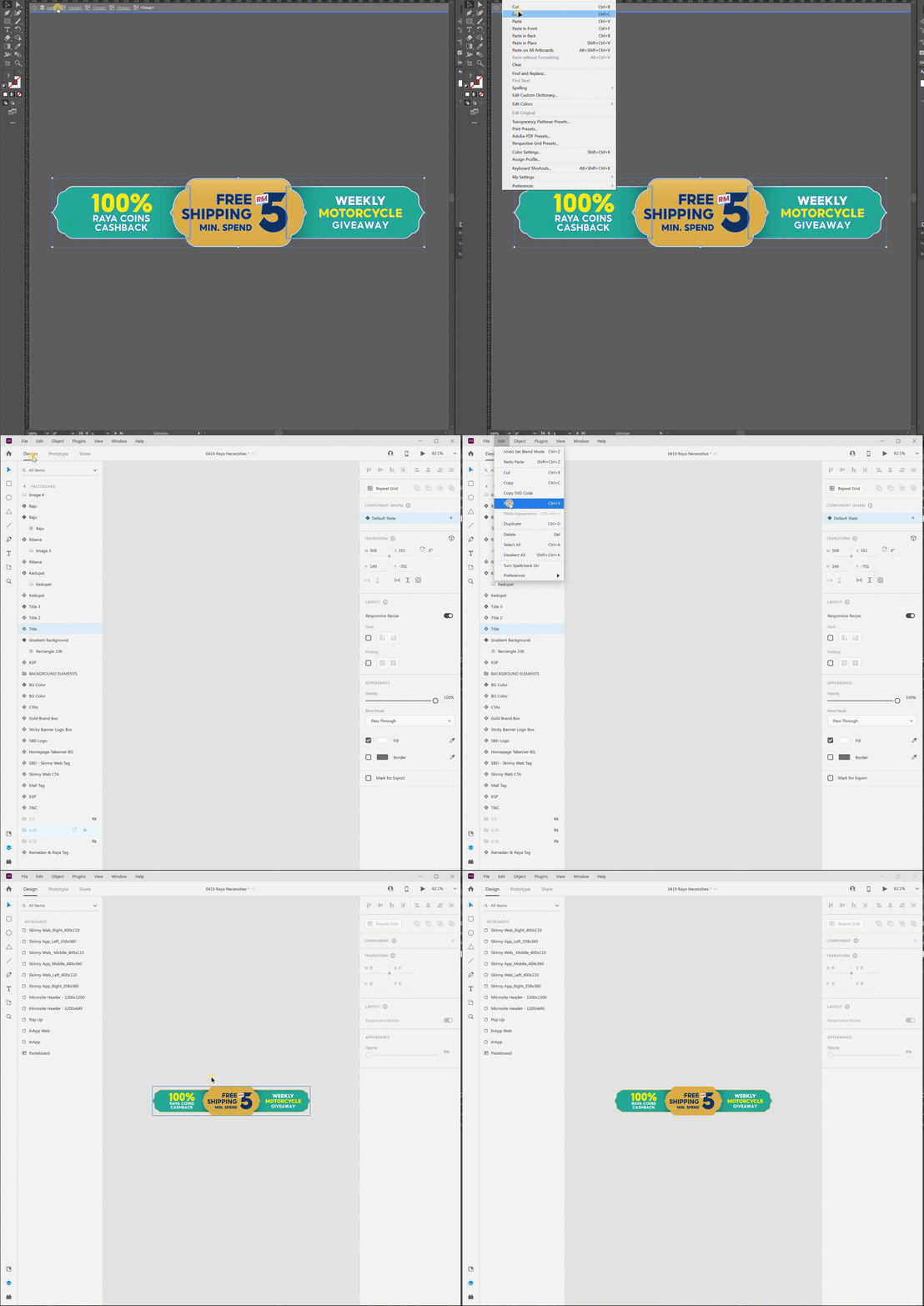
 

2. Open same Ai file from XD, the shadow effect isn't right.
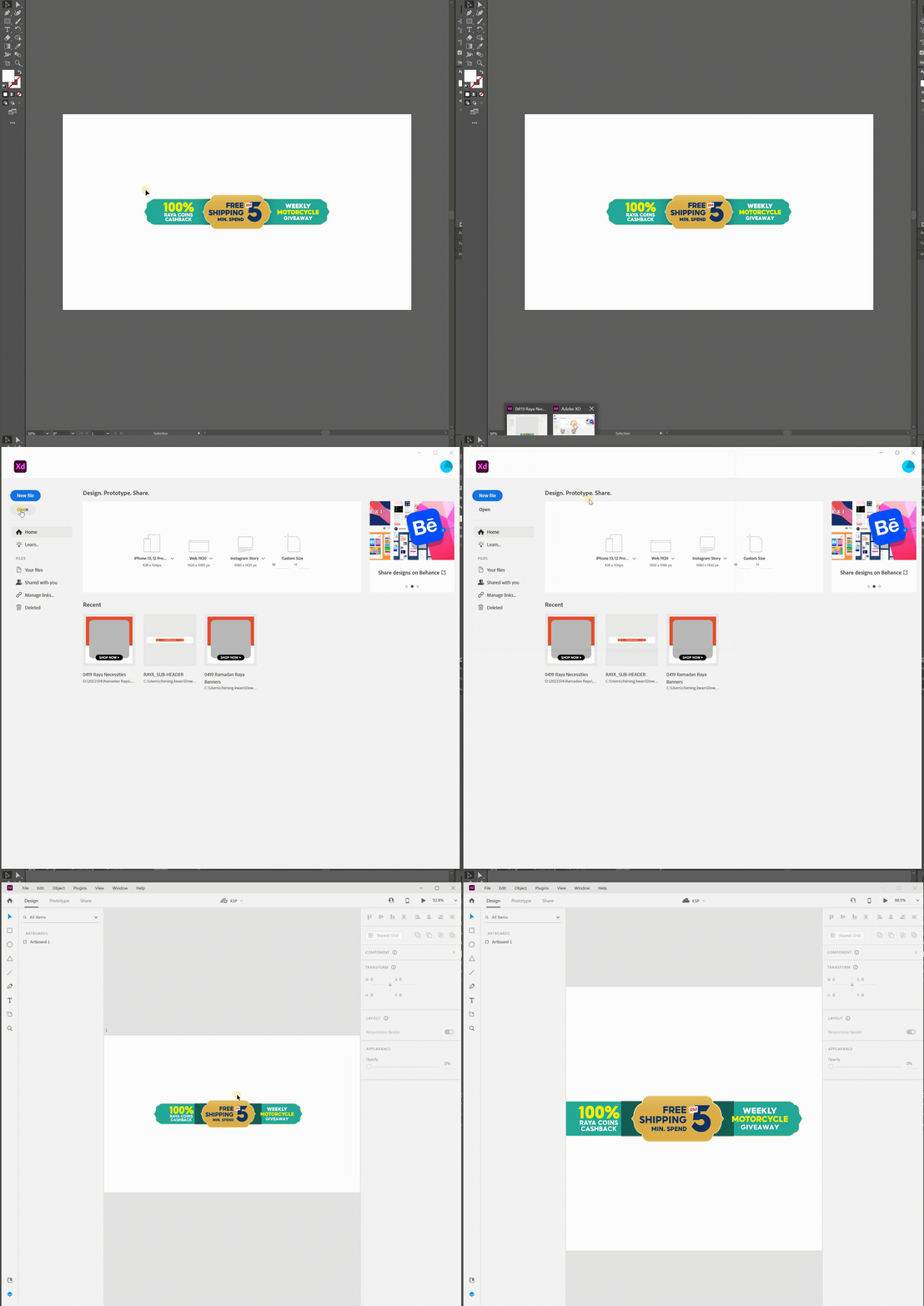
 

It happens the same if I add the vector into library and open from XD. 


Anyone have the same issue? Please assist on this please, and if you need to do testing, please download the Ai vector file from here


Thank you very much.


Regards,

Kwan.

<Title renamed by moderator>

This topic has been closed for replies.

1 reply

HARSHIKA_VERMA
Community Manager
Community Manager
April 14, 2022

Hi kwan chi mingi81999538,


We are sorry for the delay in response and thank you for sharing the file with us. Would you mind telling us if this is happening with all the files or with this specific file? Please share the version of AI and XD installed on your machine. Are you on a windows or mac machine?


1. Copy the vector from Ai, and paste it to XD, the effect is not the same as Ai. (The middle shape's stroke is missing)

Ans-I followed your step at my end and it shows up fine on my windows machine.


2. Open same Ai file from XD, the shadow effect isn't right.:- 
I will investigate further on this workflow once you share the version and the OS details.


I will try my best to help.


Thanks,

Harshika

Participant
April 15, 2022

Hi dear Harshika, thanks for the reply. Below is the info that you required.


Would you mind telling us if this is happening with all the files or with this specific file?

Some files are ok, some aren't. 30-40% happens this issue.


Please share the version of AI and XD installed on your machine. Are you on a windows or mac machine?

Illustrator (26.2.1)
XD (49.0.12)

Windows user


From your image, actually the stroke has gone after you paste it into XD.


Thank you.


Regards,

Kwan.