SkillNation
Known Participant
November 5, 2021
Question

Issue with pasting vector shapes from Illustrator to XD

  • November 5, 2021
  • 1 reply
  • 277 views

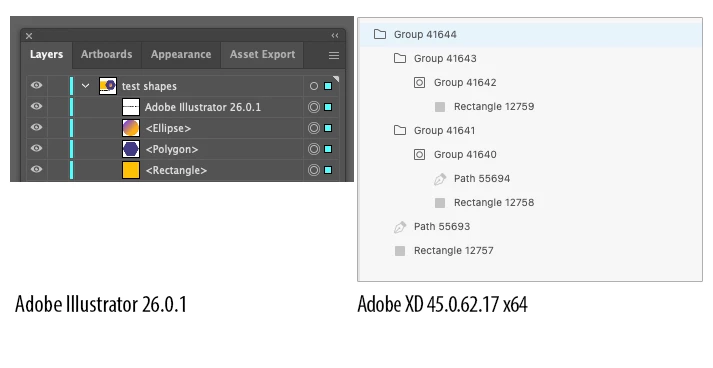
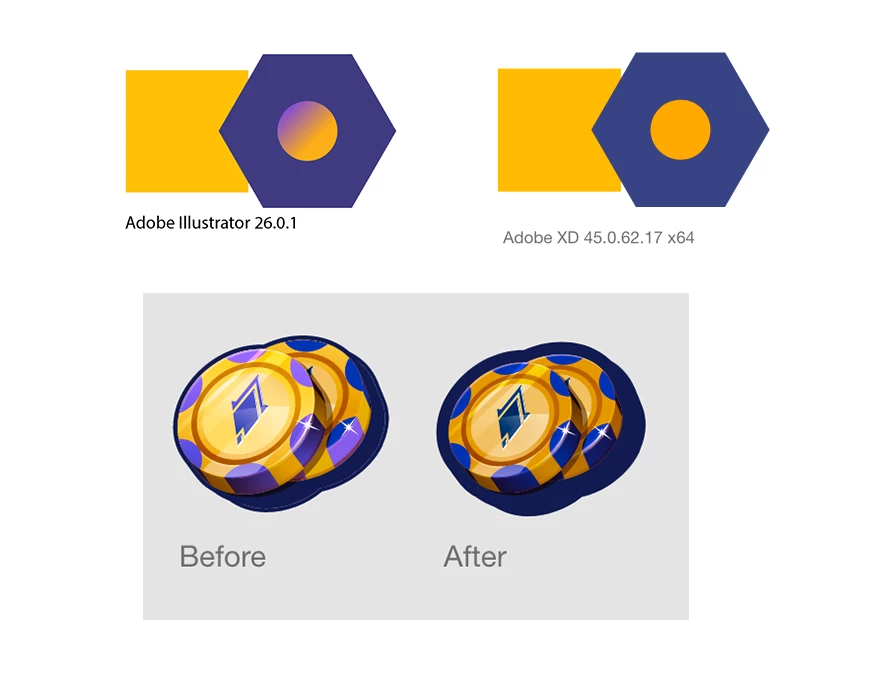
Right after the big Adobe release, I started facign with a problem to past correctly my vector design to XD. All colors, gradiens and layers are pasting incorect. More over all layers look wery weird in XD, there are some stanrange mask and goups that in Illustrator I didn't have. 

Please see screeshots below. 


This topic has been closed for replies.

1 reply

Elsa.A
Participating Frequently
November 6, 2021

Hi Glafira,


When I see inconsistencies in copying and pasting vector shapes from Illustrator to XD, I try two other methods:

  1.  Saving the vector shapes in my Creative Cloud library, and then dragging the assets into XD (then you can choose to unlink them for further editing in XD).
  2.  Saving the Ai file and then opening it directly in XD.


Please let me know if either of these two methods work for you.