
Participant
June 9, 2022
Answered

Layers not working (especially when skewing)

  • June 9, 2022
  • 1 reply
  • 405 views

Hi everyone,


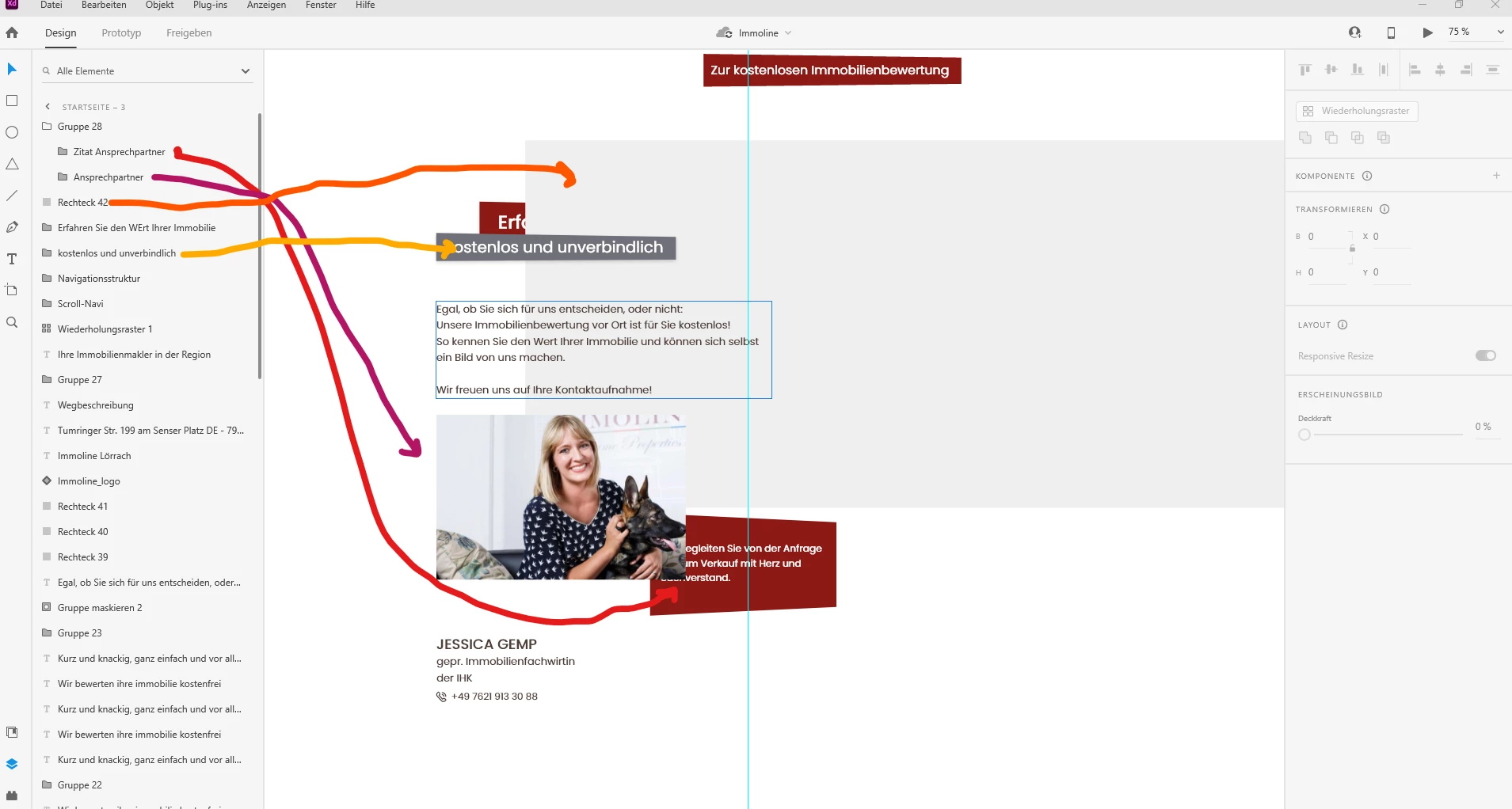
I'm currently running into an issue with layers in my newest design. 


As you can see in my attached image, the layers don't work properly. I'm e.g. trying to put the rectangle quote on top of the image, and in the layer navigation it looks like it should be working, but it doesn't with the skewed elements.


I'm working with the latest Adobe XD version on Windows 10.


    This topic has been closed for replies.
    Correct answer AkinGn

    Hi @Yvonne2237267616vo, hmm interesting, I think I'd try to arrange layer order for similar situations by editing/increasing the z-index of the 3D transformed/skewed elements (you can see the "z-index" parameter by clicking the cube symbol or entering the 3D transform mode at the top right of the transform panel at right, as you might know 😉 Hope this helps!

    1 reply

    AkinGn
    Community Expert
    AkinGnCommunity ExpertCorrect answer
    Community Expert
    June 9, 2022

    Hi @Yvonne2237267616vo, hmm interesting, I think I'd try to arrange layer order for similar situations by editing/increasing the z-index of the 3D transformed/skewed elements (you can see the "z-index" parameter by clicking the cube symbol or entering the 3D transform mode at the top right of the transform panel at right, as you might know 😉 Hope this helps!

    Participant
    June 13, 2022

    Hi Akin, thank you! That works for me. Weird bug though.