

ktiminey
Participant
October 27, 2020
Question

Layout Grid: Turn Off For Some Artboards

  • October 27, 2020
  • 1 reply
  • 1498 views

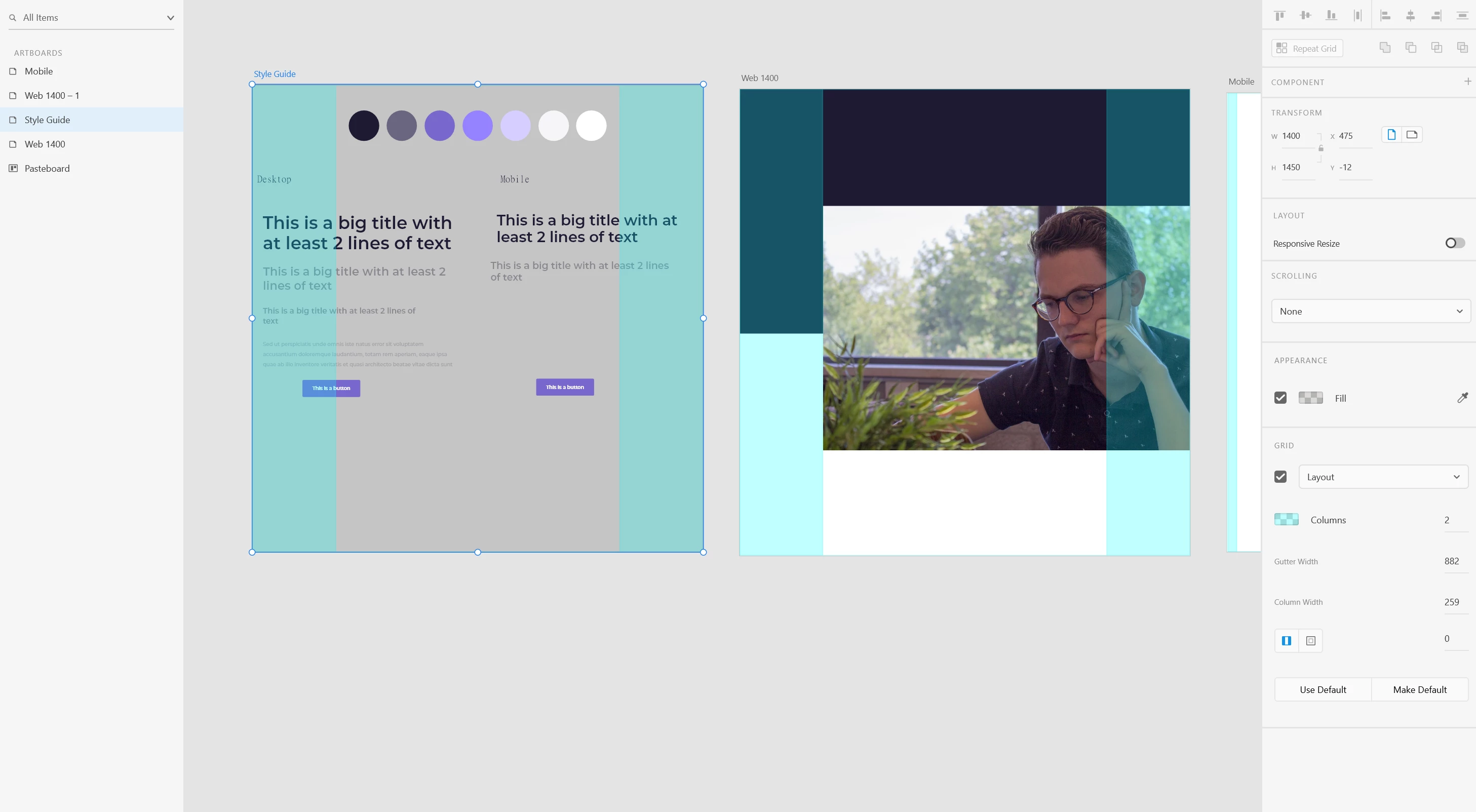
Hi! I have seen a designer on YouTube turn on and off the layout grid for different artboards in an XD file. I am currently working with the three artboards and seem to only be able to make a global decision on the layout grid. 


Here's what I want to do:

- Have a style guide artboard that does not have a layout grid visible

- Have design pages that do have the layoutgrid visible


Here's what's happening:

- Turn on layout grid and it appears on all artboards in the file

- Select a single artboard and layout grid turns off for all artboards


How do I turn the layout grid on or off separately for artboards in the same file?


Thanks!
This topic has been closed for replies.

1 reply

Rishabh_Tiwari
Community Manager
Community Manager
October 27, 2020

Hi there,


Thank you for reaching out. As per the design, when you turn on the grid(layout/square) view it should turn on for all the artboards, not for the selected one. Could you please share the links of the tutorials where it shows that the grid is applied to the selected artboard?


Regards

Rishabh

Participant
December 2, 2020

Hi I also have seen this done on a tutorial. 3 Artboard in one file and only one is turned off. Did an older version do this? There are some features that seem to have been better prior to the updates. In Character Styles, also it appears you could rename the styles to Title, Heading, Body etc. before but now it is not able to be renamed. This isn't good.